
In This Article
Follow BestForAndroid


💡 The short answer
- No app neededA phone browser such as Chrome is enough for a face swap or a head swap on Android.
- No accountFacy photo face swap, Atlas Cloud and Magic Hour’s guest tool work without signing up.
- Face or headA face swap keeps the original hair; a head swap replaces the whole head, hair included.
- Ground rulesOnly upload faces you have permission to use, and check each tool’s free limits first.
Your Android phone doesn’t need another app to swap faces. A mobile browser is enough, and many sites now run a free photo face swap or an AI head swap without installing anything. The catch is that “free” means different things: some tools need no account, some give you a few credits, and one runs entirely on your phone. Here are 12 worth trying, grouped by how much stands between you and a finished image.
The details below come from each tool’s own page, checked in early November. Free tiers change often, so check the current limits before you build a routine around any of them.
Which tool fits which job? A quick comparison
If you only want the short version, this table shows what each tool swaps, whether you need an account, and what the free tier gives you.
| Tool | Account | Free tier | Worth knowing |
|---|---|---|---|
| Facy photo face swap | No | Free, no card | JPG, PNG, WEBP, BMP or GIF up to 20 MB; captcha after many swaps |
| Atlas Cloud (face swap) | No | Free, no usage cap | Runs on your device; about 711 MiB first download |
| Magic Hour (head swap) | No (guest tool) | 3 per day | No watermark; free use is personal only |
| Facy photo head swap | Yes (Google or email) | Free credits | HeadUltra group-photo model is paid |
| YouCam Online Editor (head swap) | Yes | 5 free credits | Photos and video; multiple heads |
| Airbrush (face swap) | Yes | 3 credits on first login | States Android browser support |
| Wallpapers.com (face swap) | Not for the first run | Listed as 2 lifetime credits | HD (1280p) downloads; ads |
| WeShop AI (face swap) | Says no | Free credits | Photos, GIFs, video; multiple faces |
| insMind (head swap) | Not stated | Free to try, limits vary | Can regenerate a result |
| Pixa (head swap) | Not stated | Free to try, then credits (as listed) | Text-prompt based; page offline when we checked |
| Fotor (head swap) | Not stated | Advertised as free; credits per swap in its docs | Head swap page now redirects to its editor |
| Facecam (head swap) | Not stated | Free results are marked; head swaps sit in paid plans | One person per input |
What’s the difference between a face swap and a head swap?
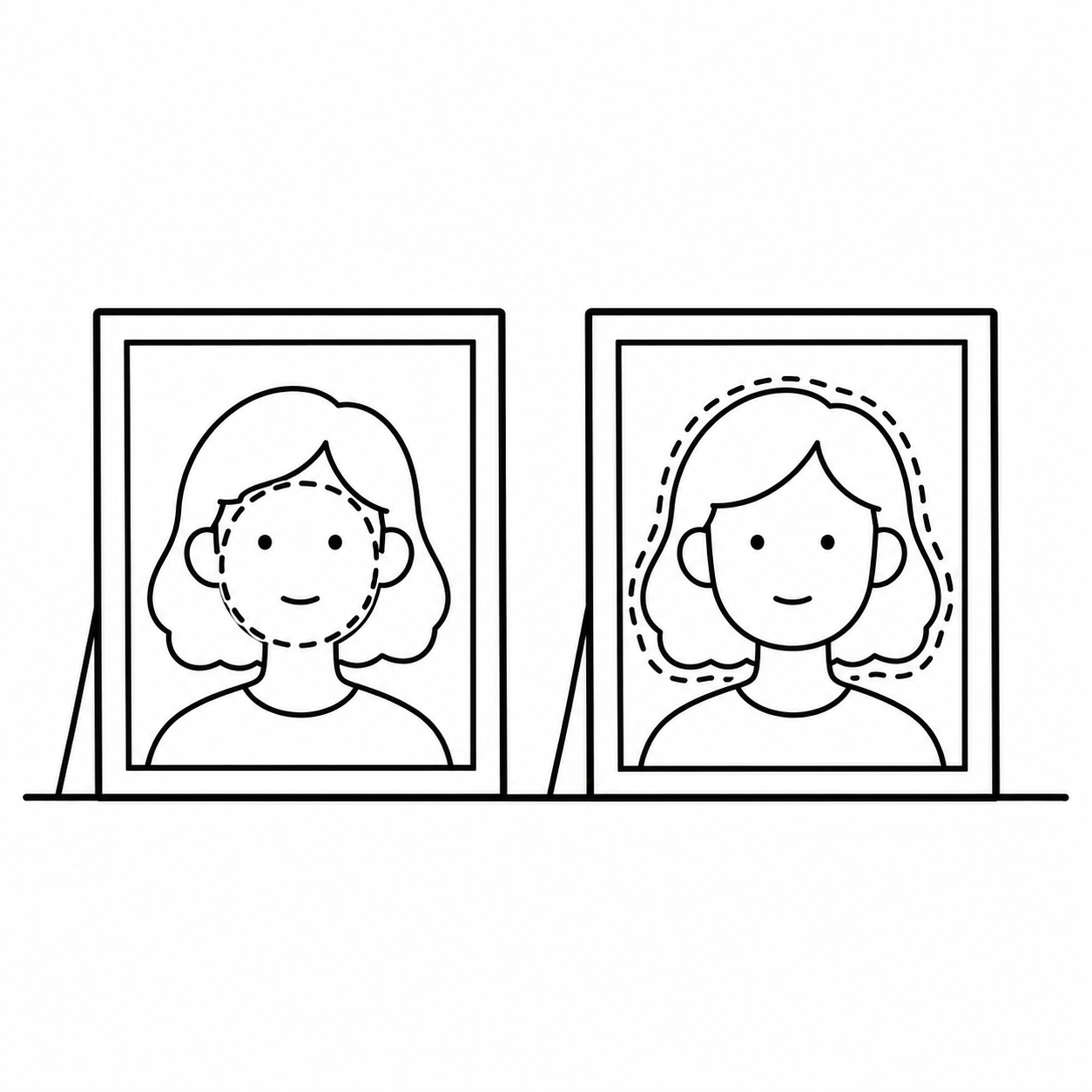
A face swap replaces only the facial area, so the original hairstyle, ears and head outline stay as they were. A photo head swap replaces the whole head, hair included. Choose a face swap when the original hair works and you only want a different face. Choose a head swap when the new hairstyle or head shape is part of the point. Head swaps are fussier about head size and the neck join, a distinction Magic Hour’s own guide also draws.
Which free swap tools need no account?
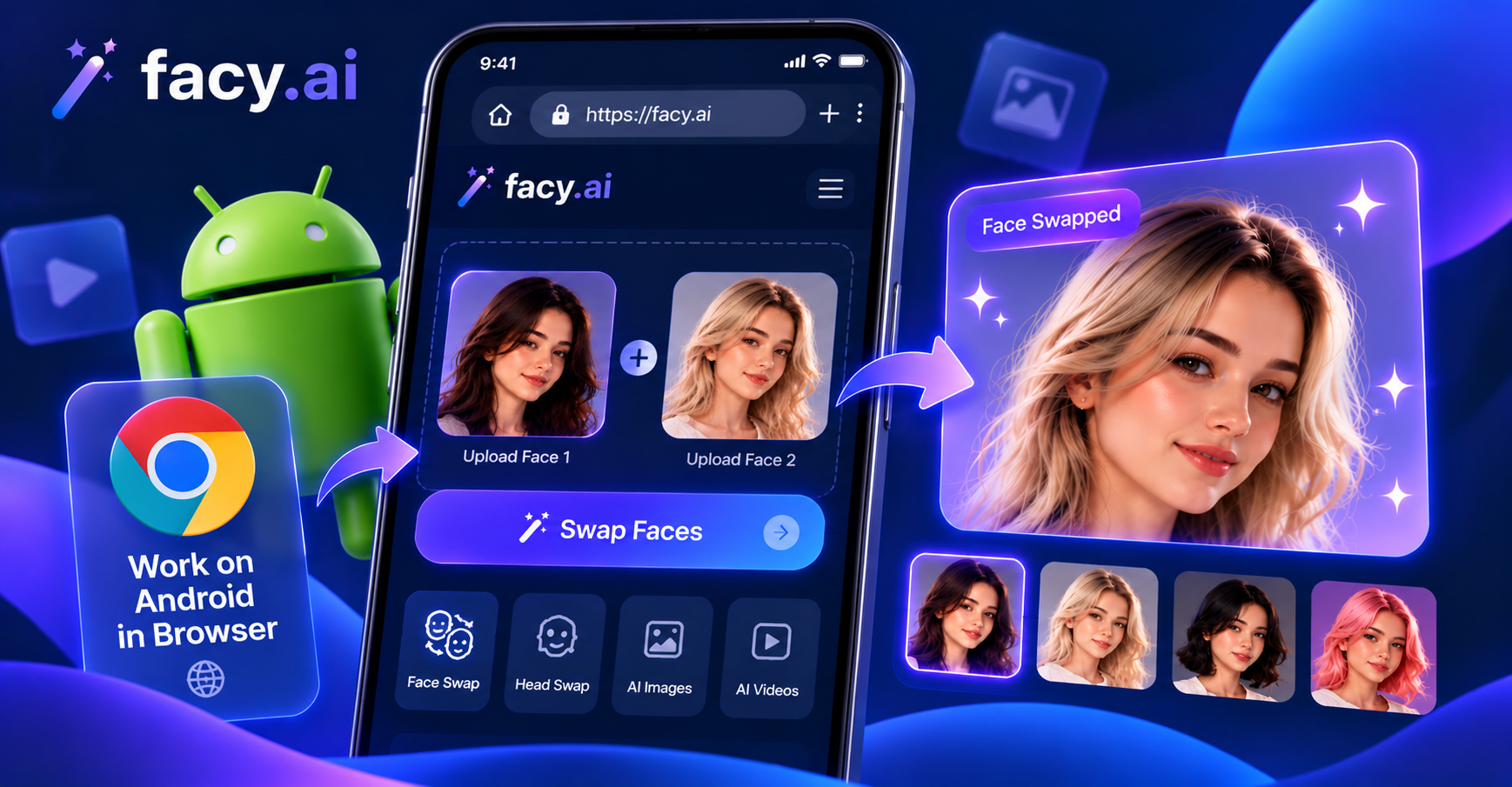
1. Facy photo face swap
Upload a face image and a target photo, accept the terms, tap swap, and the result appears on the same page. There’s no sign-up and no card, and files can be JPG, PNG, WEBP, BMP or GIF up to 20 MB. Facy says uploads and results are deleted automatically after a short time, and after many swaps in a row it may ask for a captcha.
Best for: a quick job when you don’t want an account.
2. Atlas Cloud local face swap
Atlas Cloud’s free tool runs inside your browser tab, so your photos are not uploaded to a server. The trade-off is a one-time model download of roughly 711 MiB, so use Wi-Fi, and speed depends on your phone. It has blend and edge sliders, needs no account, and exports PNG up to 1280 pixels on the longest side.
Best for: people who care most about privacy.
3. Magic Hour head swap
Magic Hour says its guest tool allows three free head swaps a day with no signup and no watermark, and its guide says it works in a desktop or phone browser. You upload a base photo and a head photo, then tap Swap Heads. It accepts PNG, JPG/JPEG and WebP. Free use is for personal projects; Magic Hour reserves commercial use for paid plans.
Best for: trying a first head swap without making an account.
Which free tools give you credits after sign-up?

4. Facy photo head swap
Sign in with Google, Apple or email to receive free credits, then upload a source head and a target photo (20 MB maximum each). An optional custom prompt lets you ask for details such as keeping glasses or an open-eyed expression. New users test with the HeadPlus model, while the paid HeadUltra model can swap just one person in a group photo.
Best for: swaps where the hair and head shape should change too.
5. YouCam Online Editor
YouCam’s head swap offers 5 free credits after sign-up and covers both photos and video. It detects each head in your target image and lets you upload a replacement face for every one, which suits group shots.
Best for: fixing several people in one picture.
6. Airbrush
Airbrush says its face swapper runs in the browser and works on Android phones, tablets and desktops. You upload your own photo, then a second image or one of its templates. The free plan gives 3 credits on first login, and a photo costs 1 credit, so that is about three swaps. Watermark-free export is listed under the paid plans.
Best for: template-based fun swaps.
7. Wallpapers.com Face Swap
This tool keeps the original hair, body, pose and lighting, and the first run is free with no email sign-up. Limits look tight: one part of the page lists 2 lifetime tool credits for free users, another mentions a higher daily quota once you sign in, so expect to hit a sign-up prompt quickly. Free downloads are HD (1280p), the page says there is no watermark, and ads appear on the page.
Best for: a one-off swap.
8. WeShop AI
WeShop AI says its face swap works in the browser with photos, GIFs and video, and can handle several faces in one image. It also says you can start without signing up using free credits, so check how many remain before a bigger batch.
Best for: group photos and GIFs.
9. insMind
insMind’s AI head swap takes a source photo and a head photo and returns a result in seconds, with the option to regenerate if the first attempt looks off. It is free to try, but insMind says limits vary by account.
Best for: fixing closed eyes, forced smiles or odd angles, and polishing headshots for a profile picture.
10. Pixa
Pixa works by text. Upload one photo, type what you want (for example, swap the faces of the two people), and generate. Pixa’s listings promise a high-resolution, watermark-free PNG and a free trial before you buy credits for more downloads. Its tool page was offline when we checked, so confirm it is back before you rely on it.
Best for: swapping two people inside the same photo.
11. Fotor
Fotor has described its head swap as finding and cutting out heads automatically so you can place them on another photo, and has advertised it as free with high-quality downloads. Its dedicated head swap page now redirects to the general AI photo editor, and Fotor’s help pages list face swap at 2 credits per swap, so check what the editor asks for before you commit.
Best for: dropping a head onto formal attire for a professional headshot.
12. Facecam
Facecam’s head swap replaces the whole head, so hair and beard move with it. It accepts JPEG, PNG or WebP and expects one main person per photo, so crop group shots first. Free results carry a small Facecam mark that paid plans remove, and Facecam lists head swaps under its paid plans, with prices that change often.
Best for: whole-head swaps, if a visible mark is acceptable.
How do you get cleaner results on a phone?
Five habits for a cleaner swap
- Start from originals. Use photos straight from your gallery rather than screenshots or copies compressed by a chat app. More detail in means a cleaner blend out.
- Pair photos that point the same way. Two people looking left will swap better than one looking left and one at the camera.
- Watch hairlines and necks. On a head swap, zoom in on the edges before you save. That is where mismatched size and lighting show first.
- Regenerate before you give up. Most tools produce a slightly different result each run, so a second try with the same images can help.
- Use Wi-Fi for heavy tools. The local, in-browser option especially needs a big first download.
Is it legal and safe to swap faces?
It depends on whose face is involved and what you do with the result.
Before you upload
- Use your own photos or images where you have permission, avoid impersonating anyone, and never create intimate imagery of a person without consent. Several of these tools also ban uploads of anyone under 18, so read each tool’s terms before you start.
In the US, the TAKE IT DOWN Act makes sharing intimate images of a real person without consent a crime, and that includes images made or altered with AI. Platforms must also remove such an image, and known copies, within 48 hours of a request, and the FTC takes reports about platforms that miss the deadline. The law is not a ban on face swaps in general, but it shows where the line sits.
Photo face swap FAQs
Can you swap faces on Android without installing an app?
Yes. Facy photo face swap runs in your browser with no account, and Airbrush and Magic Hour say their tools work in phone browsers. Open the page in Chrome, upload two photos and download the result.
What is the best free face swapper for Android with no signup?
Facy.ai photo face swap needs no account and returns the result on the same page. Atlas Cloud’s local tool also needs no account, but it asks for a large first-time model download.
Is Facy photo head swap free?
You can try it free after signing in with Google or email, which gives you free credits on the HeadPlus model. The HeadUltra model, which can target one person in a group photo, is on paid plans.
Do free face swap tools add watermarks?
It varies. Magic Hour says its guest downloads have none, while Airbrush lists watermark-free export on paid plans and Facecam marks free results. Check a tool’s export step with a test image first.
Can I use the results commercially?
Facy.ai says photo face swap results can be used for personal and commercial projects, as long as you have permission to use every face you upload. Other tools set their own rules: Magic Hour, for example, keeps free use personal and reserves commercial use for paid plans, so check each one’s terms.
Conclusion
✅ What to remember
- Fastest startA no-account tool such as Facy photo face swap.
- New hairstyleMove to a head swap tool.
- Privacy firstAtlas Cloud keeps photos on the phone.
- Ground rulesKeep originals, check free limits, upload only faces you may use.
For a fast swap on Android, start with a no-account tool such as Facy photo face swap, then move to a head swap tool when the hairstyle needs to change too. Keep the original photos, check the free limits on your first try, and only upload faces you have permission to use.