In This Article
Follow BestForAndroid


💡 The short answer
- What it isBiggerZ is a casino, sportsbook and prediction market site that installs on Android as a web app from Chrome, with no Play Store listing.
- How to installIt takes 3 taps in Chrome: open the menu, choose Install app or Add to Home screen, then confirm.
- What you getA home screen icon that opens the same account and games as the website, in a window without the address bar.
- Check firstThe licence is from Anjouan, so confirm that online gambling is legal where you live and that you are old enough to play.
Search Google Play for BiggerZ and you will come up empty. The gap is deliberate. Google’s real-money gambling policy admits gambling apps only from licensed operators, in a limited set of countries, and each one has to apply and be approved. Most casino brands skip the store.
Web technology gives them another route. As MDN’s guide to installable web apps explains, a site can ask Chrome to put its icon on your home screen and open in its own window, much like an app from the store. Online casinos use this approach a lot, and BiggerZ is one of them. Here is how it works on an Android phone, and what to check before you put money into it.
How BiggerZ Works on Android
App at a glance
BiggerZ
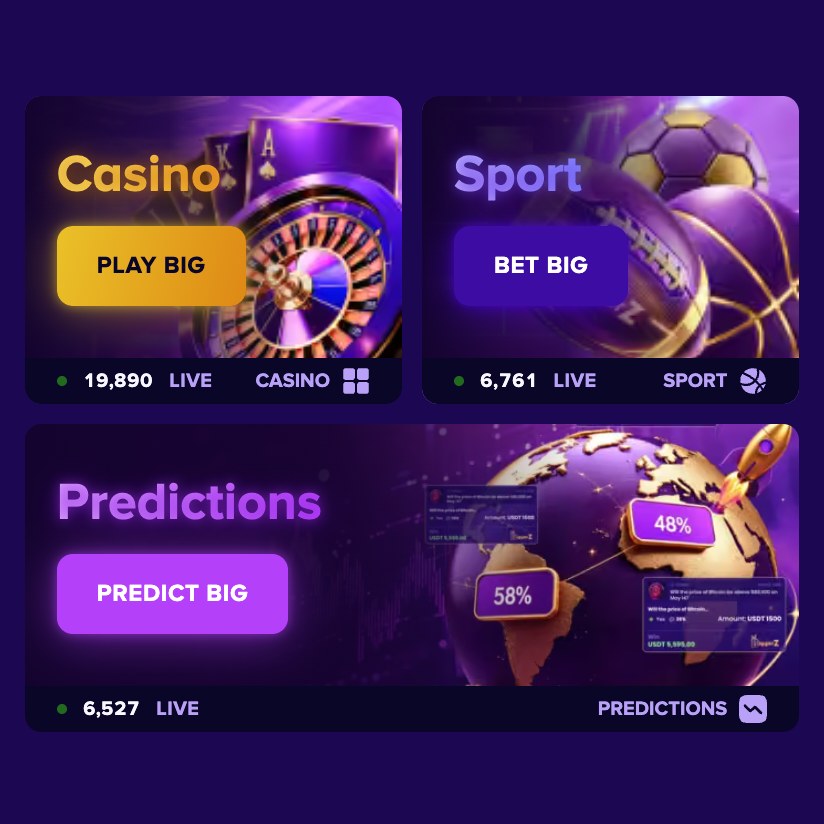
A casino, sportsbook and prediction market site that installs on Android from the browser instead of the Play Store.
For adults, where gambling is legal
- 3Products
- 5,000+Games claimed
- ChromeInstalls from
- AnjouanLicence
- StandoutIt installs from Chrome in three taps, with no Play Store listing and no APK file to download.
- Worth knowingThe licence comes from Anjouan, an offshore jurisdiction, and some games are blocked by region.
BiggerZ puts a casino, a sportsbook and prediction markets on one site, and all three open in a mobile browser. You do not need Google Play at any point. The site installs from the browser, and it ships a web app manifest that tells Chrome to open it in its own window, in portrait, under its own icon.
The design is responsive, so the same pages rearrange themselves for a small phone or a 10-inch tablet. The login is the one you would use on a desktop. Start on a laptop, pick up the phone, and the account is already there.
The footer names the operator, CDK PLAY INC SRL of Costa Rica, and a gaming licence issued by the Government of the Autonomous Island of Anjouan. The checklist further down covers what that licence does and does not tell you.
What Is a Progressive Web App?
| Web app (PWA) | Play Store app | Sideloaded APK | |
|---|---|---|---|
| Comes from | The site, through the browser | Google Play | A file from a website |
| Installed by | Chrome or Samsung Internet | The Play Store | You, after allowing unknown sources |
| Updates | Arrive when the site changes | Through the Play Store | Manual, with a new file |
| Storage | Small, mostly cached files | The full app package | The full app package |
| Reviewed by Google | No | Yes | No |
A progressive web app, or PWA, is a website with a few extra files that let a browser treat it like an app. The main one is a manifest that names the app and its icons, and the site has to be served over a secure HTTPS connection. BiggerZ’s manifest sets the display mode to standalone, which is the setting that hides the address bar.
On a phone, that means the site may open in a dedicated window without browser controls, and it gets a home screen icon like anything else you have installed. Whether you see the full-window version depends on the browser and the device.
The difference from apps at Google Play is where the software lives. A store app is a package saved on the phone. A PWA delivers its features through an online service, so there is little to download and updates arrive automatically whenever the site changes. The installed BiggerZ icon connects to the same service as the browser version. You get the same site and the same account, not a separate collection of games.
Installing BiggerZ on an Android Phone
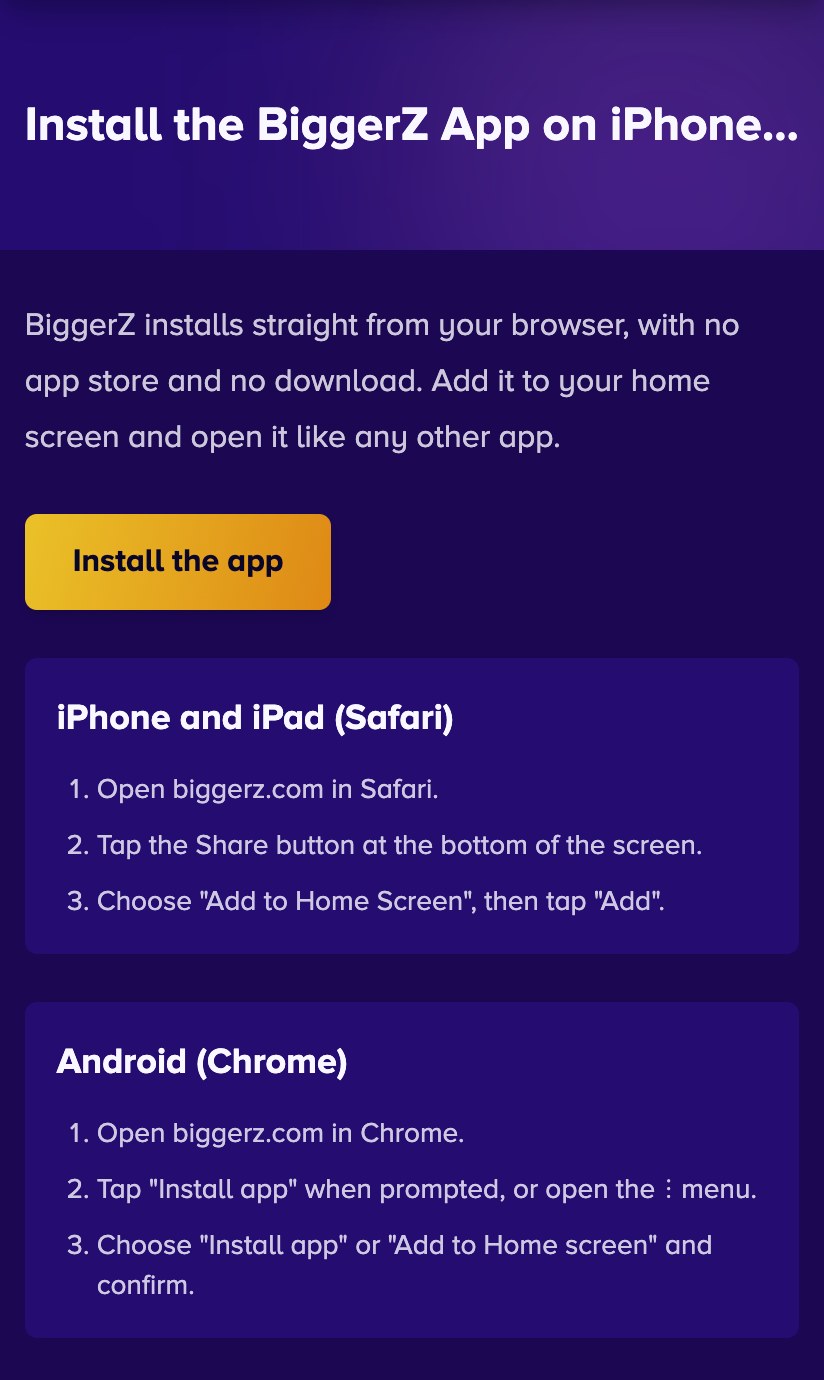
BiggerZ publishes the steps on its install page, shown above. In Chrome on Android they come down to three taps:
- Open Chrome and go to the official BiggerZ site. Type the address yourself instead of following a link from an ad or a message.
- Tap the three dots in the top right corner. If Chrome shows an install prompt first, you can use that.
- Choose ‘Install app’ or ‘Add to Home Screen’. Some Chrome versions call it ‘Install and create shortcut’.
- Follow the on-screen instructions to confirm. The icon appears on the home screen or in the app launcher.
None of this involves downloading an APK file from a separate website, which is the riskiest part of sideloading. You do not have to change a security setting either.
What you end up with depends on the browser. Chrome and Samsung Internet install a standalone web app that shows up in the launcher, the app switcher and the system settings like any other app. Firefox, Edge, Opera and most other browsers create a shortcut that opens the site in a normal tab.
Removing it takes a few seconds. Go to Settings, then Apps, find the web app in the list and tap Uninstall; on most phones you can also long-press the icon. Uninstalling does not close your account, because the account never lived on the phone. The same install page has Safari steps for iPhone and iPad, where the option sits in the Share menu.
Playing Casino Games Through Android
| Game type | What to expect on a phone |
|---|---|
| Slots | Built in HTML5, so they resize to the screen and respond to taps and swipes |
| Table games | Blackjack, roulette and similar games with touch controls |
| Live casino | A video stream of a dealer with the betting controls alongside |
| Crash and instant-win | Short rounds that load quickly |
| Game shows | Hosted live games; some titles are unavailable in certain regions |
Through the installed icon, the online casino BiggerZ gives access to the games on the standard site, including slots, table games and live dealer titles. The casino page puts the catalogue at more than 5,000 games by its own count. We could not confirm that every title carries over to mobile, and when we browsed the lobby several live and game show titles were marked as unavailable in our region, so expect the list to vary with where you are.
Most slots are built in HTML5, which lets them adapt to touch and scale to the display. A game will not look identical on a compact phone and a large tablet: buttons move, and some titles sit better in landscape. Live casino asks the most of the phone. It streams video of a dealer with betting controls alongside, so a stable Wi-Fi or mobile data connection helps a lot. Losing signal in the middle of a hand is no fun.
The casino page also has a section on playing for free. If a title offers a demo mode, try it before you stake anything, if only to see how the game behaves on your screen.
Sports Betting on the Same Platform
🔑 One login, three products
- The casino, the sportsbook and the prediction markets sit behind the same BiggerZ account, so there is no second app to install.
Sports betting does not need a separate app. The Sport tile in the lobby opens the sportsbook inside the same window, under the same account as the casino. BiggerZ describes balances and payments as handled in a single platform.
The sportsbook covers traditional sports and esports, with bets offered before an event and, on selected events, while it is under way. The third tile, Predictions, is less common on a casino site. Prediction markets let you take a position on whether a specified real-world event will happen, and BiggerZ publishes separate rules for how those markets are settled. The selection changes with the calendar, so what you see depends on what is on offer that day.
Managing Payments on Mobile
| Method | What the site shows | What varies |
|---|---|---|
| Cryptocurrency | Bitcoin, Ethereum, USDT and USDC, among others | Network fees and confirmation times |
| Conventional methods | A fiat payments section on the casino page | Which methods appear in your country |
| Withdrawals | Requested from inside the account | Processing time and identity checks |
Deposits and withdrawals work the same way in the installed app as on the website. BiggerZ leans on cryptocurrency: Bitcoin, Ethereum, USDT and USDC are supported, along with conventional payment methods where they are available. Which options you see depends on your location and eligibility.
Crypto transactions travel over blockchain networks, so the casino does not control how long a transfer takes to confirm. Processing time depends on the currency, how busy the network is and whether the account has passed verification. BiggerZ publishes KYC and anti-money-laundering policies, so expect an identity check at some point, possibly before a withdrawal. Treat any promised timeframe as an estimate. The methods open to you are listed inside your account.
If you pay in crypto, send a small test amount first. A transfer to the wrong network or address cannot be reversed.
Why Browser Installation Is Convenient
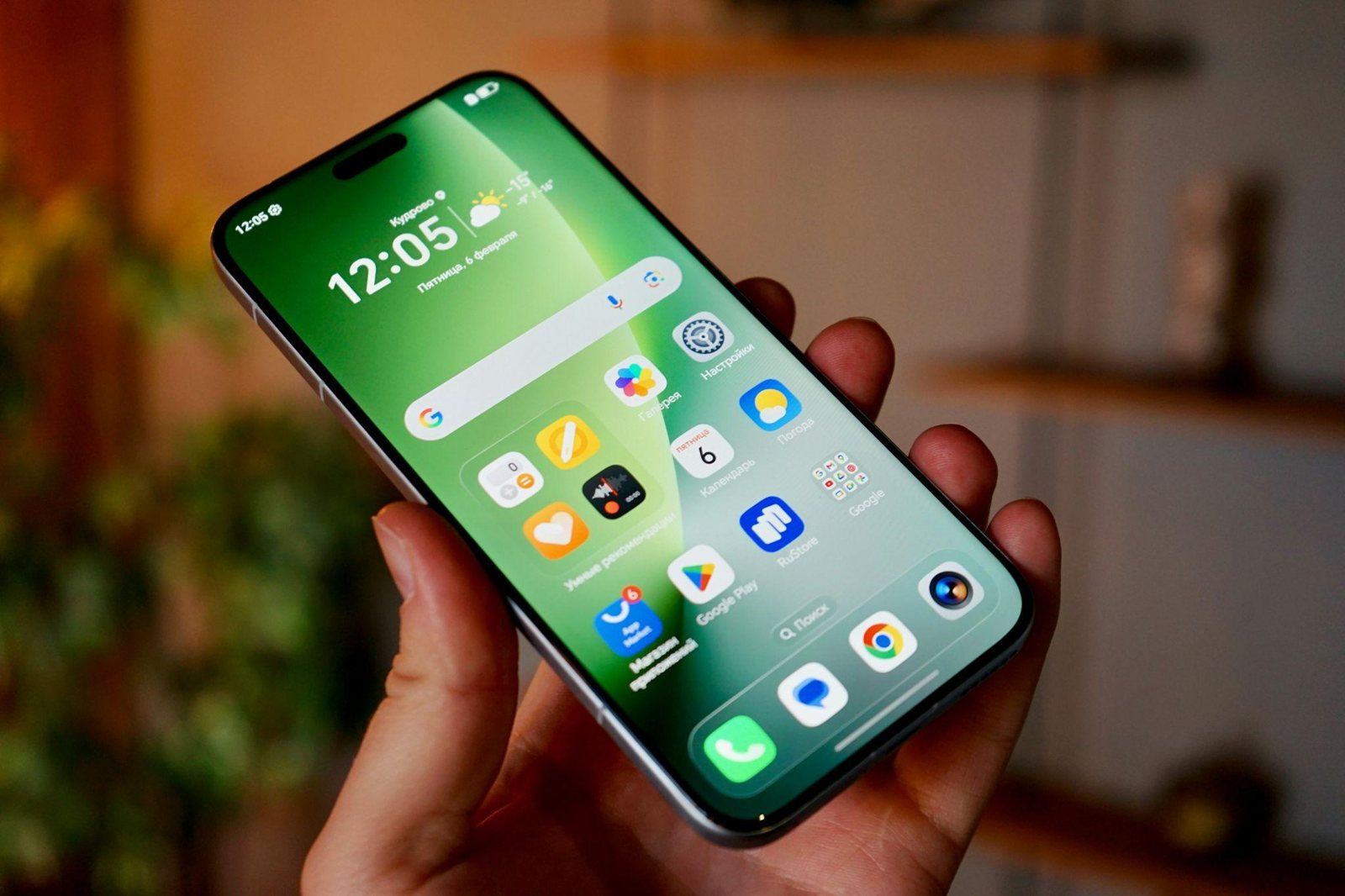
Browser installation is an alternative to the usual download, and most of its appeal is that there is less to do. You skip the store page and the large download, and nothing asks you to update. The home screen icon opens the site quickly, and it is always the current version because the phone holds no local copy that could fall behind. On another compatible device, the game library, sportsbook and payments are waiting under the same account.
None of this is specific to BiggerZ. Any site that ships a manifest over HTTPS can be installed the same way, which is why the steps look familiar if you have installed another web app.
It has costs too. A web app needs a connection for nearly everything. Store apps have to meet Google’s gambling policy, which covers licensing, age limits and responsible gambling information. A web app skips that review, so judging the operator is left to you. And deleting the icon leaves the account open until you close it with the operator.
What to Check First
Five checks before you install
- The address. Type the BiggerZ address yourself. Lookalike domains are a common way to steal casino logins.
- Local law. Online gambling is restricted or banned in many places. A licence held abroad does not make it legal where you live.
- The licence. BiggerZ operates under an Anjouan licence, No. ALSI-202504023-FI1. It is an offshore licence, generally seen as lighter-touch than regulators such as the UK Gambling Commission.
- Your age. Gambling sites are for adults only. The minimum age is 18 in many countries and higher in some.
- Your limits. Decide how much you can afford to lose, and how long you will play, before you open the app.
An icon on the home screen puts a casino one tap away. That is the convenience, and it is also the risk. GambleAware’s advice is to set a spending limit and a time limit before you start, take regular breaks, and avoid gambling when you have been drinking. BiggerZ links to its own responsible gaming page from the footer.
Frequently Asked Questions
Is BiggerZ on the Google Play Store?
No. BiggerZ installs from the browser as a web app. Google Play accepts real-money gambling apps only from licensed operators in certain countries, and BiggerZ has no listing there.
Do I need an APK to install BiggerZ on Android?
No. Chrome adds the web app from the site itself, so there is no APK file to download and no need to allow installs from unknown sources.
Is the BiggerZ web app different from the website?
No. The icon opens the same site with the same account, games and payments. The main difference is that it runs in its own window without the address bar.
Which Android browsers can install it?
Chrome and Samsung Internet install it as a standalone web app. Firefox, Edge and Opera add a home screen shortcut that opens in the browser.
How do I uninstall the BiggerZ web app?
Go to Settings, then Apps, select the web app and tap Uninstall. Removing it does not close your account.
Is BiggerZ legal to use?
That depends on where you live. BiggerZ holds a licence from Anjouan, but local law decides whether you may gamble online, so check before you sign up.
The Bottom Line
BiggerZ on Android is a website that behaves like an app. That saves storage and takes the store out of the process, and since everything runs on the site anyway, a native app would add little. What the browser route cannot tell you is whether the operator suits you. Read the licence line, check your local law, set a limit, and only then tap Install.
✅ What to remember
- Not on Google PlayBiggerZ installs from Chrome as a web app in three taps.
- Same siteThe icon opens the same account and games as the browser version.
- Browser mattersChrome and Samsung Internet give the app-style window; others add a shortcut.
- PaymentsBitcoin, Ethereum, USDT and USDC are supported; other methods vary by country.
- Before depositingThe licence is from Anjouan, so check local law and set your limits.