In This Article
Follow BestForAndroid


- The LineageOS 24 PC port, a free Android 17 build for x86_64 laptops and desktops, was shared with a live ISO on SourceForge.
- Developer Mateus Seiboth said most testing used QEMU/KVM virtual machines, with physical hardware testing only starting as of the announcement.
- 4GB RAM minimum for the port to run successfully, with 8GB recommended.
- Seiboth’s post said SELinux was still permissive.
The LineageOS 24 PC port is a free Android 17 build for 64-bit Intel and AMD laptops and desktops, with a live ISO on SourceForge made for USB; developer Mateus Seiboth shared his development on Reddit. Should you trust it with your main laptop? Not yet, since he says the majority of the testing happened in virtual machines.
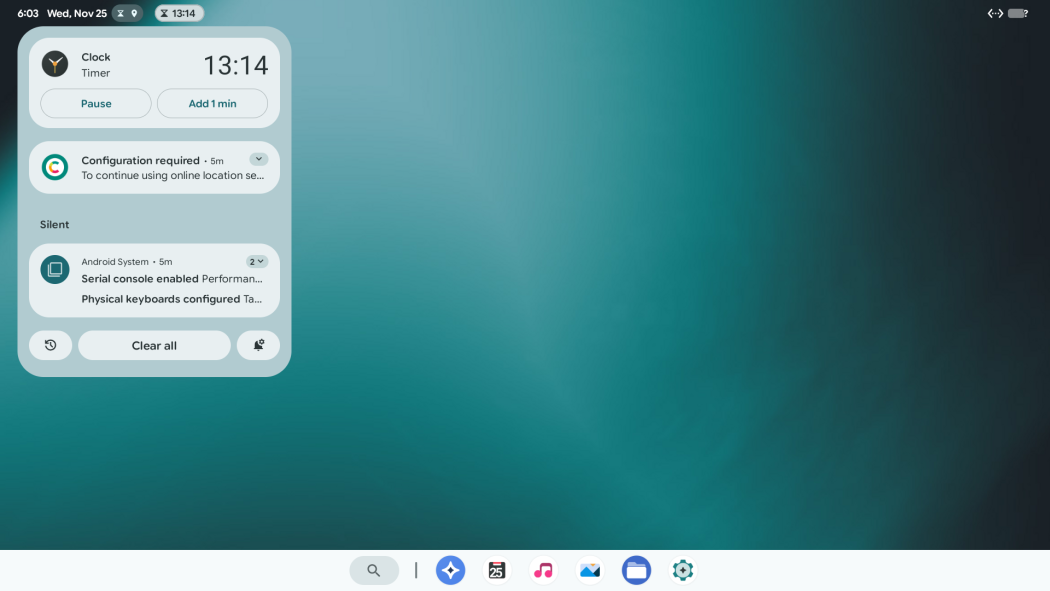
The PC port allows you to run Android on any existing hardware you own, with a desktop styled after the Googlebook interface of Google’s Android-based laptops.
Seiboth lists resizable windows, a taskbar, quick settings, screen recording, and keyboard shortcuts. He also built desktop tools, including a tabbed file manager, task manager, and text editor. The boot screen shows the real boot log and a capybara. “That part was non-negotiable,” he wrote. This isn’t Googlebook OS, though.
The interface code uses overlays and settings to configure desktop features in the Android Open Source Project (AOSP), Android’s open code base, with further changes in Seiboth’s forks. The live ISO supports UEFI and older BIOS PCs, and its live mode keeps data in memory.
The installer can put Android in a folder without repartitioning your drive. It still changes how your PC boots, adding a UEFI boot entry or, on BIOS machines, writing to the disk’s first sector. So it is recommended to create a backup first. With Secure Boot on, you’ll also need to approve the build’s signing key once.
How stable is the LineageOS 24 PC port?
Seiboth says he’s only starting on physical PCs, and that graphics and Wi-Fi compatibility will probably vary. Most testing used QEMU/KVM, software that runs a virtual computer. His GitHub status table is more straightforward on graphics, which says the build has not been tested on real GPUs. It also says Android hasn’t booted from a BIOS installation.
The security of LineageOS needs the same caution. Seiboth says SELinux, which limits what apps and system services can do, is permissive. In that mode, Android logs violations but doesn’t block them. If you are willing to try the build, it is highly recommended to keep your banking and work accounts elsewhere.
The dev has also mentioned that 4GB RAM is the minimum, with 8GB recommended. It says newer Intel and AMD graphics are supported, while NVIDIA and older Intel chips may cause trouble.
Does it run Google and Linux apps?
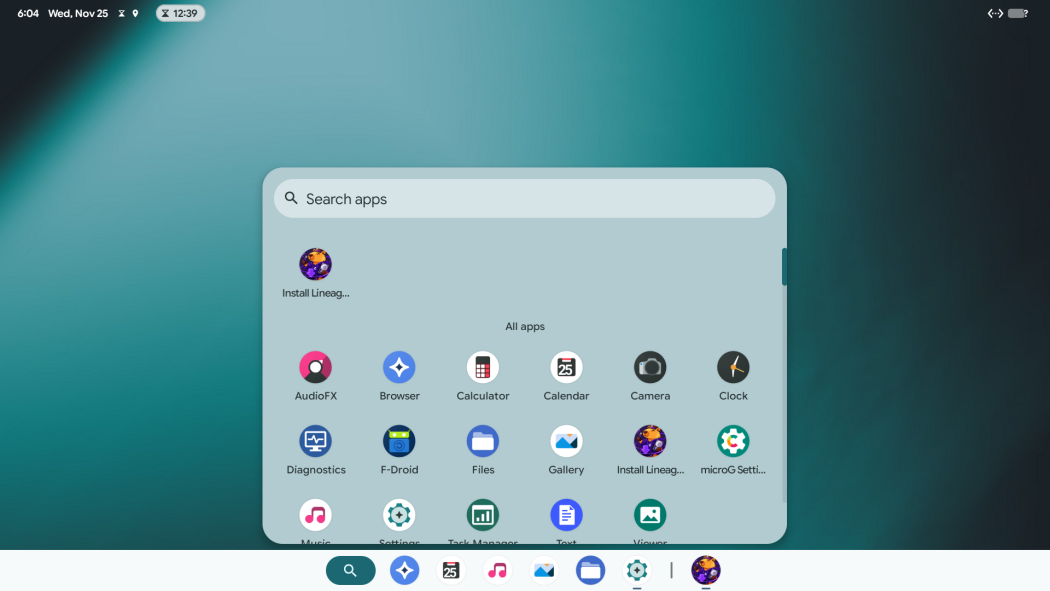
The dev says microG, a substitute for Google’s services, and the F-Droid app store are included. Google Play requires an add-on made from a Google image you supply, because Seiboth says he can’t redistribute Google’s apps.
However, recent ISO filenames include “gapps”, a common short form for Google apps. The label alone doesn’t establish what’s inside, and neither the post nor the GitHub notes explain it.
Linux support is also messy as development and testing continue, and the build is in the experimental phase.
LineageOS 24 PC port alternatives
Seiboth’s post and GitHub notes don’t present this as an official LineageOS release. LineageOS’s October changelog credits its experimental PC target to a different contributor, i.e., 0xCAFEBABE.
Among older Android-on-PC projects, Bliss OS has paused public images while it continues to build new source code. Android-x86 9.0-r2, based on Android 9, dates to March 2020.
For those who are willing to experience the Android OS on a laptop, purchasing a Googlebook is the only official route, with list prices starting at $899.
If you are looking for an inexpensive alternative, you can experiment with a spare USB stick. Boot through the port on your laptop, check hardware including graphics, Wi-Fi, and sound, and then save installation for a PC you can afford to troubleshoot.
FAQs about LineageOS 24 PC Port
Is the LineageOS 24 PC port an official LineageOS release?
LineageOS 24 PC port is unofficial and is custom-designed by the developer Mateus Seiboth as an experimental build.
Can I try the LineageOS 24 PC port without installing it?
Yes, the ISO has a live mode that keeps data in memory. Use a spare USB stick and skip the installer to test the build.
Does the LineageOS 24 PC port include Google Play services?
Mateus Seiboth says you must supply Google’s apps as an add-on, with microG included in LineageOS 24 instead. Also, recent ISO filenames include “gapps”, which means it comes bundled with the Google Apps.
What PC does the LineageOS 24 PC port need?
LineageOS 24 PC port targets 64-bit Intel and AMD PCs and requires 4GB RAM minimum, with 8GB recommended. Graphics support varies, so test your own PC/laptop via USB boot.