In This Article
The short answer: real-money apps, the casinos, sportsbooks, fantasy leagues, and trading platforms, hold your cash, your ID, and sometimes your crypto, so install them like banking apps rather than toys. Download only from the operator’s official site, check what permissions the app demands, pay through a separate card or wallet, switch on app-based 2FA, and run a small withdrawal test before you trust any operator with real money.
Real-money entertainment apps, from fantasy sports and trading platforms to online casinos and skill-based gaming, have exploded on Android over the last few years. South Asia in particular has seen huge growth, with users in India, Nepal, Bangladesh, and Sri Lanka turning to mobile-first platforms for everything from cricket betting pools to poker rooms.
The problem? Most people install these apps the same way they install a calculator or a wallpaper app, and that is a mistake. Real-money apps handle your payment data, your ID documents, and sometimes your crypto wallet. They deserve a different level of scrutiny, closer to how you treat the app your salary lands in.
What follows is a practical checklist for staying safe, grouped into the five things that actually matter, along with the red flags that should make you uninstall on the spot.
Start with where the app comes from
Most real-money entertainment apps are not on the Google Play Store, because Google’s policies restrict real-money gambling apps in many countries. So you typically download an APK straight from the operator’s website. That is not automatically a problem, but it changes the safety equation: with a Play Store app, Google does a baseline of malware scanning for you; with a sideloaded APK, you are trusting the publisher directly.
1. Check where the app actually comes from
What to check:
- Download only from the operator’s official website, never from a third-party APK mirror.
- Verify the URL carefully, because phishing clones are common in this space.
- Confirm the file size matches what the official site publishes, and check the APK signature if you are technical.
- Enable Play Protect scanning before you install.
If a site is pushing an APK and you cannot find any reviews or independent coverage of that operator, walk away. For online casinos specifically, review sites like onlinecasinonepal.com vet operators before recommending them, which saves you from installing something sketchy.
2. Audit the permissions before you log in
Open the app’s entry in Android’s Apps menu and read what it wants. A casino, sportsbook, or trading app has a short list of legitimate needs, and a longer list of things it should never ask for. Android’s own platform security and Play Protect back you up here, but the permission screen is where you catch the worst offenders yourself.
| Permission | Should a real-money app ask for it? |
|---|---|
| Internet | Yes, that is the whole point |
| Storage | Yes, for caching |
| Camera | Only for a KYC document upload |
| Location | Only for jurisdiction checks |
| Contacts | No |
| SMS | No, beyond a one-time phone verification |
| Accessibility services | Never. This is a major red flag |
| Device admin | Never |
If a real-money app asks for accessibility services, treat it as a major red flag. Those permissions can be abused to read on-screen content, including one-time passcodes and banking app data. Uninstall it and report it.
Protect your money and your logins
Two habits do most of the work here, and most users skip both. Keep your main bank account at arm’s length, and put a real lock on the account itself.
3. Use a separate payment method
Do not link your primary bank account or main debit card to an entertainment app. It is basic hygiene, and it limits the blast radius if anything goes wrong.
| Safer payment option | Why it protects you |
|---|---|
| Prepaid or virtual card | Caps the damage to whatever small balance you load |
| Dedicated e-wallet | Keeps the operator away from your bank, for example Skrill or Neteller |
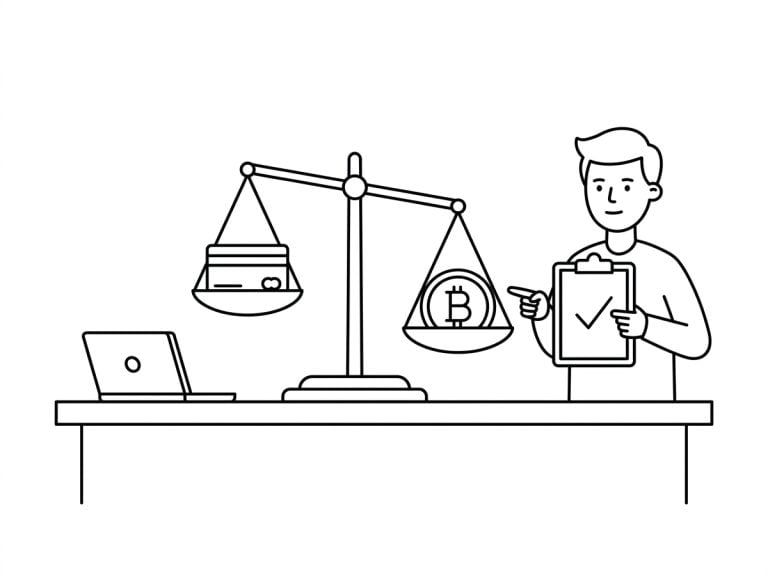
| Crypto via USDT or Bitcoin | Blockchain transfers do not expose your bank details |
In markets like Nepal, where direct banking to offshore operators can be awkward, crypto deposits through USDT or Bitcoin have become the default. If you go that route, use a reputable wallet and understand the on-ramp fees first.
4. Turn on two-factor authentication everywhere
For any account that holds money this is non-negotiable. Prefer an authenticator app such as Aegis, Google Authenticator, or Authy over SMS codes, because SIM-swap attacks are a real risk in South Asia. Most reputable platforms support app-based 2FA. If one offers only SMS, or nothing at all, that tells you how seriously it takes security.
Vet the operator before you deposit
An app can be polished and still sit on top of an operator that drags out withdrawals or closes accounts on a technicality. Those problems are far more common than outright scams, and just as costly, so the operator behind the app matters more than the app itself.
5. Read independent reviews before depositing
Look for:
- Reviews from established sites in your region, not generic global aggregators.
- Discussion on Reddit or local forums about real withdrawal experiences.
- Licensing information: Curacao, MGA, or UKGC for casinos; SEBI registration for trading apps in India.
- How long the operator has actually been around.
For Nepali users this regional angle matters, because payment methods, language support, and customer service vary a lot by market. A guide like the one at onlinecasinonepal.com covers operators that genuinely serve Nepal, rather than listing UK or US-focused casinos that will not accept your deposits anyway.
6. Watch for the withdrawal test
The real test of any real-money app is not depositing, it is withdrawing. Make a small deposit, play or trade with it briefly, then try to cash out. If the money arrives smoothly and on time, you have probably found a legitimate operator. If you hit unexplained delays, suspicious new verification demands, or rollover requirements nobody mentioned, take what you can and move on.
7. Be realistic about regulation
Across much of South Asia the legal status of online gambling, fantasy sports, and even some trading apps sits in a gray zone, and operators are usually based offshore. That means you do not get the consumer protections a domestically licensed business would owe you. Your recourse if something goes wrong is limited, which is exactly why operator selection matters so much. A licensed offshore operator with a long track record is far safer than a flashy new app with no public reviews.
| Green flags | Red flags |
|---|---|
| A licence on display: Curacao, MGA, UKGC, or SEBI for trading apps | No licensing information anywhere on the site |
| A small test withdrawal that arrives on time | Unexplained delays or surprise rollover terms at cash-out |
| Years of history and real user reviews | A brand new app with no independent coverage |
| Authenticator-app 2FA on offer | SMS-only security, or no 2FA at all |
Keep control once it is installed
Safety is not only a pre-install job. A few habits keep an app honest over the months you actually use it.
8. Keep the app updated, but watch update permissions
Updates patch security holes, so do not ignore them. Do pay attention when an update suddenly requests new permissions, especially anything from the red-flag list. Legitimate apps add permissions gradually and explain why; sudden permission creep can mean a compromised update or an operator that has quietly changed hands.
9. Use a separate account if you are privacy-conscious
Some people install real-money apps on a separate Android profile or a secondary Google account, which walls them off from your main email, calendar, and contacts. Android’s multi-user feature handles this cleanly on most devices, and Samsung’s Secure Folder sandboxes the apps and their data from the rest of the phone.
10. Set hard limits before you start
This is a security tip in the wider sense. Decide before you install how much money will sit in the app at any time and how often you will withdraw, then use the deposit and time limits most platforms now build in. The same logic that stops you parking your savings in a hot wallet applies here.
Key takeaways · Staying in control
- Install updates, but stop and look if one suddenly asks for new permissions.
- Keep these apps on a separate Android profile, secondary account, or Samsung Secure Folder.
- Decide your deposit and time limits before you install, and use the app’s built-in caps.
Play responsibly
Every security step above protects your device and your money. This last one protects you. Real-money apps are built to keep you playing, so the limits you set matter as much as the permissions you deny.
- Set a deposit and time limit before you start, and treat it as fixed.
- Use the app’s own deposit limits, reality checks, and self-exclusion tools.
- Keep gambling money separate from the money you need for bills.
- Never bet to win back what you have lost, because chasing losses makes them bigger.
- Take regular breaks, and stop the moment it stops being fun.
The bottom line
Real-money apps on Android can be perfectly safe to use, but they need a different mental model than your usual productivity or entertainment app. Treat one like a banking app: verify the source, lock down the permissions, switch on 2FA, and start with a small test before you commit real funds.
Key takeaways · The five-minute safety check
- Source: install only from the operator’s official site, never a random mirror.
- Permissions: refuse contacts, SMS, and any accessibility-service request.
- Money: pay through a separate card or wallet, and turn on app-based 2FA.
- Trust: run a small withdrawal test before you rely on any operator.
- Limits: set your money and time caps before you install, not after.
The Android ecosystem already gives you the tools to use these apps safely. The mistakes almost always come from skipping the basics.