
In This Article
Follow BestForAndroid


💡 Short answer
- Best overallQuo Starter: $19 a user a month, or $15 billed yearly. A business with a tax ID can register for US texting from anywhere; a sole proprietor needs a US or Canadian address and a +1 mobile.
- Paperwork done for youCloudTalk: Essential is $29 a user a month billed yearly, plus $6 for each US number. No ID or US address is needed, and its team files the texting registration, which takes 2 to 4 weeks by its own estimate.
- Calls only, lowest costSonetel Premium: $119.40 a year with one US number, but it can’t text US numbers.
- The hard partTexting. US carriers block business texts from unregistered numbers, and each app asks for different proof.
Selling to American customers from Lagos, Lahore or Manila? Buying a US number is the easy part, and several apps here sell one you can call from straight away. Texting is where it gets awkward. US carriers block business texts from numbers that aren’t registered, and each app wants different proof: a tax ID, a US address, a +1 mobile or a photo ID.
Five apps are ranked here by what a small business outside the US can actually complete on paper. The evidence is vendor pages, help centres and store listings, all checked in November. For each one you get who can buy, what texting needs, and the first-year cost for 1 and 3 users, with the sums shown so you can check them.
Start here: find your situation in the left column and read across.
| Your situation | Pick | Why |
|---|---|---|
| You have a registered business with a tax ID | Quo Starter | Lowest first-year cost with a printed texting fee |
| You want someone else to file the texting paperwork | CloudTalk | Its numbers team files with US carriers |
| US customers only need to call you | Sonetel Premium | $119.40 a year; no texts to US numbers |
| You want one texting fee for the whole team | Allo Business | $24 once; its pages disagree on the EIN |
| Your team already pays for Zoom | Zoom Phone | $16 billed yearly or $18 monthly; its footnote says yearly only |
One rule sits under every row: a number that calls on day one may not text for weeks. Read the registration terms before you pay for a year, not after.
Why Texting Is the Hard Part
US texting rules, in plain words
- Calls work straight away. Every app here sells you a US number, and the moment it’s active it can make calls.
- Texts need registration. Any business texting from a regular local number has to be registered, along with what it’s texting about. The scheme goes by A2P 10DLC, and The Campaign Registry runs it for the carriers.
- Your app files it. You supply your legal name, tax ID, address and how people agree to hear from you, and the app does the filing. Quo and CloudTalk pass the registry’s fees straight through; Allo charges a flat $24.
- Proof is where non-US buyers get stuck. Each vendor asks for something different, and two of them contradict their own pages.
Until the registration is approved, texts to US numbers are blocked. Per Quo’s pricing page, the registration goes through The Campaign Registry, a third party chosen by the major US carriers, which reviews each application in two phases. And how long does that take? It depends on which page you read: Quo’s own pages put approval anywhere from a day to more than a month.
Who Can Buy and Who Can Text
| App | Who can buy | What texting needs | Limit to know |
|---|---|---|---|
| Quo | Anyone who passes mobile, card and photo ID checks | Tax ID from anywhere, though its business guide asks for an EIN; sole proprietors need a US or Canadian address and +1 mobile | Starter: up to 10 users |
| CloudTalk | No ID, US address or US company | Filed for you; usually 2 to 4 weeks | Expert (WhatsApp): 3 licences |
| Sonetel | Anyone, with an address and ID number | Not available: can’t text US numbers | Unused numbers reclaimed on 5 days’ notice |
| Allo | Says no US entity or address needed | Business plan; checklist asks for an EIN | No seat minimum printed |
| Zoom Phone | Buyer-country rule not printed | Fee and approval time not found | $16 yearly or $18 monthly |
Start with the middle column. Buying a US number is open to almost anyone on this list, so the real split is texting. Quo wants a tax ID or a US or Canadian address, Allo’s own pages disagree, CloudTalk files it for you, Zoom prints nothing on it, and Sonetel can’t text US numbers at all. Already hold a US number? Quo’s pricing page says its team ports one in for free, and Allo’s pricing page lists free porting too. Allo’s help centre adds a catch, though: its texting registration doesn’t transfer with a ported number.
First Year for One User
| 1 user, first year | Billed yearly | Billed monthly |
|---|---|---|
| Quo Starter | $217.50 | $265.50 |
| Allo Business | $408 | $564 |
| CloudTalk Essential | $457.50 | $577.50 |
| Zoom US & CA Unlimited | $192 (texting fee not found) | $216 |
| Sonetel Premium (no US texting) | $119.40 | $167.40 |
Every price below is in US dollars before tax, checked in November, with texting registration included where it applies. Quo comes to $217.50: $180 for a yearly Starter seat, plus $19.50 registration and 12 months at $1.50. Paid monthly, it’s 12 × $19 plus the same $37.50, or $265.50. Allo: 12 × $32 = $384, plus $24, makes $408. Monthly, 12 × $45 = $540, plus $24, makes $564.
CloudTalk: Essential at $29 plus a $6 number is $35 a month, so a year is 12 × $35 = $420. Add $37.50 in registration fees and you get $457.50. Billed monthly, it’s 12 × ($39 + $6) = $540, and $37.50 on top makes $577.50. Zoom: 12 × $16 = $192 billed yearly, or 12 × $18 = $216 billed monthly, though its footnote says yearly only. I couldn’t find a texting registration fee, so treat both figures as a floor. Sonetel: 12 × $9.95 = $119.40, or 12 × $13.95 = $167.40, with no texting to register.
First Year for Three Users
| 3 users, first year | Billed yearly | Billed monthly |
|---|---|---|
| Quo Starter | $577.50 | $721.50 |
| Allo Business | $1,176 | $1,644 |
| CloudTalk Essential | $1,297.50 | $1,657.50 |
| Zoom US & CA Unlimited | $576 (texting fee not found) | $648 |
| Sonetel Premium (no US texting) | $358.20 | $502.20 |
Each registration is counted once for the whole account, and every user has their own number. Quo: 3 × $180 = $540, plus $37.50, makes $577.50. Monthly, 36 × $19 = $684, plus $37.50, makes $721.50. Allo: 3 × $384 = $1,152, plus $24, makes $1,176. Monthly, 3 × $540 = $1,620, plus $24, makes $1,644.
CloudTalk: 3 × $420 = $1,260, plus $37.50, makes $1,297.50. Monthly, 3 × $540 = $1,620, plus $37.50, makes $1,657.50. Zoom: 3 × $192 = $576, or 36 × $18 = $648. Sonetel: 3 × $119.40 = $358.20, or 3 × $167.40 = $502.20. None of these include CloudTalk’s message credit or calls outside the US and Canada.

Quo (formerly OpenPhone)
Best with a tax ID
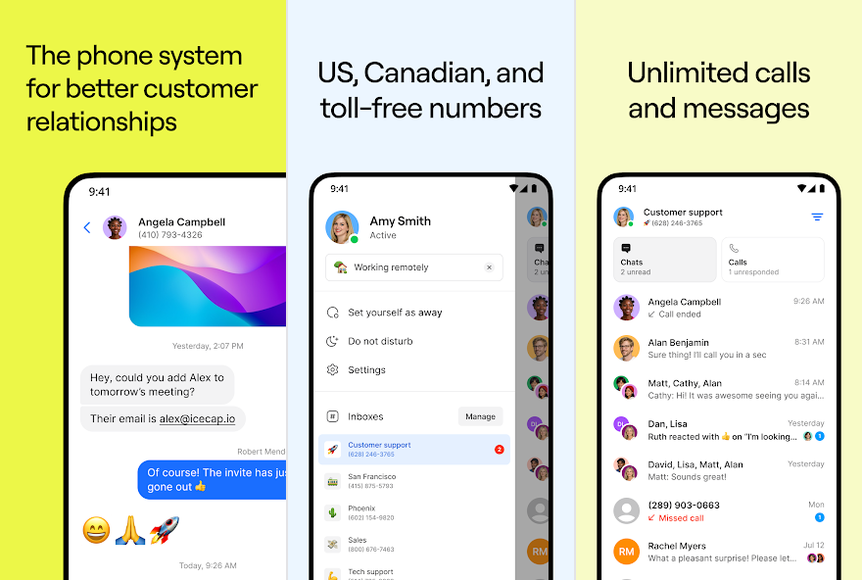
A business phone app with a US number for each user, calls and texts to the US and Canada, and a texting registration that a business with a tax ID can file from anywhere.
- Best forA registered company outside the US that wants calls and texts on one US number.
- Cost$19 a user
- BuyerTax ID; EIN in its guide
- Texting$19.50 once, then monthly
- CatchID and mobile checks
The good
- Says tax-ID businesses register from anywhere
- $217.50 first year, texting fees in
- US and Canada calls from any country
The bad
- Photo ID, selfie and mobile checks
- Its pages disagree on approval time
If your business has a tax ID, Quo (formerly OpenPhone) is where I’d start. Its carrier registration guide, checked in November, says a business with a valid tax ID can register from anywhere. Sole proprietors are the exception: they need a US or Canadian address and a +1 mobile number. The guide gives the US EIN and Canada’s BN-9 as examples, and I couldn’t find a list of other countries’ IDs it accepts. Then comes the snag. Its business guide asks for an EIN, and the main guide names a mismatch with IRS tax documents as a rejection reason. So before you sign up, ask Quo what a company without an EIN should enter.
Getting in from outside the US
Signing up takes three checks, according to Quo’s sign-up guide. First, a real mobile number: a landline, Skype or virtual number won’t do. Second, a $1 hold goes on your card. Third, you photograph a government photo ID and your own face for Stripe to check. Until that’s done, a workspace is capped at three outgoing conversations a day and can’t add numbers, even on a paid plan. Texting registration isn’t open during the 7-day trial either.
Pricing and limits
Quo’s pricing page, checked in November, puts Starter at $19 a user a month, or $15 billed yearly ($180 a year), for up to 10 users. Business is $33, or $23 billed yearly. Scale is $47, or $35. Every plan comes with one number per user and calls to US and Canadian numbers from any country, under a fair use policy. Registering for texting costs $19.50 once, then $1.50 a month for most businesses or $3 for non-profits. Resubmitting a rejected application costs $15, and taxes and fees show up at checkout.
Where it disappoints
Quo’s pages can’t agree on how long approval takes. The registration guide says most approvals come through within two days, though some sit pending for up to 20 days and rare cases run past 30 days. Its FAQ says 5 to 7 business days to 30+ days, while the business registration page says 1 to 3 business days. You can’t text US numbers while you wait, and nothing speeds it up, so I’d plan for a few weeks.
The same guide lists an invalid mobile number among the common rejection reasons. It says the number must be a US or Canadian cell, and it doesn’t say whether that applies to the tax-ID route. Nigeria brings another contradiction. Quo’s international calling help lists Nigeria among the countries where international calling is unavailable, yet its rates page prices calls to Nigeria at $0.24 to $0.30 a minute and texts at $0.50. If you need to call Nigerian numbers from the app, ask Quo which page is right before you pay.
The newest App Store reviews circle back to three complaints: support that’s hard to reach, charges after cancelling, and dropped calls or messages. Quo’s App Store rating is 4.4 from 10,824 ratings, checked in November.
Skip it if you’re a sole proprietor with no US or Canadian address, or you can’t pass a photo ID check. Verdict: the best pick for a registered business, and the cheapest first year here with a known texting fee: $217.50 for one user billed yearly. Want someone else to handle the registration? CloudTalk is the better alternative.

CloudTalk
Files the texting paperwork
A cloud phone system for sales and support teams that sells US numbers with no documents and files the US texting registration for you.

- Best forTeams that want the vendor to deal with the US carriers.
- Cost$29 a user + number
- BuyerNo ID or US address
- TextingFiled for you
- CatchWeak app ratings
The good
- No ID, US address or US company to buy
- Its numbers team files the registration
- WhatsApp on Expert and Custom
The bad
- Play 3.6 and App Store 2.4
- $6 a month per number on top
CloudTalk’s US number page, updated 6 November and checked in November, spells out who can buy: no ID, no US address and no US company. A local or toll-free number is $6 a month and can make calls the moment you buy it. Texting is the slow part. It needs A2P 10DLC registration for a local number, or toll-free verification for a toll-free one, which the page says usually takes 2 to 4 weeks. The page also says CloudTalk’s numbers team files it with US carriers for you.
Pricing and limits
CloudTalk’s pricing page, checked in November, prices Starter at $25 a user a month billed yearly or $34 monthly, Essential at $29 or $39, and Expert at $49 or $69 with a minimum of 3 licences. One calling region comes with every plan, picked at signup: unlimited calls to the US and Canada, or unlimited domestic calls in the EU and UK, under fair use. SMS first shows up on the Essential card, and texts are paid from prepaid calling credit, because the pricing FAQ says no plan includes an SMS allowance. Prices exclude taxes. If you’re billed in the US or Canada, there’s also an 11% compliance and administrative fee on the software, in Canada from 2 December.
Registration fees get passed straight through. CloudTalk’s 10DLC help article says most customers pay $19.50 once and $1.50 a month, with no markup from CloudTalk. What I couldn’t read is which business identifiers it accepts from a company outside the US, so check with its numbers team before you commit.
Where it disappoints
Now the app. CloudTalk Go is rated 3.6 from 218 ratings on Google Play and 2.4 from 33 on the App Store, checked in November, and both listings cover the whole app, not just US numbers. App Store reviews keep complaining about an app that disconnects or doesn’t ring.
Incoming texts have limits too. CloudTalk’s number coverage help page says inbound messaging on a US number is domestic only, and that US operators block international inbound messages. If you want WhatsApp, you need the Expert or Custom plan, and Expert starts at 3 licences.
Skip it if you’re one person on a tight budget, because $457.50 for the first year is more than twice Quo’s. Verdict: the right pick when you want CloudTalk to deal with the carriers for you. Prefer a lower bill and your own registration? Quo is the better alternative.

Sonetel
Calls only, no US texting
It can’t text US numbers. Sonetel sells US numbers to buyers anywhere, forwards calls worldwide and says it sends incoming texts to your email, with a catch below.

- Best forTaking calls from US customers at the lowest yearly cost.
- Cost$9.95 a user
- BuyerAnyone, with an ID number
- TextingCan’t text US numbers
- CatchUnused numbers reclaimed
The good
- $119.40 a year with a US number
- Any buyer, with an address and ID number
- Call recording and transcripts on Premium
The bad
- No texts to US numbers
- US inbound texts billed separately
Sonetel can’t text US customers. Its US number page, checked in November, says a US number can send texts to other supported countries, but sending to a US number isn’t supported yet. Incoming texts to a US city number get forwarded to your email, while toll-free numbers take no texts at all. That email route comes with fine print: Sonetel’s own limitations list says email delivery covers only numbers bought before a cutoff date that passed years ago. Don’t count on it for a new number; ask Sonetel.
Calls are a different story: for those, it’s the cheapest route here. The same page says anyone in the world can buy a US number, and you don’t need to be a US citizen or live in the US. You give an address, which can be anywhere, plus an ID number. In some cases Sonetel also asks for proof of address and ID.
Pricing and limits
Now the price list. On Sonetel’s price page, checked in November, Premium is $9.95 a user a month billed yearly, or $13.95 monthly, and each user gets one free number. Business is $29.95, or $39.95 monthly, and each user gets five. The free Basic plan has numbers from $1.79 a month on their own, according to the US number page, and forwarded calls cost the local call rate. Inbound texts on US numbers are billed apart from the plan: Sonetel’s limits page says Premium includes 100 a user a month, then $0.006 each.
Where it disappoints
Use it or lose it: the US number page says Sonetel can reclaim an unused US number on 5 days’ notice. As for the app, it averages 3.8 from 53 ratings on Google Play, and the App Store listing has too few ratings to judge, checked in November.
Skip it if you need to text US customers. Verdict: the cheapest way to hand US customers a local number to call. Need texting as well? Quo is the better alternative.

Allo
One $24 fee, mixed signals
A business phone app with AI call summaries that registers your US texting for one flat fee, though its pages disagree on what a company outside the US needs.

- Best forSmall teams that want one texting fee for every seat.
- Cost$32 a seat
- BuyerSays no US entity
- Texting$24 once, whole company
- CatchChecklist asks for EIN
The good
- $24 once covers every seat
- Texts to US numbers included on Business
- AI summaries and transcripts included
The bad
- Its pages disagree on the EIN
- Texting needs the Business plan
Allo’s texting fee is the simplest here: $24 once for the whole company, covering every seat and up to 50 numbers, according to its help page on setting up texting. The catch? Its own pages disagree about what a business outside the US needs.
The contradiction
Allo’s US texting page, checked in November, is welcoming. A company in Europe or anywhere else can text US clients, it says, with no US entity or address needed. The SMS registration checklist then tells a different story: carriers compare your legal name, your tax ID (EIN) and your business address with official records, and a mismatch is the usual reason for a rejection. An EIN is a US tax number, and I couldn’t find a page that says what a company without one should enter. Ask Allo before you pay.
The approval times don’t line up either. The US texting page says about 5 to 10 days, and the help centre says 3 to 7 business days. The help centre also says 10DLC is required for any US number, wherever your business is.
Pricing and limits
Business is the plan that matters. Allo’s pricing page, checked in November, lists it at $32 a seat a month billed yearly, or $45 monthly, and you need it to send texts. Solo, at $10 billed yearly or $15 monthly, receives texts only and is marked coming soon. Business includes texts to US numbers, and extra numbers start at $5 a month billed yearly. Allo pitches Business at teams of 2 or more but prints no seat minimum. The trial lasts 3 days.
Where it disappoints
On Allo, toll-free numbers can’t send texts, so US texting runs from a local number. The Android app averages 3.7 from 176 ratings on Google Play, and on the App Store it’s 4.25 from 119 ratings, checked in November. In App Store reviews, a recurring complaint is support that’s only an AI with no person to reach. Praise for transcripts, summaries and the AI receptionist is recurring too.
Skip it if you have no EIN and can’t get a straight answer from Allo first. Verdict: a fair flat-fee option for a team, held back by that EIN question. With a tax ID in hand, Quo is cheaper: $577.50 against $1,176 for 3 users billed yearly.

Zoom Phone
For teams already on Zoom
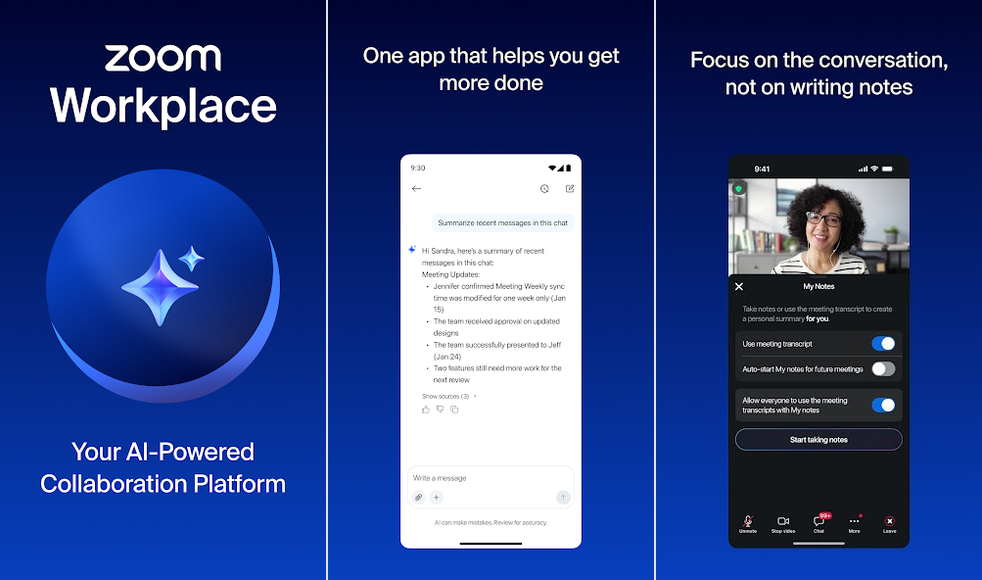
Zoom’s cloud phone, sold as a plan that adds a number, calling and texting to a Zoom Workplace account.
- Best forTeams that already run meetings and chat on Zoom.
- Cost$16 a user
- BuyerCountry rule not printed
- TextingFee not found
- Catch$16 yearly or $18 monthly
The good
- Comes with Zoom Workplace Basic
- Domestic SMS and MMS on the plan
- Number activation lists no requirements
The bad
- $16 yearly or $18 monthly; footnote says yearly
- No buyer-country rule printed
Zoom Phone makes sense if your team already lives in Zoom. On Zoom’s phone page, checked in November, the US & CA Unlimited plan is $16 a user a month billed annually as an add-on to Workplace Basic. It includes domestic calling, domestic SMS and MMS, and a domestic number.
Pricing and limits
Zoom’s pricing page shows two prices: $16 a user a month billed annually, or $18 billed monthly. Then a footnote on the same page says all plans are billed annually as a single upfront charge. Billed yearly, that’s $192 for one user and $576 for 3. Billed monthly at $18, it’s $216 and $648, before taxes and fees. Ask Zoom which billing applies before you pay.
Where it disappoints
Zoom prints no rule on which buyer countries can sign up. Its US and Canada number requirements page lists no compliance requirements for activating service, and new numbers are provisioned in real time where there’s stock. A texting registration fee or approval time? I couldn’t find either, though the pricing page’s US view lists domestic SMS as “Available in United States & Canada”.
Don’t read the ratings as a verdict on Phone. They cover the whole Zoom Workplace app: 4.1 on Google Play from 4.6M ratings and 4.7 on the App Store from about 3.27 million, checked in November.
Skip it if you don’t use Zoom already. Verdict: one to look at for a Zoom team, but only after Zoom has told you what texting registration needs and whether you can pay monthly. For everyone else, Quo is the better alternative.
Verification Codes and WhatsApp
| App | Verification codes | |
|---|---|---|
| Quo | Its pricing FAQ says many 2FA services don’t allow virtual numbers | I couldn’t find a statement |
| CloudTalk | Inbound texts on US numbers are domestic only; international ones are blocked | Local or toll-free numbers; Expert or Custom plan |
| Sonetel | I couldn’t find a statement beyond WhatsApp | Can be used; the verification text isn’t guaranteed |
| Allo | I couldn’t find a statement | Its texting page calls toll-free lines “the safe choice” for WhatsApp verification |
| Zoom Phone | I couldn’t find a statement | I couldn’t find a statement |
None of these vendors promises that a bank, marketplace or messaging app will accept its number, and the table shows what each one actually says, checked in November. Sonetel’s US number page says you can use its number with WhatsApp, but it can’t guarantee that WhatsApp’s verification text will reach you, though generally it does. I couldn’t read WhatsApp’s own help pages on this, so WhatsApp itself isn’t heard from here.
Getting the App on Android
| App | Google Play rating, installs | App Store rating |
|---|---|---|
| Quo | 4.7 (10.2K), 500K+ | 4.4 (10,824) |
| CloudTalk Go | 3.6 (218), 50K+ | 2.4 (33) |
| Sonetel | 3.8 (53), 10K+ | Too few ratings |
| Allo | 3.7 (176), 10K+ | 4.25 (119) |
| Zoom Workplace (whole app) | 4.1 (4.6M), 1B+ | 4.7 (3.27M) |
Ratings come from the Google Play and App Store listings, checked in November, and for Play I read only the ratings and counts, not the review text. Two caveats: the CloudTalk Go and Zoom Workplace listings cover the whole app rather than the US number features, and although all five apps have Google Play listings, I couldn’t check which countries each one is offered in.
Switching your Play Store to the US won’t reliably get you a US-only app. Google’s help page on changing your Play country says you must be in the new country and have a payment method from there, and you can’t change again for at least 90 days. Google Voice won’t rescue most readers either. Google’s Workspace country table covers the Google calling plan in 14 countries: the US, Canada, the UK and 11 other European countries. India, Pakistan, the UAE and Nigeria aren’t on it, and the Philippines is covered only through a local carrier (Carrier Link or SIP Link).
Left Out, and Why
Apps considered and not ranked
- Ringover: its terms require users to have an address (postal or IP) in the EU when using the service, and the Talk plan needs at least 3 users on a 12-month commitment. An EU team of 3 or more may still be worth a look.
- Talkroute: its support article says it won’t take cards or billing addresses from outside the US or Canada.
- RingCentral Global Office: its policy wants a billing address in your home country and a subscription there.
- Google Voice: its calling plan is sold in 14 countries, and none of them is in South Asia, the Gulf or Africa.
- Dialpad: its help pages on international numbers put up a security check instead of the article during research, so nothing could be confirmed.
- JustCall: I couldn’t confirm a single monthly price on its pricing page, so there was no price to print.
- Twilio and Telnyx: developer platforms rather than a phone app for a small business.
A consumer second-number app is built for a private second line, not a registered business number. If a private line is what you’re after, see our ranking of second phone number apps. Need one number that several people answer? Our guide to shared business phone number apps covers shared inboxes in more depth. And for a number you fully control, try our guide to a secure virtual mobile number.
FAQs
Can a business outside the US get a US phone number?
For calls, yes. CloudTalk and Sonetel both say anyone can buy a US number, CloudTalk with no documents and Sonetel with an address and an ID number. Texting is where it gets harder: every app here that texts US numbers needs a carrier registration, and each asks for different proof.
Do I need a US company or an EIN to text US customers?
That depends on the app, and a couple of vendors don’t agree with themselves. Quo says a business with a valid tax ID can register from anywhere, though its business guide asks for an EIN. Allo’s US texting page says no US entity is needed, yet its registration checklist asks for an EIN. CloudTalk files the registration for you; I couldn’t read which identifiers it accepts from companies outside the US.
How long does texting registration take?
It depends on which page you read. Quo’s pages range from 1 to 3 business days to more than 30 days. CloudTalk says usually 2 to 4 weeks. Allo says 3 to 7 business days in its help centre but about 5 to 10 days on its US texting page. Until it’s approved, you can’t text US numbers.
What does a US virtual phone number cost for the first year?
Billed yearly, one user’s first year comes to this, checked in November: Sonetel Premium $119.40 with no US texting, Zoom $192 with no texting fee found, Quo $217.50, Allo $408 and CloudTalk $457.50. Texting registration is included where it applies.
Will a US virtual number receive WhatsApp or bank codes?
Not with any promise attached. Quo says many 2FA services don’t allow virtual numbers, Sonetel says it can’t guarantee that WhatsApp’s verification text will arrive, and CloudTalk says international texts to its US numbers are blocked.
Can I use Google Voice from outside the US?
For most readers of this guide, the answer is no. Google’s Workspace country table lists its calling plan in 14 countries, and India, Pakistan, the UAE and Nigeria aren’t among them. The Philippines is covered only through a local carrier (Carrier Link or SIP Link).
How this guide was put together. This is a research-based guide, and nothing in it is a hands-on test: no accounts were opened and no calls or texts were made. I read each vendor’s pricing, number and texting registration pages, Google’s Play and Workspace help, and the Google Play and App Store listings, all checked in November. User reports come only from the text of recent App Store reviews; for Google Play I read ratings and counts, not review text. Prices are in US dollars before tax. Prices and rules change, so check the vendor’s page before you pay.