In This Article
Follow BestForAndroid


💡 Short answer
- Best overallQuo Starter: one shared inbox for calls and texts, $19 a user a month or $15 billed yearly, for up to 10 people.
- Lowest billThe flat-fee plans. Talkroute is lowest on monthly billing: $39 a month for 3 people and $59 for up to 10. On yearly billing, Grasshopper Solo Plus works out lower in the first year ($408 against $483 for 3 people), if its add-on prices hold; with its ring add-on it is $41 to $47 a month billed monthly.
- The flipPer-seat plans are cheaper for 1 or 2 people. From 3 people up, the flat-fee plans win on price.
- Before you textA US local number has to be registered before it can text. Quo charges $19.50, then $1.50 to $3 a month.
You want one number on the website and the van, and three to ten people who can answer it from their own Android phones. Every app here can do part of that. Few of them print what it costs a whole team.
So I did the sums from each vendor’s own pages, checked in November, for 3 and 5 people. The surprise is that the cheapest app changes once you pass two people, because some charge per seat and some charge one flat fee.
Start here: find your team in the left column.
| Your team | Pick | Why |
|---|---|---|
| 3 to 10, texting customers daily | Quo Starter | One shared thread per customer; rings everyone |
| 3 to 10, low flat bill | Talkroute Plus or Pro | $39 covers 3 people, $59 covers 10 |
| Already paying for Zoom | Zoom Phone | Shared lines and call queues on every plan |
| Growing, want one flat price | Grasshopper Solo Plus | Unlimited users for $32 a month |
| Customers in Mexico | Ooma Office Pro | Unlimited calls to the US, Canada and Mexico |
| Already on Google Workspace | Google Voice Standard | Ring groups of up to 50 |
If two rows fit, decide on texting first. A shared number that rings everyone is easy to find. A shared text thread the whole team can see is not: only Quo and Grasshopper describe one on their own pages. Zoom sells it as an add-on. Everything below is from vendor pages and user reviews, not from our own tests.
What It Costs for 3 and 5 People
| 3 people | Billed monthly | Billed yearly |
|---|---|---|
| Quo Starter | $57 a month | $540 a year |
| Quo Business | $99 a month | $828 a year |
| Talkroute Plus | $39 a month | Not shown |
| Zoom Phone | $54 a month | $576 a year |
| Grasshopper Solo Plus | $41 a month | $408 a year |
| Ooma Office Pro | $74.85 a month | Not shown |
| Google Voice Standard | $60 a month | Not shown |
| 5 people | Billed monthly | Billed yearly |
|---|---|---|
| Quo Starter | $95 a month | $900 a year |
| Quo Business | $165 a month | $1,380 a year |
| Talkroute Plus | $49 a month | Not shown |
| Zoom Phone | $90 a month | $960 a year |
| Grasshopper Solo Plus | $47 a month | $480 a year |
| Ooma Office Pro | $124.75 a month | Not shown |
| Google Voice Standard | $100 a month | Not shown |
These are regular US list prices before tax, checked in November. Grasshopper’s figure adds its $9 a month add-on for ringing everyone at once and, for 5 people, two extra extensions at $3 each. Talkroute Plus adds $5 for each person past 3. Google Voice Standard is a Workspace add-on, and the Workspace plan under it isn’t counted here.
First Year, All In
| Plan | 3 people | 5 people |
|---|---|---|
| Quo Starter | $577.50 to $595.50 | $937.50 to $955.50 |
| Quo Business | $865.50 to $883.50 | $1,417.50 to $1,435.50 |
| Talkroute Plus | $483 | $603 |
| Talkroute Pro | $708 | $708 |
| Zoom Phone | $576 | $960 |
| Grasshopper Solo Plus | $408 | $480 |
| Ooma Office Pro | $928.15 | $1,526.95 |
| Google Voice Standard | $720 | $1,200 |
How I got there: yearly billing where the vendor shows a yearly price, otherwise 12 monthly payments. Then I added the fees each vendor prints. That means Quo’s $19.50 texting registration plus $1.50 to $3 a month, Talkroute Plus’s $15 registration, and Ooma’s $29.95 activation fee, counted once because Ooma doesn’t say if it’s per user.
Zoom, Grasshopper and Google don’t print a texting fee on the pages I read, so treat their totals as a floor. Talkroute Pro’s registration is included, which is why its total is the same for 3 or 5 people.
Flat Fee or Per Seat?
The break-even, in plain words
- One or two people: per-seat plans are cheaper. Quo Starter costs $30 a month for two on yearly billing, while Talkroute’s ring-all plans start at $39.
- Three people: the flat plans win. Talkroute Plus is $39 and Grasshopper Solo Plus with its ring add-on is $41 (Grasshopper is $34 a month billed yearly), against $45 to $74.85 a month on the per-seat plans.
- Each extra person: adds $15 to $24.95 a month on the cheaper per-seat plans, $5 on Talkroute, and $3 for a Grasshopper extension.
- Seven people: Talkroute Plus reaches $59, the same as Pro, which covers 10 and includes texting registration. Move to Pro.
- More than 10: Quo Starter stops at 10 users, so you move to Business at $23 to $33 a seat.
Price isn’t the only switch. The flat plans cap something else: Talkroute Plus allows 2,000 texts a month, and Grasshopper charges extra to ring everyone at once. If your team lives in text threads, Quo’s per-seat price buys the clearest shared inbox on this list, going by what each vendor documents.

Quo (formerly OpenPhone)
Built around one shared inbox
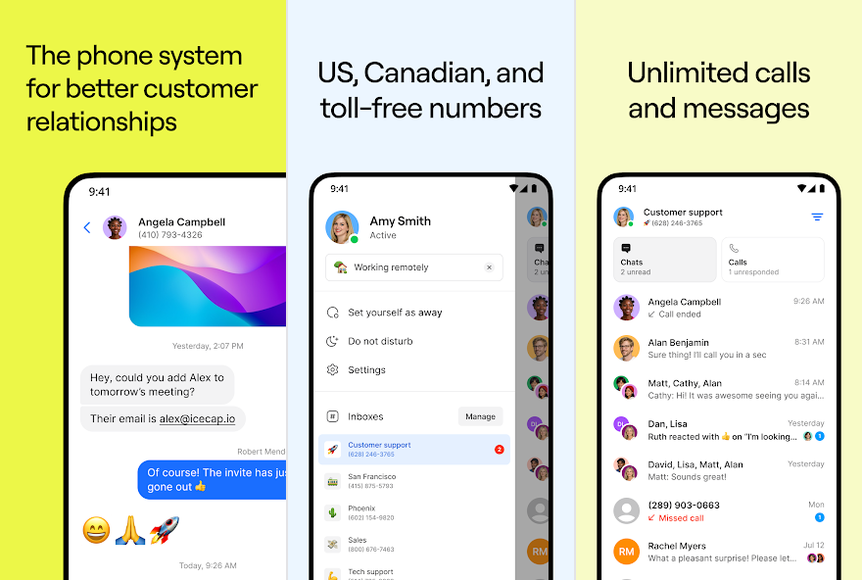
A business phone app where the whole team calls and texts from one number and sees the same thread for each customer.
- Best forTeams of 3 to 10 who text customers as much as they call them.
- Cost$19 a user
- TeamUp to 10 on Starter
- RingsAll at once
- CatchTexting fee
The good
- Shared number and thread on every plan
- Rings everyone at once on Starter
- Internal comments and notes on all plans
The bad
- Texting registration costs extra
- Support access is a recurring complaint
Quo, which used to be called OpenPhone, is built around the shared number. On every plan, Starter included, everyone with access sees the same thread for a customer, calls and texts together. Teammates can leave internal comments the customer never sees.
Quo’s inbox sharing guide also says shared users see who sent each message and when a colleague is typing. That’s the detail that helps stop two people answering the same text.
Pricing and limits
Quo’s pricing page, checked in November, lists Starter at $19 a user a month, or $15 billed yearly, for up to 10 users. Business is $33, or $23 billed yearly. Every plan also pays a one-time $19.50 texting registration and $1.50 to $3 a month after that. Extra numbers are $5 a month, and there’s a 7-day trial.
Where it disappoints
Starter rings everyone at once, but a custom ring order, warm transfers and a phone menu need Business. Quo’s help pages also disagree on how many phones can ring together: one says up to 10, another says there’s no limit. For a team of 10 or fewer, that gap doesn’t matter.
User reports are mixed. Support that’s hard to reach is a recurring complaint in recent App Store reviews, and outages and late notifications come up several times. TechRadar’s Quo review says call quality depends on a stable internet connection. Payments are non-refundable once made, per Quo’s help centre.
Skip it if you want one flat price for the whole team, or you need phone support. Verdict: the best fit for a team that shares texts as much as calls. If the monthly bill matters more than the inbox, Talkroute is the better alternative.

Talkroute
A flat price for 3 to 10 people
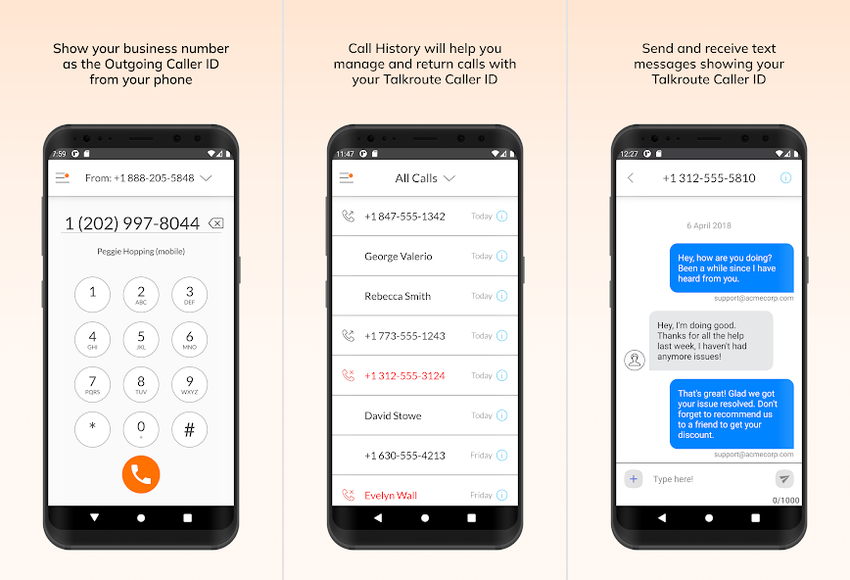
A virtual phone system priced per plan rather than per person, with calls and texts from a business number.
- Best forSmall teams that want the lowest predictable bill.
- Cost$39 for 3 users
- Team$5 per extra user
- RingsPlus and up
- Catch2,000 texts a month
The good
- $59 covers up to 10 users on Pro
- Ring-all and business hours on Plus
- Free porting for most US and Canadian numbers
The bad
- No shared text inbox described
- Few ratings to judge it by
Talkroute has the lowest bill here for 3 people on monthly billing. You pay for the plan, and each plan includes a set number of users: 3 on Plus, 10 on Pro. Grasshopper is the only other flat-price option on this list, and it charges extra to ring everyone. On yearly billing, Grasshopper Solo Plus works out lower in the first year ($408 against $483), if its add-on prices hold.
Pricing and limits
Talkroute’s pricing page, checked in November, lists Basic at $19 a month for one user, Plus at $39 for 3 and Pro at $59 for 10, with $5 for each extra user. Annual billing is offered, but no annual price is shown. Texts are capped at 500, 2,000 and 5,000 a month by plan. Ringing everyone at once and business hours start on Plus.
There’s a 7-day free trial. After it, Talkroute gives no refunds and doesn’t prorate partial months.
Where it disappoints
Talkroute’s page doesn’t describe a shared text inbox, assignment or internal notes, so I can’t tell you how a team splits up a busy text thread. The page doesn’t say whether every user texts from the main number. The evidence is thin too: 406 ratings on Google Play at 3.7, and too few user reports to show a pattern.
Skip it if your team works mostly by text and needs to see who’s handling what. Verdict: one of the two lowest bills for a calls-first team of 3 to 10, with the terms printed on the price page. For a real shared inbox, Quo is the better alternative.

Zoom Phone
Best if you already pay for Zoom
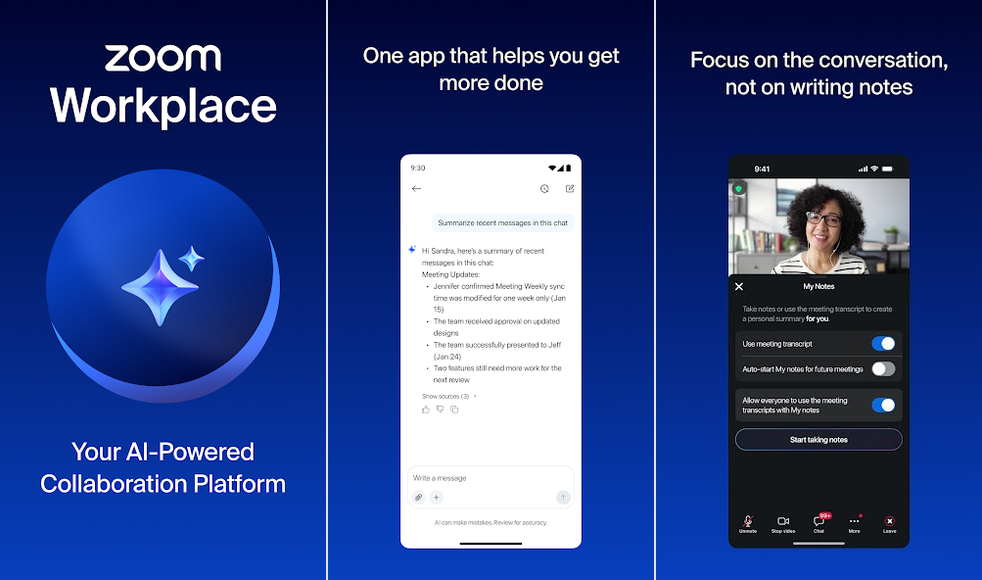
Zoom’s cloud phone system, added to a Zoom Workplace plan and used through the Zoom Workplace app on Android.
- Best forTeams that already run their meetings on Zoom.
- Cost$18 a user
- TeamPer seat
- RingsCall queues
- CatchTeam texts extra
The good
- Shared lines on every plan
- Call queues and voicemail transcripts included
- US and Canada texting included
The bad
- The team text thread is a paid add-on
- No free trial shown
Zoom Phone makes sense when Zoom is already your meeting tool. It runs inside the Zoom Workplace app, so nobody adds a new app to their phone. Every plan lists shared line appearance and delegation, Zoom’s terms for sharing a line between colleagues, plus call queues and voicemail with transcription.
Pricing and limits
Zoom’s pricing page, checked in November, puts US and Canada Unlimited at $18 a user a month, or $16 billed yearly, added to Workplace Basic. The bundles with Workplace Pro or Business cost $24 and $29 a month, or $20.50 and $24.50 billed yearly. Texts within the US and Canada are included, and porting your number is listed on every plan. The page shows no trial and no texting registration fee.
Where it disappoints
The shared text thread is the catch. Zoom says a team SMS summary thread needs its Customer Engagement Pack add-on, and that add-on’s price isn’t on the page. I found no user reports specific to Zoom Phone; reviews of the Zoom Workplace app are about meetings.
Skip it if shared texting is the main job, or you don’t use Zoom. Verdict: a sensible add-on for Zoom users who mostly take calls. If you aren’t on Zoom, Talkroute costs less for the same team.

Grasshopper
One flat price, unlimited users
A virtual phone service where the team calls and texts from one business number for one plan price.
- Best forGrowing teams that want one bill however many people answer.
- Cost$32 a month flat
- TeamUnlimited users
- RingsRing-all add-on
- CatchCancel complaints
The good
- No charge to add team members
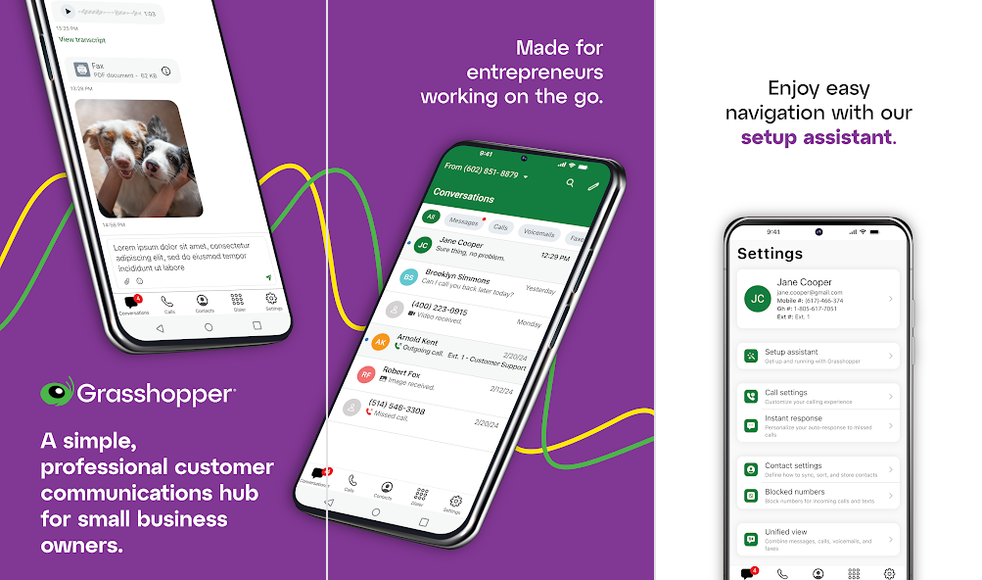
- One text thread per customer for the team
- Works on Android, iPhone and desktop
The bad
- Ringing everyone costs $9 a month more
- Cancelling is a recurring complaint
Grasshopper’s pitch for teams is that adding people costs nothing. Its shared number page says the team shares one text thread per customer, works from iOS, Android or desktop, and that admins can limit who texts.
Pricing and limits
Grasshopper’s main pricing page could not be read from outside the US and Canada, so these figures come from its own plan summary and comparison page, checked in November. Solo Plus is $32 a month, or $25 billed yearly, with unlimited users, one number and 3 extensions. Ringing several phones at once, which Grasshopper calls call blasting, is a $9 a month add-on. Extra extensions are $3 each, and the 7-day trial needs no card.
The Small Business plan is listed from $55 a month billed yearly on that summary. A published review prints a higher figure, so confirm the price before you buy that plan.
Where it disappoints
Cancelling is the recurring complaint. In recent App Store reviews, users describe auto-renewal, no refunds for unused time and charges after cancelling. The pages I could read don’t list a texting registration fee, port-out terms or refund rules, and they don’t describe notes, assignment or call transfer between teammates.
Skip it if you might cancel within a year, or need every fee in writing up front. Verdict: the simplest flat bill for a team that keeps growing, if you’re sure you’ll stay. Talkroute is the better alternative if you want the refund terms on the price page.

Ooma Office
Calls to Mexico and Puerto Rico
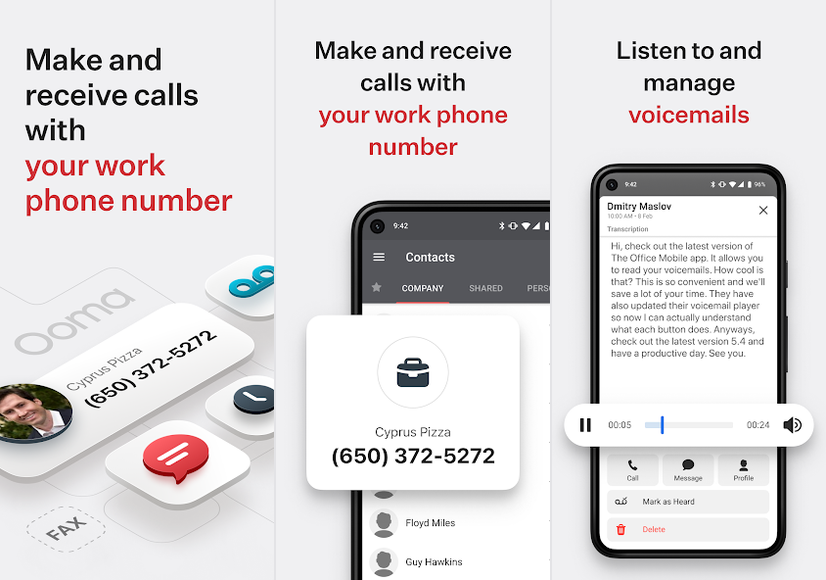
A per-user business phone service with ring groups, voicemail transcription and a mobile app for answering away from the desk.
- Best forCalls-first teams with customers in Mexico or Puerto Rico.
- Cost$24.95 a user
- TeamPer seat
- RingsRing groups
- Catch250 texts a month
The good
- No contract on any plan
- Free number transfer
- Voicemail transcription on Pro
The bad
- A $29.95 activation fee
- Dropped calls on weak Wi-Fi, users say
Ooma Office is sold per user with no contract. What sets it apart is reach: every plan includes unlimited calls to mobiles and landlines in the US, Canada, Mexico and Puerto Rico. If your customers call from across the border, that saves a separate calling plan.
Pricing and limits
Ooma’s plans page, checked in November, lists Essentials at $19.95, Pro at $24.95 and Pro Plus at $29.95 a user a month, plus a one-time $29.95 activation fee and taxes. No yearly price is shown. Its rates page sets texts at 250 a month on Pro and 1,000 on Pro Plus, per account, then $0.0095 a message. Extra numbers are $9.95 a month, and porting in is free.
Where it disappoints
Ooma doesn’t describe a shared text inbox, and 250 texts a month for the whole account runs out fast if three people text customers. Its own material disagrees on ring groups: the plan grid shows them on all three plans, while other Ooma material ties them to Pro Plus. I’ve costed Pro; confirm before you buy Essentials. Dropped and missed calls on weak Wi-Fi are a recurring complaint from users.
Skip it if your team answers on patchy connections or texts a lot. Verdict: a fair per-seat choice for a calls-first team with callers in Mexico. Zoom Phone costs less per seat if you only call the US and Canada.

Google Voice Standard
For teams already on Workspace
Google’s business phone add-on for Workspace, where a ring group gives the team one number that rings several people.
- Best forBusinesses already paying for Google Workspace, where calls matter more than texts.
- Cost$20 a user
- TeamWorkspace needed
- RingsRing groups
- CatchTexts unclear
The good
- Ring groups of up to 50 members
- Ring all, round robin or fixed order
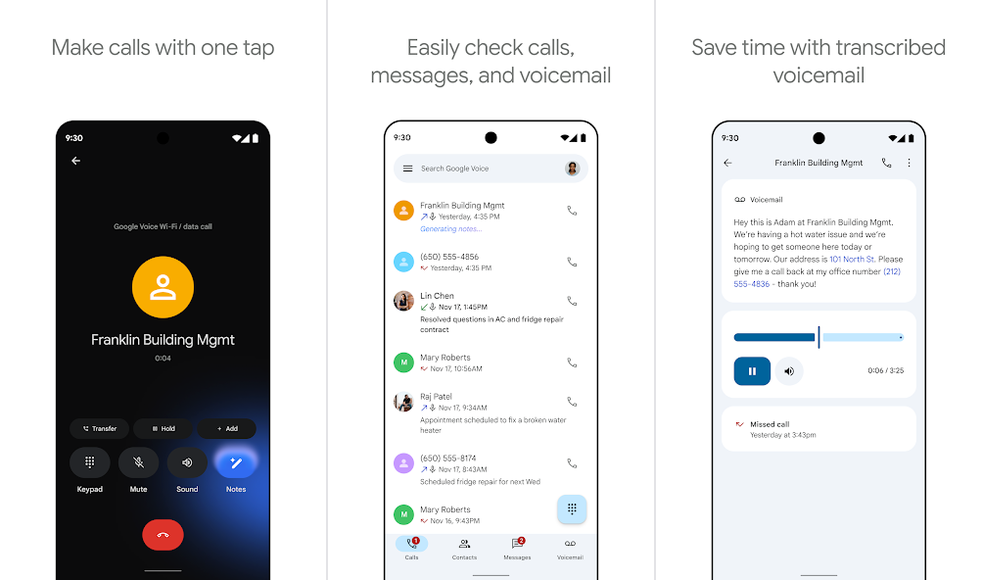
- Voicemail transcripts on every plan
The bad
- Ring-group texting isn’t documented
- Each ring group needs its own number
If your business already runs on Google Workspace, Voice Standard is the shortest path to a shared number. You create a ring group, give it its own number and add up to 50 people. Google’s ring group setup page covers each step.
Pricing and limits
Google’s plan comparison, checked in November, lists Starter at $10 a user for up to 10 users, Standard at $20 and Premier at $30 as add-ons to a paid Workspace subscription. Ring groups need Standard or Premier. Google also sells standalone Starter ($10 a month) and Standard ($20 a month) plans that need only a personal Gmail account, but they cover one user and have no ring groups, so they don’t give a team a shared number. Voicemail transcripts come with every plan, and texting is unlimited in the US only. No yearly price is shown.
Where it disappoints
Google’s help page does not mention texting for ring groups. There’s an Android catch too: Google’s ring group settings page says calls to a ring group aren’t forwarded to the mobile numbers linked to members’ Voice accounts, so plan on answering in the Voice app. If nobody picks up within 30 seconds, the call can go to voicemail, a forward or a message.
Skip it if shared texting is the job, or you need texts outside the US. Verdict: the right call for Workspace businesses that mainly take calls. If texts matter, Quo is the better alternative.
Who Owns the Conversation?
| App | Shared texts | Handoff tools |
|---|---|---|
| Quo | One thread per contact, all plans | Internal comments and notes, all plans; warm transfer on Business |
| Talkroute | Not described | Not described |
| Zoom Phone | Team thread is a paid add-on | Shared lines and call queues, all plans |
| Grasshopper | One thread per customer | Not described |
| Ooma Office | Not described | Call queues on Pro Plus |
| Google Voice | Not mentioned for ring groups | Ring groups on Standard and Premier |
Assignment, where one teammate claims a thread so two people don’t reply, isn’t on any plan page I read. TechRadar’s Quo review mentions conversation assignment, but Quo’s own inbox guide doesn’t, so treat it as likely rather than confirmed.
Without it, agree a simple rule on day one: whoever replies first owns the thread, and leaves an internal note when they hand it on. Quo’s typing indicator helps here, since you can see a colleague is already answering.
When Nobody Picks Up
| App | Rings everyone | Hours and voicemail |
|---|---|---|
| Quo | All at once on Starter; custom order on Business | Business hours and voicemail transcripts, all plans |
| Talkroute | Plus and Pro, not Basic | Business hours on Plus and up; transcripts listed |
| Zoom Phone | Call queues, all plans | Voicemail transcripts, all plans |
| Grasshopper | A $9 a month add-on | Business-hours routing |
| Ooma Office | Ring groups (plan details conflict) | Transcripts on Pro and Pro Plus |
| Google Voice | Simultaneous, round robin or fixed order | After 30 seconds: voicemail, forward or message |
A shared number that rings one person defeats the point. Before you pay, check two things on the plan you’re buying: that it rings everyone at once, and what happens after hours.
On the pages I read, Talkroute Basic and Grasshopper without its add-on don’t ring everyone together. Google Voice is the most explicit about the fallback: after 30 seconds, the ring group sends the call where you’ve told it to.
None of the six vendors documents Android-specific limits on the pages read for this article. Google’s ring group settings page does say that calls to a ring group aren’t forwarded to the mobile numbers linked to members’ Voice accounts, so plan on answering in the Voice app.
Texting Registration, Plainly
| App | One-time fee | Monthly fee |
|---|---|---|
| Quo, all plans | $19.50 | $1.50 to $3 |
| Talkroute Basic | $19 | $1.50 |
| Talkroute Plus | $15 | Included |
| Talkroute Pro | Included | Included |
| Zoom, Grasshopper, Ooma, Google Voice | None printed | None printed |
US carriers want to know who is texting from a business number. For a regular local number, that means registering your business and what you text about with The Campaign Registry, a process called A2P 10DLC. You supply the details; the phone provider files them and passes the fee on.
Until it’s registered, the number can’t text US customers. Quo’s porting guide says US texting stays blocked until registration is done, which usually takes 24 to 48 hours. On Talkroute, toll-free numbers carry no campaign fee.
Moving Your Number In or Out
| App | Porting in | Porting out |
|---|---|---|
| Quo | Free; 3 to 7 business days | No Quo fee; 1 to 14 days |
| Talkroute | Free for most US and Canadian numbers; 3 to 5 business days | Not shown |
| Zoom Phone | Listed on all plans | Not shown |
| Grasshopper | Free | Not shown |
| Ooma Office | Free | Not shown |
| Google Voice | Not shown | An admin requests a port-out code |
Quo warns that porting a mobile number turns it from a cellular line into an internet line. Don’t port the number you use as your personal mobile unless you mean to give it up.
Leaving is where people get burned. Don’t cancel until the port is complete: Google says so in its port-out guide for Voice. Quo’s pricing page and help centre disagree on how long a cancelled number is held, 60 days against 30 at most, so port first and cancel after. For a number you fully control, see our guide to a secure number you own.
What Users Report
| App | What users report | How often |
|---|---|---|
| Quo | Support hard to reach | Recurring |
| Quo | Outages, late notifications | Several |
| Quo | Charged after cancelling; no refunds | Recurring |
| Grasshopper | Hard to cancel, no refunds | Recurring |
| Ooma Office | Dropped calls on weak Wi-Fi | Recurring |
| Google Voice | App bugs (the consumer app) | Recurring |
| Zoom Phone | No phone-specific reports found | None found |
Recurring means three or more independent reports; several means two; isolated means one. The source was the newest App Store reviews for each app, read in November. Recent reviews skew negative, so read this as a list of risks, not a score.
No independent test of the shared-number case exists. I looked for one that put several people on one number on Android and measured missed calls and handoffs, and found none. Reviews such as TechRadar’s describe features without a test method.
Left Out, and Why
Apps considered and not ranked
- Dialpad: its pricing page shows $15 and $25 a user but doesn’t say whether that’s monthly or yearly billing, and shared-number features by plan aren’t shown.
- RingCentral: Core includes 25 texts a user a month, and texting isn’t available in the trial.
- Calilio: a Google Play rating of 2.7 from 93 ratings.
- Allo: each seat gets its own number, and the pricing page doesn’t show a shared-number route.
- Sideline: a private second-number app; its team-sharing details sit on a help centre I couldn’t read.
- Line2: its official pages could not be read.
If it’s just you and you want a second number on your own phone, our ranking of second phone number apps is the better guide. For free calls between people rather than a business line, see our free calling apps.
FAQs
Can several people text from one business number on Android?
Yes, on Quo and Grasshopper, whose own pages describe one shared text thread per customer. Zoom Phone sells a team text thread as an add-on. Talkroute and Ooma don’t describe a shared text inbox.
What does a shared business number cost for 5 people?
On regular list prices checked in November, from about $47 a month for Grasshopper Solo Plus (its $9 ring add-on plus one extension per person, three of them included; add-on and extension prices from Grasshopper’s comparison page) and $49 for Talkroute Plus, up to $124.75 for Ooma Office Pro and $165 for Quo Business. Quo Starter is $95 a month, or $900 a year billed yearly, plus texting registration.
Do I need to register my number before texting?
In the US, yes, for a regular local number. The provider files your business details with The Campaign Registry. Quo charges $19.50 once plus $1.50 to $3 a month; Talkroute Plus charges $15 once.
Can I bring my current number?
Usually. Quo, Talkroute, Grasshopper and Ooma say porting in is free, and Zoom lists porting on every plan. Your old carrier may still charge, and you shouldn’t cancel the old service until the move is complete.
Is Google Voice enough for a small team?
For calls, if you already pay for Google Workspace, because ring groups only come with the Workspace add-on plans. Voice Standard, at $20 a user, adds ring groups of up to 50 people. For shared texting, check first: Google’s help page does not mention texting for ring groups.
How this guide was put together. This is a research-based evaluation. I read each vendor’s pricing and help pages, Google’s Workspace help centre, the Google Play and App Store listings, recent App Store reviews, and TechRadar’s Quo review. Prices are regular US list prices before tax, checked in November. No accounts were opened and no calls or texts were made for this guide, and no independent test of several people sharing one number exists. Prices change, so check the vendor’s page before you buy.