In This Article
Follow BestForAndroid


Free VPN apps have been installed billions of times. Yet when Top10VPN’s researchers picked apart the 100 most popular ones, 88% leaked data and 71% quietly shared it with outside companies. That is the gap between what a VPN sells and what plenty of them deliver. The Electronic Frontier Foundation, which has nothing to sell you, says it flatly: a VPN is not a tool for anonymity. So here is the version without the sales pitch. A VPN does exactly one job, it does it well, and that job is worth a lot in the right situation and close to nothing in the wrong one. The rest of this is about knowing which situation you are in, what the app genuinely protects, and how to find one you can trust instead of the no-name free app most lists push.
Disclosure: some links here are affiliate links, and we may earn a commission if you sign up. It never changes which apps we recommend. The free, audited pick comes first on purpose.
What a VPN actually does

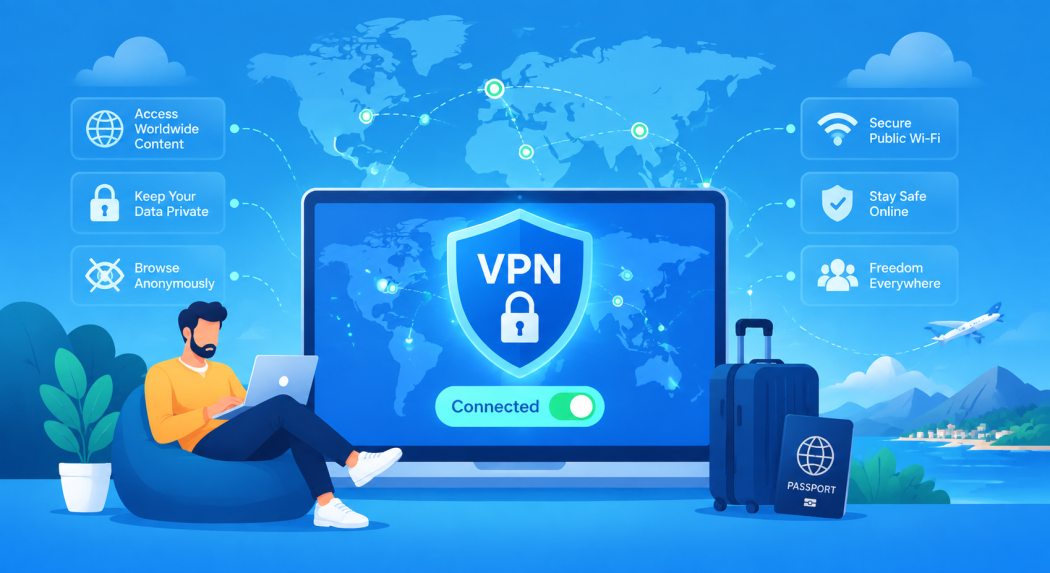
Picture your normal connection as a postcard. Your internet provider, and anyone running the network you joined, can read the address on it: which sites you reach, when, and how often. A VPN seals the postcard in an opaque envelope and posts it through a server somewhere else. Your provider now sees only that you connected to a VPN, not what you did next. The websites you visit see the VPN server’s address, not yours.
That is the whole job: encrypt the link between your phone and the VPN server, and swap your visible IP for the server’s. Everything marketed beyond that is either a side effect of those two things or a stretch. Keep that one sentence in your head and most VPN claims sort themselves into true or nonsense.
The real reasons to use a VPN on Android
Ignore the marketing and four solid reasons hold up. Each is real, and each carries a caveat the ads skip.
Why this is not just paranoia: US regulators fined the four major mobile carriers nearly $200 million for selling customers’ location data without consent. Your provider sits between you and everything you do online, and the rules on what it can keep and sell have only loosened. That is the gap a VPN closes.
- Keeping your browsing from your carrier. This is the strongest case in the United States. After Congress rolled back broadband privacy rules, providers were free to log and sell what you do online, and regulators later fined the major carriers close to two hundred million dollars for selling customers’ location data. A VPN moves that visibility from your carrier to the VPN company. The catch: even with a VPN off, HTTPS already hides the contents of pages, so what you are really shielding is the record of which sites you visit.
- Untrusted Wi-Fi. On a network you do not control, a VPN hides your domain lookups and destinations from anyone snooping the same hotspot, and it neutralizes a fake access point playing games with your traffic. The catch: the old story about a hacker grabbing your bank password at a cafe is mostly solved by HTTPS already. As a McAfee security lead told Consumer Reports, things are much safer now that nearly everything is encrypted. A VPN here protects the edges, not your whole life.
- Region-locked content while you travel. Route through a server back home and you can reach your own paid services, your bank portal, or a streaming library from abroad. The catch: streaming services hunt for VPN addresses and block them, so a server that works today can fail tomorrow. TechCrunch documented Netflix’s cat-and-mouse blocking years ago, and it has only sharpened. Treat unblocking as a bonus, not a guarantee, and see our guide to region-blocked video for the realistic version.
- Throttling and censorship. If your carrier slows one kind of traffic, say video or torrents, a VPN can hide which app the data belongs to and dodge that. The most infamous example: a carrier throttled a fire department’s unlimited data to a crawl during a major wildfire. A VPN is also a primary tool on censored networks. The catch: it cannot beat a flat data cap or a congested tower, only traffic that is being singled out.
So do you actually need one?
The honest question is never just whether you need a VPN. It is whether you trust a given VPN more than your internet provider for the thing you are worried about. The EFF’s blunt rule of thumb is the right one: do not use a VPN you do not trust. If you only browse mainstream sites at home, you can skip it. If you are on the move, on shared networks, or want your carrier out of your business, it is worth setting up properly.
What a VPN does not do

This is the part the glossy reviews skip, and it is the most useful part of any honest VPN guide. Knowing the limits is what stops you from doing something risky because you think a VPN has you covered.
- It is not anonymity. A VPN does not remove the party watching your traffic, it changes who it is. Your carrier stops seeing your destinations; the VPN company starts. The EFF is explicit that your activity is all visible to the VPN provider, and that providers answer to law-enforcement requests just like an ISP. You are relocating trust, not erasing the need for it.
- It is not antivirus. A VPN encrypts your connection; it does not scan files or block bad downloads. If you install a malicious app, the VPN encrypts its traffic as faithfully as anything else. Android’s Play Protect is a first layer, not a full security suite, and a VPN is not one either.
- It does not stop cookies, fingerprinting, or your logins. Trackers live in your browser and your accounts, not in the network layer a VPN guards. Researchers have shown the same device produces the same browser fingerprint across different VPNs. And if you are signed into Google or Facebook, they tie your activity to your account no matter what your IP says.
- “No-logs” is a claim until it is audited. Any VPN can print the words. What counts is an independent audit that names the firm, the date, and the scope, with a report you can actually open. Even then an auditor can only say they found no logging where they looked. The strongest proof is a provider that was raided or subpoenaed and had nothing to hand over.
The free-VPN trap: if you are not paying, your data often is the payment. The same Top10VPN investigation found that 80% of those free apps shipped with risky third-party code libraries. A free VPN with hidden owners and no audit can be worse for your privacy than no VPN at all. We pull apart the rest of the myths in our VPN myths and truths explainer.
How to choose a VPN you can trust

Since a VPN sees all of your traffic, picking the company is the whole decision. Five things separate one you can rely on from one you cannot:
- A recent, public independent audit. Look for a named auditing firm and a report you can read, refreshed regularly. Proton, for instance, publishes repeated no-logs audits. Vague “verified” badges with no linked report do not count.
- A real no-logs policy that says, in plain terms, that the provider does not record what you do or store the metadata that would let it reconstruct your sessions.
- A privacy-friendly home. Where the company is legally based shapes what it can be forced to keep and hand over. Switzerland and Sweden are common picks for a reason.
- A working kill switch and leak protection. The tunnel will drop sometimes. The app should cut your traffic when it does, rather than leaking onto the open network, and it should not spill your real address through DNS or IPv6.
- Named owners and a clean track record. You should be able to find out who runs it. Hidden ownership is the single biggest red flag, and it is exactly why we do not recommend the no-name free apps that pad out other lists.
Set up a VPN safely on Android
A trustworthy VPN can still leave gaps if you run it on the defaults. Android gives you the controls to close them, and they take about a minute to set once.
- Turn on Always-on VPN. In Android’s network settings, switch on Always-on VPN and Block connections without VPN for the app. Google’s own developer documentation describes this as the built-in kill switch: the system blocks any traffic that is not going through the tunnel.
- Test the kill switch. Once it is on, toggle airplane mode mid-session and confirm the connection actually stops instead of falling back to the open network. A kill switch you never tested is a guess.
- Use per-app routing if you need it. Android lets you send only some apps through the VPN, or exclude a few that misbehave behind one. Handy for a banking app that blocks VPNs while everything else stays protected.
- Read the permissions before you trust it. A VPN needs the system VPN permission and little else. A free one asking for your contacts, location, or texts is telling you how it really makes money.
The golden rule: set the VPN to fail closed. One that drops you onto the open network the moment it struggles is worse than none, because you carry on thinking you are covered when you are not.
Which VPN should you install?
You do not need to overthink this. A short list of providers clears the trust bar above, and the rest is matching one to your budget.
| Pick | Type | Why it earns trust | Best for |
|---|---|---|---|
| Proton VPN | Free or paid | Swiss, open-source apps, repeated independent no-logs audits | The safest free start, and a strong paid upgrade |
| Mullvad | Paid | Sweden, anonymous accounts, audited, nothing to hand over when raided | Privacy purists who want the gold standard |
| Windscribe | Free or paid | Generous free data, audited, built-in ad and tracker blocking | A feature-rich free tier |
| hide.me | Free or paid | Independently audited no-logs, no account needed for the free tier | An audited free alternative |
If you want to spend nothing, start with Proton VPN’s free tier. It is the rare free VPN with genuinely unlimited data, it is open-source, and it is backed by repeated independent audits, so the no-logs promise is more than a slogan. For the widest free shortlist, including the audited alternatives, see our roundup of free VPN apps we trust and the ones to avoid.
If you are paying, you are mostly buying speed, server choice, and consistency. Mullvad and Proton VPN are the picks for people who put privacy first, both audited, both with strong track records. Our full guide to the best Android VPNs ranks the paid field with the testing behind it. Whatever you choose, the rule does not change: an audited, named, no-logs provider, or nothing.
Questions people actually ask
- Do I really need a VPN on Android?
Only for specific jobs. If you use shared or public Wi-Fi, travel, face throttling or censorship, or want your carrier out of your browsing, yes. If you mostly browse normal sites at home, HTTPS and private DNS already do most of the work. - Does a VPN make me anonymous?
No. It hides your activity from your internet provider but exposes it to the VPN company instead, and it does nothing about cookies, browser fingerprinting, or accounts you are logged into. For real anonymity you need different tools. - Are free VPNs safe?
Some are, most are not. Studies of popular free VPN apps have found widespread data leaks and data sharing. Stick to a free tier from an audited provider, like Proton VPN, and avoid no-name apps with hidden owners. - Will a VPN slow my phone down?
A little. Independent testing puts the typical hit at 5% to 15%, and the modern WireGuard protocol often lands near the bottom of that range. Distance to the server matters more than anything else, so pick one nearby when speed counts. - Is a VPN enough to keep me safe online?
No single tool is. A VPN handles network privacy. Pair it with good account hygiene, app caution, and Play Protect; our primer on common online threats covers the rest.
How we approach VPN advice
We judge VPNs on what they can prove, not what they advertise. That means independent audits we can read, a clear no-logs policy, a privacy-friendly jurisdiction, named ownership, and a kill switch and leak protection we can test on an Android phone. We will not recommend a VPN with hidden owners or no audit, however cheap or free it is. Some links here may earn BFA a small commission, which never changes which providers we recommend or the order they appear.