In This Article
Follow BestForAndroid


Free streaming used to mean shady apps you sideloaded and hoped for the best. That era is over. Streaming has overtaken broadcast and cable combined for the first time, reaching nearly 45% of all US TV viewing, according to Nielsen, and a big slice of that is free, ad-supported television. Tubi alone tops 100 million monthly viewers. The upshot for you: there is now a legal, no-cost app for almost every kind of viewing, and it auto-updates from the Play Store instead of asking you to trust a random APK. Below are the ones worth your storage, ranked, followed by an honest look at why the unofficial apps this guide used to list are a bad trade.
Disclosure: the apps here are free and ad-supported, and we have no affiliate relationship with them. We recommend them on merit. We do earn from some links elsewhere on the site, which never changes what we pick.
The free, legal apps at a glance
| App | Owner | What you get | Best for | The catch |
|---|---|---|---|---|
| Tubi | Fox | ~300,000 movies and TV episodes | Most free films | Ads; US-focused |
| The Roku Channel | Roku | 500+ live channels + 80,000 titles | Live and on-demand in one | Mainly US |
| Pluto TV | Paramount | Hundreds of live channels + on-demand | Cable-style channel surfing | Live ads cannot be skipped |
| Plex | Plex | Free movies, live channels, your own media | Tinkerers and personal libraries | Server-style interface |
| Rakuten Viki | Rakuten | Korean and Asian drama with subtitles | K-drama and Asian TV | Some titles need Viki Pass |
| Kanopy | Kanopy | Criterion, world cinema, no ads | Prestige and arthouse | Needs a library card |
| Hoopla | Midwest Tape | Film, TV, audiobooks, comics, no ads | Whole-family, many formats | Library card; monthly limit |
Every app above is free, legal, and available right now on the Google Play Store. The split that matters is on-demand libraries (Tubi, Plex) versus live channel grids (Pluto TV, The Roku Channel) versus the ad-free library apps you unlock with a card (Kanopy, Hoopla). Most people end up with two or three installed.
1. Tubi

If you install one free app, make it Tubi. Owned by Fox, it has the deepest free on-demand catalog out there, somewhere around three hundred thousand movies and TV episodes, from real Hollywood titles to a deep bench of cult and genre films. It is paid for by ads, but the breaks are lighter than most rivals, and it does not ask you to make an account to start watching.
It has grown into a genuine player, not a curiosity: Tubi now tops a hundred million monthly viewers. The library leans US, and because the catalog is so broad, you will sometimes see adult-oriented ads, so turn on the parental controls if a child uses the app.
Highlights
⭐️ Best for: the most free movies in one place, with a light ad load
⚠️ The catch: ad-supported, US-focused, and ads can skew adult; use parental controls for kids
💰 Price: free with ads, no subscription, no account required
Key features
- Huge library: around 300,000 movies and TV episodes, the biggest free on-demand catalog.
- No account needed: open it and watch; sign in only to sync across devices.
- Light ads: fewer and shorter breaks than most free rivals.
- Originals and live: a growing slate of Tubi Originals plus some live news channels.
2. The Roku Channel

You do not need a Roku device to use The Roku Channel, the app works on any Android phone, and it is the best one-stop free option. It blends more than five hundred live, always-on channels with a library of tens of thousands of free movies and shows, so you can channel-surf or pick something on demand without leaving the app or signing up.
It is the closest thing to a free version of a paid service’s home screen. The catalog and live line-up are strongest in the US, and the interface still leans a little toward Roku’s own hardware, but as a free, no-friction way to watch, it is hard to beat.
Highlights
⭐️ Best for: one app that does both live channels and on-demand, no signup
⚠️ The catch: content and live channels are mainly US; UI favors Roku hardware
💰 Price: free with ads, no Roku device or account required
Key features
- Live plus on-demand: 500+ live channels and 80,000+ free movies and episodes in one place.
- No hardware needed: runs on any Android phone, no Roku device required.
- No signup wall: start watching immediately.
- Family options: kid profiles and parental controls built in.
3. Pluto TV

Pluto TV, owned by Paramount, recreates the old cable experience for free. Instead of a library you browse, you get hundreds of live, themed channels, one playing nothing but sitcoms, another all true crime, another a single show around the clock, plus a deep on-demand section underneath. It is the app to open when you do not want to decide what to watch.
Because the channels are live, the ad breaks play on the channel’s schedule and you cannot skip them, the trade for it being free. The on-demand catalog is smaller than Tubi’s, but for lean-back channel surfing nothing free does it better.
Highlights
⭐️ Best for: cable-style channel surfing when you do not want to choose
⚠️ The catch: live ads cannot be skipped; on-demand library is smaller than Tubi’s
💰 Price: free with ads, no account required
Key features
- Hundreds of live channels: themed, always-on, cable-style grid.
- On-demand too: a movie and TV library sits under the live channels.
- Zero setup: no account, just pick a channel.
- Backed by Paramount: stable catalog with real licensed content.
4. Plex

Plex is two things at once. Most people know it as the app for organizing and streaming your own media library, but it also bundles a sizable free, ad-supported layer: tens of thousands of on-demand movies and shows plus hundreds of free live channels, no subscription needed. If you like to tinker, it is the most flexible app here.
The catch is that the whole interface is built around the idea of a personal media server, so the free streaming catalog feels like a bonus rather than the main event. One change worth knowing: streaming your own files to yourself away from home now needs a paid pass, but the free public catalog remains free.
Highlights
⭐️ Best for: people who want free streaming plus their own media in one app
⚠️ The catch: the interface is built around a personal media server; free catalog is secondary
💰 Price: free ad-supported tier; a paid pass covers remote personal media
Key features
- Free VOD and live: 50,000+ on-demand titles and hundreds of free channels.
- Your own library too: organize and play your personal media collection.
- Cross-device: picks up where you left off across phone, TV, and web.
- Flexible: the most customizable option for hands-on users.
5. Rakuten Viki

If you watch Korean drama, or Chinese, Japanese, and Thai series, Viki is the free app to have. Run by Rakuten, it specializes in Asian television with a famous twist: a global community subtitles the shows into dozens of languages, often fast and in great detail. The free, ad-supported tier covers a large slice of the catalog.
The honest caveat is that the newest episodes and some titles sit behind Viki Pass, the paid tier that also strips ads. But for discovering K-drama and Asian TV without paying, the free tier is generous and the community subtitling is genuinely better than most big services manage.
Highlights
⭐️ Best for: Korean and Asian drama fans who want a big free catalog
⚠️ The catch: newest episodes and some titles need the paid Viki Pass; ads on the free tier
💰 Price: free with ads; Viki Pass unlocks more and removes ads
Key features
- Asian TV specialist: deep K-drama, C-drama, J-drama, and Thai catalog.
- Community subtitles: fast, detailed fan subtitling in many languages.
- Free tier is broad: a large share of the library is free with ads.
- Watch party features: built-in social viewing tools.
6. Kanopy

Kanopy is the free app cinephiles guard like a secret. Through a participating public library or university, it gives you the Criterion Collection, world cinema, acclaimed documentaries, and indie films, with no ads and no monthly fee. The catalog is curated rather than endless, which is the point: it is quality over quantity.
Two honest notes. You need a library card or student login from a participating institution, and many libraries cap how many titles you can watch a month. Some have also trimmed or dropped Kanopy access as it gets popular, so check that yours still offers it. When it is available, nothing free comes close for serious film.
Highlights
⭐️ Best for: prestige, arthouse, and Criterion films with no ads
⚠️ The catch: needs a participating library or university card; monthly play limits, and some libraries have dropped it
💰 Price: free with a library or university card; no ads
Key features
- Prestige catalog: Criterion, world cinema, and award-winning documentaries.
- No ads, ever: a clean, curated experience.
- Library-backed: free through participating public libraries and universities.
- Great for learning: a strong documentary and educational selection.
7. Hoopla

Hoopla is the other great library app, and it is the most versatile of the bunch. One card gets you not just movies and TV, but audiobooks, ebooks, comics, and music, more than half a million items in total, all with no ads. For a household that reads and watches, it is the single best free download here.
Like Kanopy, it works through a participating library and caps how many things you can borrow each month, and a handful of library systems have ended their Hoopla deals, so confirm yours still carries it. Where it is offered, the range across formats is unmatched among free apps.
Highlights
⭐️ Best for: households that want movies, audiobooks, and comics from one free app
⚠️ The catch: library card required; monthly borrow caps, and some libraries have ended it
💰 Price: free with a library card; no ads
Key features
- Many formats: film, TV, audiobooks, ebooks, comics, and music in one app.
- Half a million items: one of the largest free, ad-free catalogs anywhere.
- No ads: clean, family-friendly experience.
- Library-backed: free with a participating library card.
Also worth a look: Sling Freestream piles on even more free live channels than Pluto if you cannot get enough channel surfing; Fawesome and FilmRise are solid no-login libraries that lean into classic TV and genre films; and PBS Kids is the safest free pick for young children, with no ads aimed at kids. Any of these is a fine fourth app once the big ones are installed.
What to avoid, and why
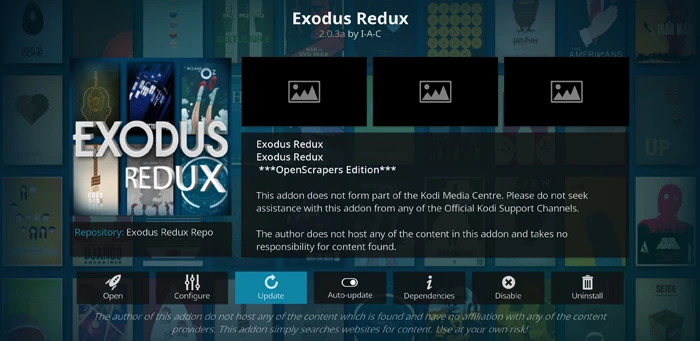
Skip the unofficial “free movie” APKs. Apps like Popcorn Time, ShowBox, Mobdro, CotoMovies, TeaTV, BeeTV, CloudStream, Syncler, and FilmPlus stream pirated content from sideloaded files, not the Play Store. We used to list some of them. We do not anymore, and you should not install them. Here is the honest case against them.
The malware is documented, not hypothetical. When police dismantled Mobdro, which had tens of millions of users, researchers found it shipped malware that lifted Wi-Fi names and passwords and quietly turned phones into part of a proxy network, as The Record reported. The Federal Trade Commission has its own consumer alert warning that pirate streaming apps routinely bundle malware that steals card and bank details. Every sideloaded APK also skips Google Play Protect, the exact layer that screens the apps you install from the store.
The legal reality is narrower than the scare stories, but real. Downloading a copyrighted file is squarely infringing; merely watching an unauthorized stream sits in a greyer area, and enforcement overwhelmingly targets the people who run these services, not individual viewers. The US Protecting Lawful Streaming Act made running an illegal commercial streaming operation a felony, and it is aimed at operators. The simpler point: why expose your IP and your device at all when the legal apps are free?
And the operators give you up. When the people behind CotoMovies shut it down under legal pressure, they handed user data and messages to the rights holders’ lawyers, as TorrentFreak documented. ShowBox’s operator settled a piracy case for six figures. Anti-piracy coalitions keep taking these services down, including a recent raid on the sports-piracy giant Streameast. A Play Store app cannot hand your data to a film studio’s lawyers, and it now carries a real catalog. On every axis that matters, the legal apps win.
Which one should you install?
- The most free movies, fewest ads: Tubi.
- Live TV and channel surfing: Pluto TV, then The Roku Channel or Sling Freestream for even more channels.
- One app for live plus on-demand: The Roku Channel.
- Korean and Asian drama: Rakuten Viki.
- Prestige, arthouse, and Criterion: Kanopy, with a library card.
- Movies plus audiobooks and comics for the household: Hoopla, with a library card.
- Young children: PBS Kids, with no ads aimed at kids.
Common questions
- Is free streaming actually legal?
Yes, when you use licensed apps like the ones above. They are free because they show ads or are funded by your library, not because they are pirating anything. The unofficial APKs are the ones that cross the line. - Is it illegal to watch a pirated stream?
Downloading copyrighted files is clearly infringing. Watching an unauthorized stream is a greyer area, and enforcement targets the operators, not viewers. Either way, the bigger day-to-day risk is malware on your phone, which is reason enough to stick to legal apps. - Do I need a VPN for these apps?
Not for the legal apps; they work fine without one. A VPN is more about privacy and travel; see our guide to the free VPN apps we trust if that is what you are after. - What happened to Crackle and Freevee?
Both are gone. Crackle’s parent company went through bankruptcy and the service was shut down and delisted. Amazon retired the Freevee app and folded its free content into Prime Video’s ad-supported tier. We removed both rather than point you at dead apps. - Are Tubi and Pluto TV really free?
Completely. There is no subscription and no trial that bills you later. You pay with your attention during ad breaks, and that is the whole deal.
How we picked
We only include apps that are legal, free to use, and live on the Google Play Store right now. For each one we confirmed the owner, checked that the free tier really is free with ads or a library card, and verified the app is still being maintained. We deliberately excluded every sideloaded piracy app, and we dropped services that have shut down or been delisted, like Crackle and Freevee, rather than leave dead recommendations on the page. We re-check this list and update it as services launch, merge, or close.