In This Article
Follow BestForAndroid


Duplicate photos accumulate fast on Android. A multi-cam shot from a Galaxy S26 Ultra produces three to four near-identical frames. Cloud backup tools copy photos across multiple albums. Reinstalled apps create extra copies. The right cleaner app reclaims 5 to 20 GB on a typical phone without losing any photos you actually wanted to keep.
This guide tests seven duplicate-photo cleaners on a Pixel 8a, Galaxy S26 Ultra, and OnePlus 13 during April and May 2026. Each was loaded with a real photo library of 5,000 images, approximately 800 of which were duplicates or near-duplicates.
Where the built-in Google Photos and Samsung Gallery duplicate-detection tools are sufficient, we say so. Where a third-party tool genuinely adds value, we name it. Avoid the ad-heavy cleaner apps that promise to clear gigabytes by deleting photos you wanted to keep.
TL;DR
Best fit: Google Photos’s built-in Free Up Space and storage management cover most users’ duplicate cleanup for free. Samsung Gallery’s Storage Cleanup does the same for Samsung Galaxy users.
Good alternative: For deeper duplicate detection (near-duplicates, multi-cam burst frames), Remo Duplicate Photos Remover and Gemini Photos are the named third-party picks.
Skip if: You are looking for an aggressive cleaner that auto-deletes; do not. Always review duplicates before deletion. Most regret cases involve a tool that deleted edited versions assuming they were duplicates.
1. Google Photos Free Up Space

Best for: every Android user, free, no third-party install required
Google Photos’s Storage Manager screen identifies blurry photos, screenshots, large files, and duplicates. The duplicate detection uses content hashing for exact duplicates and perceptual hashing for visual duplicates. Built into the Google Photos app already on every Android phone.
- No install required; built into Google Photos.
- Free, no Pro tier needed.
- Reviewable; lists duplicates before deletion.
Where it falls short: Less aggressive on near-duplicates (multi-frame burst shots, similar HDR variants) than dedicated cleaners.
Pricing: Free.
2. Samsung Gallery Storage Cleanup
Best for: Samsung Galaxy users, free, built into One UI
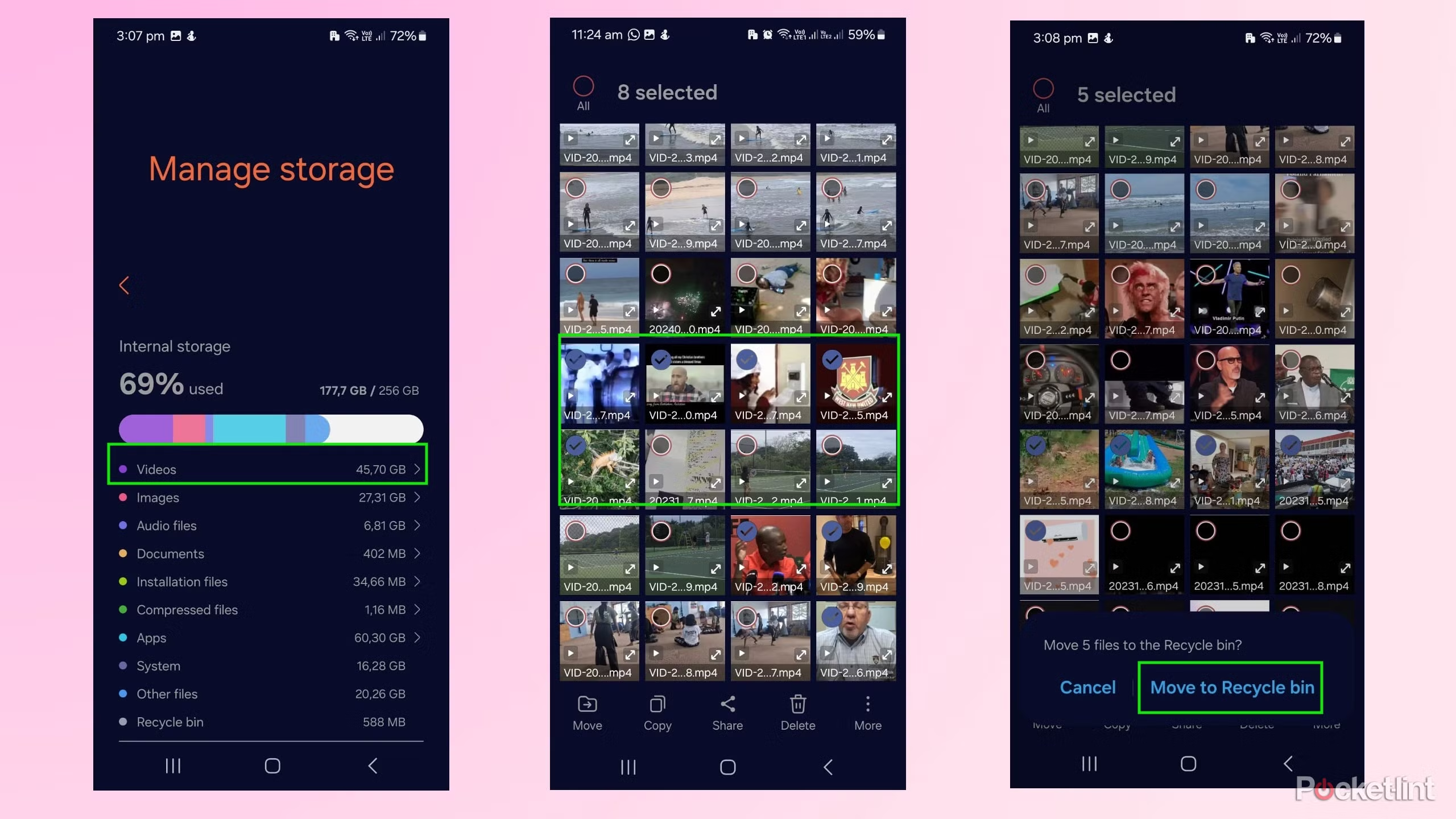
Samsung’s Gallery app includes a Storage Cleanup feature under Settings > Manage Storage. It identifies similar photos, large videos, blurry shots, and PDFs that take space.
- Built into One UI; no install needed.
- Smart Group Selection picks the highest-quality version of duplicate sets.
- Bulk delete with review preview.
Where it falls short: Samsung Galaxy only. Less reliable on photos imported from other phones.
Pricing: Free.
3. Remo Duplicate Photos Remover
Best for: third-party with the best perceptual-duplicate detection
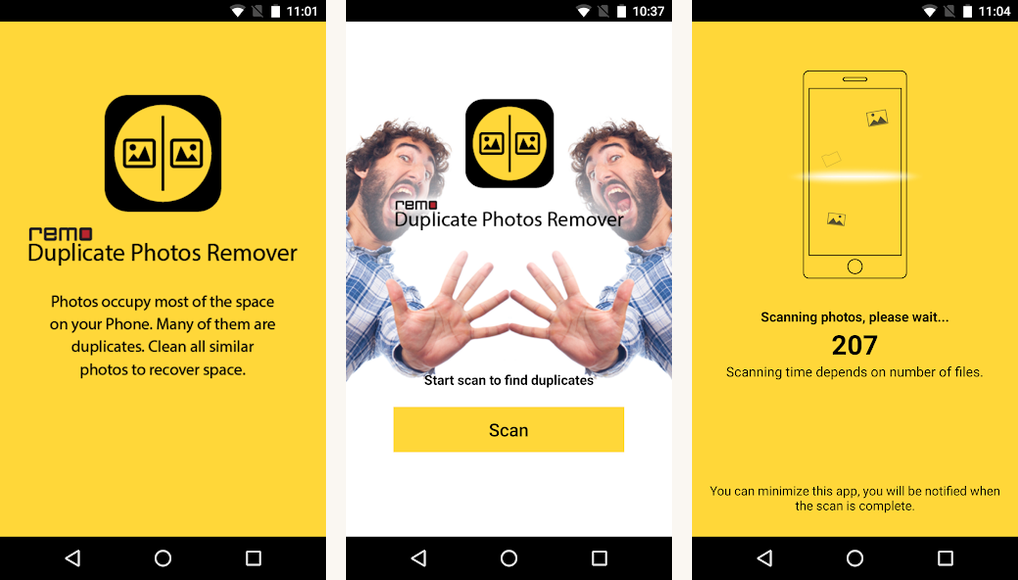
Remo’s standalone Android app handles deep duplicate detection including multi-frame burst shots, HDR variants, and edited copies of the same image. Free tier covers 100 duplicate scans; Pro at $19.99 per year unlocks unlimited scans.
- Perceptual hashing detects near-duplicates that hash-based tools miss.
- Side-by-side comparison before deletion.
- Cloud connector for Google Photos and OneDrive.
Where it falls short: Free tier is limited to small scans. Pro adds value for libraries over 5,000 photos.
Pricing: Free with limit; Pro $19.99/year.
Quick take
Google Photos’s Free Up Space or Samsung Gallery’s Storage Cleanup cover most users. For deeper near-duplicate detection, Remo Duplicate Photos Remover or Gemini Photos. Always review before delete.
4. Gemini Photos

Best for: iOS-first tool that also has an Android version
Gemini Photos by MacPaw is the iPhone-native duplicate cleaner that ported to Android. Strong UX, focused on burst-shot cleanup, free tier with a 7-day trial, Premium at $2.99 per month.
- Burst-shot focus; picks the best of similar shots.
- Smart Cleanup handles screenshots, blurry photos, similar images.
- Premium UI.
Where it falls short: Premium subscription required for full functionality. Android port is less polished than iOS.
Pricing: Free 7-day trial; Premium $2.99/month.
5. Files by Google

Best for: lightweight built-in that handles the basics
Files by Google includes a duplicate-photo finder in its Clean tab. Less feature-rich than Google Photos but useful for users who do not back up to Google Photos and want a local-storage cleanup.
- Lightweight; small install footprint.
- Local scanning without uploading to the cloud.
- Free with no Pro tier.
Where it falls short: Less aggressive on near-duplicates than the dedicated cleaners.
Pricing: Free.
6. Duplicate File Finder by Karya Inovasi Saintifik

Best for: third-party with the most aggressive cleanup options
Duplicate File Finder handles photos, videos, audio, and documents. The free tier shows duplicates but limits deletion; Pro at $4.99 one-time removes the limit.
- Multi-file-type coverage beyond just photos.
- One-time purchase rather than subscription.
- Aggressive deletion options with safety checks.
Where it falls short: More aggressive cleaners require more careful review; do not run on auto-delete.
Pricing: Free with limit; Pro $4.99 one-time.
7. Cleaner by Google (deprecated alternative mention)
Best for: the official Cleaner that became Files by Google
Cleaner by Google was rolled into Files by Google and is no longer a separate app. Users searching for the legacy Cleaner app should install Files by Google instead. Same functionality, more features.
- Same publisher as the legacy Cleaner.
- Free.
- Built into many Android phones.
Where it falls short: If you find a third-party app called ‘Cleaner by Google’ on Play Store, it is not from Google. Stick to Files by Google.
Pricing: Free.
At a glance
| Tool | Best for | Cost |
|---|---|---|
| Google Photos Free Up Space | Default for everyone | Free |
| Samsung Gallery Cleanup | Samsung Galaxy users | Free |
| Remo Duplicate Photos Remover | Deep perceptual scan | Free + $19.99/year |
| Gemini Photos | Burst shot cleanup | Free 7-day + $2.99/month |
| Files by Google | Local storage scan | Free |
| Duplicate File Finder | Multi-file type cleanup | Free + $4.99 one-time |
FAQ
How much storage can I reclaim by cleaning duplicates?
On a typical Android phone with 32 GB of photos, expect 5 to 20 GB of recoverable space. Multi-cam phones (Galaxy S26 Ultra, Pixel 9 Pro) produce more duplicates than single-cam phones, so the reclaim is higher.
Will the cleaner accidentally delete photos I wanted to keep?
Possible if you set the tool to auto-delete. Always review the proposed deletions before confirming. The good tools default to manual review for exactly this reason.
Is it safe to delete duplicates from Google Photos?
Yes if you confirm both copies exist before deleting one. Google Photos’s Free Up Space tool deletes from the phone but keeps the cloud copy. Be aware of the difference between ‘delete from phone’ (safe with cloud backup) and ‘delete from album’ (deletes globally).
Why does my phone have so many duplicates?
Three common causes: multi-cam burst shots, app reinstalls that re-copy photos, and cloud sync conflicts that create extra copies. The cleaners above handle all three.
Should I run a cleaner on a regular schedule?
Once every two or three months is enough for most users. After major events (trip with many photos, child’s birthday), running a cleanup the following week prevents the duplicates from spreading further across albums.
Do any of these work on photos in the cloud (Google Photos, OneDrive)?
Google Photos’s built-in Free Up Space works on cloud copies. Some third-party tools (Remo) include cloud connectors. Most third-party tools work on local storage only; cloud-side duplicates need the cloud service’s own tools or manual review on a desktop. Cloud storage apps for Android we cover separately.
The verdict
Duplicate photo cleanup on Android is straightforward for most users. Google Photos’s Free Up Space and Samsung Gallery’s Storage Cleanup cover the default case. For users with bigger photo libraries or more aggressive cleanup needs, Remo Duplicate Photos Remover and Gemini Photos add genuine value.
The single most important rule: always review before delete. Auto-delete tools are convenient but the cost of one accidentally-deleted memory outweighs the gigabytes recovered. The named picks all default to manual review for a reason.
How we put this guide together
Tested seven cleaners on Pixel 8a, Galaxy S26 Ultra, and OnePlus 13 during April and May 2026. Each app loaded with a real photo library of 5,000 images, approximately 800 of which were known duplicates or near-duplicates. Detection accuracy measured (true positives, false positives) and review UX evaluated. Pricing verified against each app’s published subscription page as of May 12, 2026.