In This Article
Follow BestForAndroid


💡 Short answer
- Best overallQuo Business: automatic recording, call transcripts and AI summaries for $23 a user a month billed annually, or 3 × $23 × 12 = $828 a year for 3 users, checked in November. Recordings are kept while the account is active.
- Lowest first-year costZoom US & CA Unlimited: 3 × $16 × 12 = $576 a year for 3 users on the annual view, or 3 × $18 × 12 = $648 on the monthly view, checked in November. Confirm the billing term with Zoom; the toggle and the footnote disagree. Recordings have no storage limit by default.
- Next lowestRingover Talk: 3 × $19 × 12 = $684 a year for 3 users billed annually, checked in November, if you can sign a 12-month term for at least 3 users.
- Before you recordSome states and countries need every caller’s consent. Check the rule where you and your callers are; this isn’t legal advice.
Android doesn’t let a Play Store call recorder capture the other side of a phone call, so a small business that wants calls recorded and transcribed has to go another way. Business phone apps with call recording are that way: by their vendors’ own descriptions, the recording happens in their service, and most can turn each call into a transcript and a summary. Watch the plan, though. Most vendors keep automatic recording or transcripts off the cheapest tier.
To rank six services I read what their own pages print about automatic recording, transcripts and how long recordings are kept, then worked out the first year’s cost for 3 and 10 users. Everything was checked in November. I found no independent test of transcript accuracy.
Quick comparison: the cheapest plan from each service that lists automatic recording, with what each says about transcripts.
| Service and plan | Auto recording and transcripts | Recordings kept | 3 users, first year, billed yearly |
|---|---|---|---|
| Quo Business | Automatic per number; transcripts and summaries included | While the account and number stay active | $828 |
| RingCentral Advanced | Automatic on Advanced; AI notes, plan wording differs | Up to 90 days | $900 |
| Zoom US & CA Unlimited | Recording listed, automatic once an admin turns it on; post-call summaries listed; transcription is a setting | No limit by default | $576 on the annual view; confirm the billing term |
| Nextiva Engage | Included; 200 AI transcriptions | 6 months | $900, 12-month term |
| JustCall Team | On by default; unlimited AI transcription minutes | Until you set auto-delete | Yearly price not confirmed; $1,404 billed monthly |
| Ringover Talk | Recording, transcripts and summaries listed | Up to 6 months | $684, 12-month term, 3-user minimum |
Those totals are the plan alone; number and texting fees sit under the cost table further down.
Why a Play Store Call Recorder Won’t Do This
Try one from the Play Store and you’ll run into Google’s own rules. The Play policy on call log permissions lists “Call recorder” among the uses that aren’t allowed, and Android’s developer reference says capturing call audio needs a permission reserved for system components. Google’s own Phone app is the exception on some devices and carriers: it can record calls, and it tells everyone on the call before recording starts.
So how do business phone apps do it? My reading of the vendor pages and Google’s rules is that the app gets around the problem by being the calling app itself: the call runs through the vendor’s service, and the recording is made there. None of the pages says it in those words. The practical upshot is that the recording, transcript and storage rules come from your plan, and that’s what the rest of this guide compares.

Quo (formerly OpenPhone)
Best overall for small teams
A business phone app that records calls automatically on its Business plan and adds call transcripts and AI summaries at no extra charge.
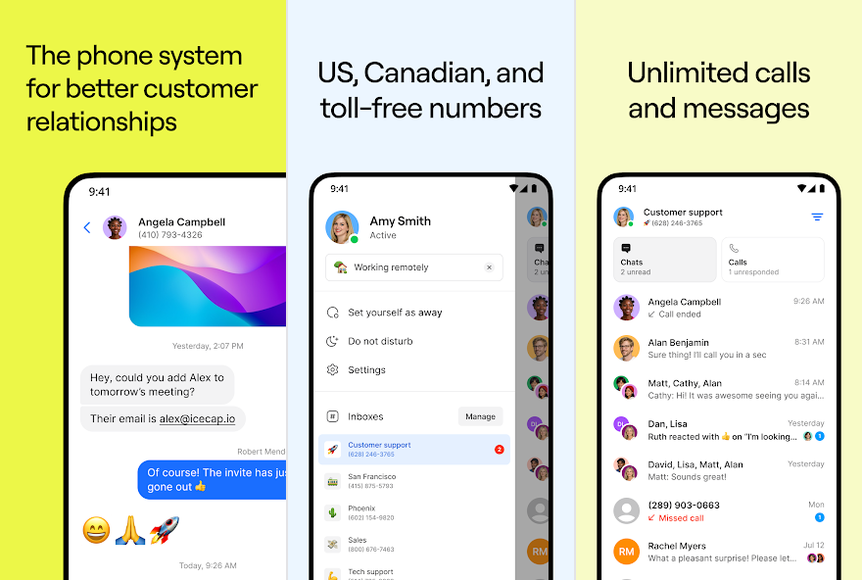
- Best forA team of 3 to 10 that wants every call recorded and summarized without add-ons.
- Cost$23 a user, billed yearly
- RecordingAutomatic, per number
- TranscriptsIncluded on Business
- CatchNo pause control found
The good
- Recording, transcripts, summaries on Business
- Recordings kept while the account runs
- Caller notice set per number
The bad
- Its pages disagree on transcript languages
- No pause and resume found
Quo, which used to be called OpenPhone, is the one that spells its plan rules out most plainly. Starter gets manual recording only. Auto call recording and AI call summaries and transcripts start at the Business plan, going by Quo’s pricing page as checked in November (Starter only for calls its Sona AI agent handles). The help centre adds a condition: transcripts and summaries need call recording switched on, and they’re on by default for Business and Scale.
Recording and transcripts
Automatic recording is turned on per number, and you pick how callers find out: a spoken announcement, a beep that reminds your staff to tell them, or no automatic notice at all, in which case staff tell callers themselves. Incoming and outgoing calls each get their own setting. Recordings land in the conversation thread, where the web, desktop and Android apps let you download them; on an iPhone you can play them but not download them. As for storage, Quo’s product pages say it keeps recordings for as long as the account is active and the number stays in the workspace, and that it doesn’t charge for storage.
Pricing and limits
Quo’s Business plan, checked in November, is $23 a user a month billed annually ($276 a year) or $33 billed monthly. Work it out for 3 users and you get 3 × $23 × 12 = $828 a year billed annually, or 3 × $33 × 12 = $1,188 billed monthly. Every user gets one number, and extra numbers are $5 a month each. Text US numbers and carrier registration adds $19.50 once plus $1.50 to $3 a month, which I’ve kept out of the sums.
Where it disappoints
Quo’s pages disagree about languages. The automatic call recording page (the Website button above) says summaries and transcripts are currently available only in English, but the help article on summaries and transcripts says they work in 40+ languages and that accuracy may vary. Callers who don’t speak English? Try it during the 7-day trial before you count on it. One more gap: I couldn’t find a way for staff to pause a recording on Quo’s recording help page.
On accuracy, two recent App Store reviews, both from iPhone users, aren’t kind to the AI output. One complains of “laughably-inaccurate voice transcriptions” without saying whether it means calls or voicemail, and the other says the AI call summary can’t spell the reviewer’s name. That’s several reports, not a pattern, and I found no independent accuracy test. There’s one more review, a single report, saying incoming calls weren’t being recorded during a busy season.
Skip Quo if staff must pause recording while a customer reads out card details, or if most of your calls aren’t in English. Verdict: the best mix of plain plan rules, long retention and price for a small team, at 3 × $23 × 12 = $828 a year for 3 users billed annually. Two options cost less. Zoom Phone is the better alternative if you already pay for Zoom, and Ringover costs less too if a 12-month term is fine.

RingCentral
Best mix of auto and on-demand
A business phone system with on-demand recording on every plan, automatic recording from Advanced, and AI call notes.

- Best forA team that records on demand from Android, with automatic recording for chosen users.
- Cost$25 a user, billed yearly
- RecordingAutomatic on Advanced
- TranscriptsAI notes; plan wording varies
- CatchKept up to 90 days
The good
- On-demand recording on every plan
- Android: tap More, then Record
- Download recordings in bulk
The bad
- Recordings kept up to 90 days
- No pause in the mobile app
On RingCentral, what you can record depends on the plan. On-demand call recording is on Core, says its pricing page (checked in November), but its automatic call recording FAQ says automatic recording is only available on Advanced and Ultra, at no extra fee. An admin turns it on. Calls answered on mobile phones can be recorded too, according to that same FAQ, and RingCentral’s recording overview gives the Android steps: in a live call, tap More, then Record.
Recording and transcripts
Admins can set custom announcements, and callers hear a notice when an on-demand recording starts and stops. Smart ACR covers outbound calls from one US number to another: where RingCentral lists every party’s notice as required, it skips automatic recording, and staff can start an on-demand recording instead. Downloads work one at a time or in bulk. The overview says an account stores up to 100,000 recordings for up to 90 days, and on-demand recordings are saved for 90 days.
Pricing and limits
Advanced runs $25 a user a month paid annually or $35 paid monthly (checked in November). For 3 users, the sum is 3 × $25 × 12 = $900 billed annually, or 3 × $35 × 12 = $1,260 monthly. Core is cheaper at $20 or $30, but it records on demand only. Ultra, at $35 or $45, lists unlimited storage, and a footnote says a storage retention period applies.
Where it disappoints
Who gets AI call notes on RingCentral? Its pages disagree. The pricing page (the Website button above) lists its AI Virtual Assistant as included on Core, Advanced and Ultra, and the AI transcription page says all RingEX plans include AI features that transcribe and summarize calls. Then the help article on call notes says availability depends on your plan. And when notes are on, that article says a legally required announcement tells everyone that AI is taking notes.
Skip RingCentral if recordings must be kept longer than 90 days, or staff need to pause recording on their phones: admins can allow pause and resume on automatic recordings, but the FAQ says that isn’t supported in the mobile app. Verdict: a solid pick for a team that records on demand from Android and wants automatic recording for some users. Want recordings kept for as long as the account runs? Quo is the better alternative.

Zoom Phone (Zoom Workplace)
Best if you already use Zoom
Zoom’s cloud phone, sold inside Zoom Workplace, with automatic recording, transcription and a consent prompt callers answer by pressing 1.
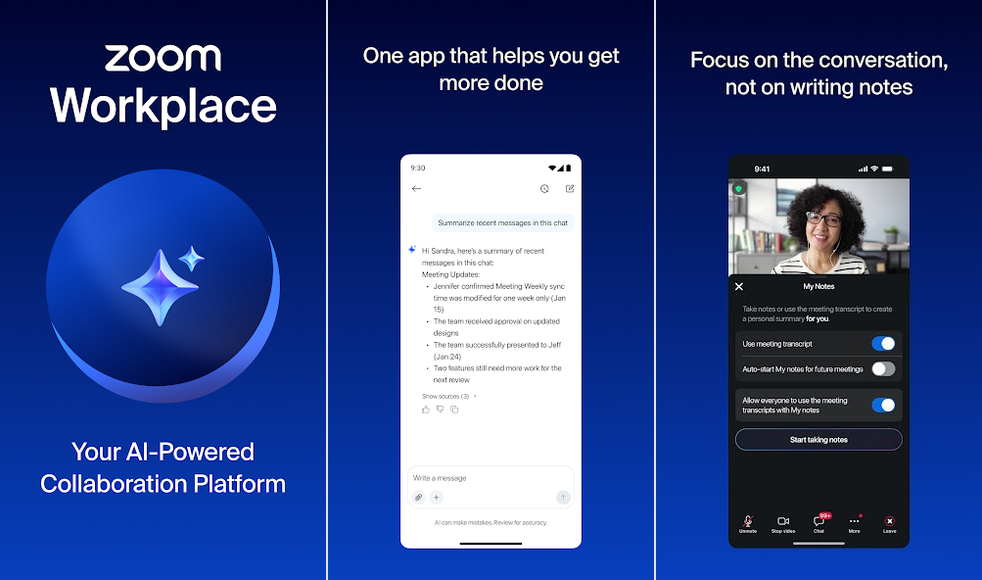
- Best forA team that already pays for Zoom and wants recordings kept without a time limit.
- Cost$16 a user, annual view
- RecordingAutomatic, admin turns on
- TranscriptsTranscription setting
- CatchBilling terms unclear
The good
- No storage limit by default
- Press-1 consent prompt and beep
- Stop and resume, if allowed
The bad
- Billing terms unclear on the page
- No plan named for transcripts
Zoom Phone lives inside the Zoom Workplace app, meetings and all, so the ratings on the card describe the whole app, not just calling. Automatic recording, according to Zoom’s automatic call recording help page (checked in November), needs either a Zoom Workplace license with Phone included or a standalone Zoom Phone calling plan. An admin switches it on and has to accept Zoom’s terms for it. Transcripts are a separate setting that lets Zoom transcribe the recordings, and staff can read them in the desktop or mobile app.
Recording and transcripts
Consent is where Zoom has the most detailed options here. It can play a prompt before an incoming call connects, ask the caller to press 1 to consent, and play a beep to everyone on the call or only to your staff member, and admins can let staff stop and resume a recording. In the call log, admins see every recording and users see their own; an admin can also share access so others can download or delete them. Storage is unlimited by default, says Zoom’s storage help. Its retention help adds that recordings aren’t deleted automatically unless an admin turns on a retention policy, which then defaults to 180 days and can be set from 1 to 4,000.
Pricing and limits
Zoom’s cards change with the Call from country box on its pricing page (the Website button above), so the numbers below are the US view, checked in November. It lists US & CA Unlimited at $18 a user a month billed monthly or $16 billed annually, and Workplace Pro Plus at $24 or $20.50. The US & CA Unlimited card lists call recording and post-call summaries, so it’s the cheapest Zoom plan with unlimited domestic calling that lists recording. For 3 users that’s 3 × $16 × 12 = $576 on the annual view, or 3 × $18 × 12 = $648 on the monthly view. Pro Plus adds Zoom Workplace Pro and its card lists a My Notes AI note taker; that’s 3 × $20.50 × 12 = $738 or 3 × $24 × 12 = $864, and the cost table has the 10-user sums. There’s also a US & CA Metered option at $10.50 on the annual view or $12 on the monthly view. I couldn’t find what its metered calling costs, so it isn’t in the sums.
Where it disappoints
Zoom’s billing terms are murkier than its prices. The toggle offers a monthly-billed price, yet a footnote under the cards says all plans are billed annually as a single upfront charge. Which is it? Confirm the billing term with Zoom before you buy, because the toggle and the footnote disagree. A second gap: no page I found names the plan for call transcripts, since Zoom’s help describes transcription as a setting and the US & CA Unlimited card lists post-call summaries, not transcripts.
Not already a Zoom shop, or can’t get the billing term settled before you buy? Skip it. Verdict: the lowest-cost plan in the table that lists recording, and worth it for a Zoom team that wants recordings kept indefinitely and the strongest caller consent prompt here. Want call transcripts listed on the plan page? Quo is the better alternative.

Nextiva
Best for set recording modes
A business phone system whose Engage plan includes call recording with five recording modes and up to 200 AI transcriptions.

- Best forA team that wants a fixed announcement on every recorded call and a mode staff can’t switch off.
- Cost$25 a user, 12-month term
- RecordingIncluded on Engage
- Transcripts200 AI transcriptions
- CatchKept 6 months
The good
- Five recording modes, set per user
- Announcement both parties hear
- WAV download from a web portal
The bad
- Core needs an add-on with no price
- Recordings kept 6 months
Which licences include recording? Nextiva’s call recording setup article, checked in November, lists Engage among them. Recording is set per user by mode: Always, Always with Pause/Resume, On Demand, On Demand with User Initiated Start, or Never. Pick Always and staff can’t control their recordings, which suits a business that wants every call kept.
Recording and transcripts
Recordings go to a Recorder Portal in the browser, where you can play them and download WAV files. The setup article says they’re stored for 6 months unless you buy extended storage, and I couldn’t find that price. As for notices, a start and stop announcement can play to both parties, and the article says that message can’t be changed. A warning tone can repeat every set number of seconds, and when a recording is paused or resumed you choose a beep, an announcement or nothing for everyone on the call. The codes, from Nextiva’s call recording feature page, are *48 to pause and *49 to resume. On Engage, the pricing page lists 200 AI transcriptions and 200 AI summarizations, without saying what the count measures or over what period.
Pricing and limits
On Nextiva’s pricing page, checked in November, Engage costs $25 a user a month on the annual view and $50 on the monthly view. The annual price needs a 12-month minimum term for businesses with 1 to 100 employees. Run it for 3 users: 3 × $25 × 12 = $900 billed annually, or 3 × $50 × 12 = $1,800 monthly.
Where it disappoints
Core is the trap. Its row in the pricing page’s plan table (the Website button above) lists call recording with no add-on label, yet the setup article says Core includes recording only with the add-on purchased. I couldn’t find the add-on’s price, which is why I’ve ranked Engage, not Core. The feature page is out of date as well: it still says you need the Enterprise or Pro plan, names that aren’t on the current pricing page.
The same complaint shows up twice in recent App Store reviews, both from iPhone users, so that’s several reports. One says recordings have to be played in a separate portal instead of the app. The other puts it bluntly: “It says you can record calls but the app is so poorly designed there’s no where to even record.”
Skip Nextiva if staff need to play recordings inside the phone app, or if you need them kept past 6 months. Verdict: good for a business that wants recording enforced by mode, with a fixed announcement. If you want recordings in the app’s call log, RingCentral is the better alternative.

JustCall
Records every number by default
A cloud phone system that records calls on every number by default and lists unlimited AI transcription minutes on its paid plans.

- Best forA support or customer-facing team that wants every call recorded and transcribed from day one.
- Cost$39 a user, billed monthly
- RecordingOn by default
- TranscriptsUnlimited AI minutes
- CatchPause needs Pro
The good
- Recording on for every number
- Unlimited AI transcription minutes
- Auto-delete after 15 to 365 days
The bad
- No spoken caller notice found
- Pause and compliance need Pro
Recording is on by default for every JustCall number, says the help centre (checked in November), and there’s a per-number switch to turn it off. The pricing page lists unlimited AI transcription minutes on Team, Pro and Pro Plus, and a call’s transcript shows up with it in the call log as soon as the call ends. Two extras cost money: voicemail transcription is a paid add-on, and so is AI Review Assist on Team.
Recording and transcripts
Retention is your call. Every plan can auto-delete recordings after 15, 30, 60, 90, 180 or 365 days, or never, though the help page warns that a deleted recording can’t be recovered. You set it in the web portal only, not in the mobile app. As for whether calls placed in the Android app are recorded the same way, or which role can download or delete a single recording, I couldn’t find a page that says.
Pricing and limits
JustCall’s pricing page (the Website button above), checked in November, has Team at $39 a user a month billed monthly, with a minimum of 2 licences. For 3 users that’s 3 × $39 × 12 = $1,404 a year; for 10 users, 10 × $39 × 12 = $4,680. There’s no yearly sum because I didn’t confirm a yearly-billed price.
Where it disappoints
Pro, not Team, is where the controls a careful business wants sit. Call Recording Control lets an agent pause and resume, and Recording Compliance turns recording off by default on outbound calls to places JustCall lists as needing every party’s consent. Both are Pro and above. Compliance covers outbound calls only, so incoming calls keep recording. On the pages I read, I didn’t find a spoken recording notice for callers.
Need pause and resume without paying for Pro? Skip JustCall. Verdict: the simplest setup if you want everything recorded and transcribed from the first call. If you want a spoken notice to callers, Quo is the better alternative.

Ringover
Low yearly cost for 3 users
A cloud phone system whose entry Talk plan lists call recording, call transcription and call summaries, with recordings kept up to 6 months.

- Best forA team of 3 or more that can commit to 12 months and share one company number.
- Cost$19 a user, billed yearly
- RecordingListed on Talk
- TranscriptsTranscripts and summaries
- Catch3 users, 12 months
The good
- Low yearly cost for 3 users
- Transcripts and summaries on Talk
- Agents can stop and resume
The bad
- 12-month term, 3-user minimum
- One shared number on Talk
Take Ringover’s Talk card, checked in November: it lists call logs and recordings, call transcription and call summaries, with 6 months of recording history. The call recording page backs it up: recordings are kept for a maximum of 6 months, an agent can stop and resume a recording during a live call, and Ringover can automatically tell the other party the call is being recorded. Who hears what? Each user can listen to their own recordings, admins and supervisors can hear the whole team’s, and only an admin can delete one permanently.
Pricing and limits
Both Talk prices carry a 12-month commitment and a minimum of 3 users: $19 a user a month billed annually, or $29 billed monthly. For 3 users that’s 3 × $19 × 12 = $684 billed annually, or 3 × $29 × 12 = $1,044 monthly. Talk comes with one shared company number, and a number for each person is an Individual line at $10 a user a month, which isn’t in those sums.
Where it disappoints
Talk, per the comparison table on Ringover’s pricing page (the Website button above), runs on the mobile and web apps only, with no desktop app. On Google Play the Android app is rated 3.1 from 729 ratings, the lowest of the six. Its newest App Store reviews had nothing about recording that I could find.
Fewer than 3 people, or no appetite for a year’s commitment? Skip it, and the same goes if you want a number for each person without an add-on. Verdict: the second-lowest first-year cost in the table, with recording, transcripts and summaries all listed on Talk. Already pay for Zoom? Zoom Phone is the better alternative, since it costs less.
What the First Year Costs for 3 and 10 Users
Prices are US dollars per user per month, before tax, checked in November on each vendor’s pricing page (the United States selected wherever a page has a country box). Every sum is the plan alone, worked out as users × price × 12.
| Plan and billing | 3 users, first year | 10 users, first year |
|---|---|---|
| Quo Business, $23 billed annually | 3 × $23 × 12 = $828 | 10 × $23 × 12 = $2,760 |
| Quo Business, $33 billed monthly | 3 × $33 × 12 = $1,188 | 10 × $33 × 12 = $3,960 |
| RingCentral Advanced, $25 paid annually | 3 × $25 × 12 = $900 | 10 × $25 × 12 = $3,000 |
| RingCentral Advanced, $35 paid monthly | 3 × $35 × 12 = $1,260 | 10 × $35 × 12 = $4,200 |
| Zoom US & CA Unlimited, $16 annual view | 3 × $16 × 12 = $576 | 10 × $16 × 12 = $1,920 |
| Zoom US & CA Unlimited, $18 monthly view | 3 × $18 × 12 = $648 | 10 × $18 × 12 = $2,160 |
| Zoom Workplace Pro Plus, $20.50 annual view | 3 × $20.50 × 12 = $738 | 10 × $20.50 × 12 = $2,460 |
| Zoom Workplace Pro Plus, $24 monthly view | 3 × $24 × 12 = $864 | 10 × $24 × 12 = $2,880 |
| Nextiva Engage, $25 annual (12-month term) | 3 × $25 × 12 = $900 | 10 × $25 × 12 = $3,000 |
| Nextiva Engage, $50 monthly | 3 × $50 × 12 = $1,800 | 10 × $50 × 12 = $6,000 |
| JustCall Team, $39 billed monthly | 3 × $39 × 12 = $1,404 | 10 × $39 × 12 = $4,680 |
| JustCall Team, billed annually | Not confirmed | Not confirmed |
| Ringover Talk, $19 billed annually | 3 × $19 × 12 = $684 | 10 × $19 × 12 = $2,280 |
| Ringover Talk, $29 billed monthly (12-month term) | 3 × $29 × 12 = $1,044 | 10 × $29 × 12 = $3,480 |
A few fees sit outside the sums. Quo charges $5 a month for each extra number, and if you text US numbers, US texting registration adds $19.50 once plus $1.50 to $3 a month. Zoom lists additional phone numbers at $5 a month, and RingCentral lists additional local or toll-free numbers at $4.99 a month. Ringover’s Individual line, a number for each person on Talk, is $10 a user a month. As for the rest: I couldn’t find texting registration fees on the RingCentral, Zoom, Nextiva or JustCall pricing pages I read, or extra-number fees on the Nextiva or JustCall pages.
Billing terms differ too. Nextiva’s annual price needs a 12-month term, and Ringover’s 12-month commitment applies on both views. With Zoom, confirm the billing term, because the toggle and the footnote disagree. For JustCall I didn’t confirm a yearly-billed price.
Recording Controls Compared
| App | Caller notice | Pause and resume | Who can play or download |
|---|---|---|---|
| Quo | Spoken announcement, beep or none, per number, for incoming and outgoing calls | Not found on its recording help page | Download in web, desktop and Android apps; iPhone plays only |
| RingCentral | Notice at start and stop; on US to US outbound calls, Smart ACR skips automatic recording where every party’s notice is required | Admin can allow it; not in the mobile app | Users from their call log; download one or many |
| Zoom Phone | Prompt, optional press 1 to consent, beep to everyone or staff only | Admin can allow stop and resume | Admins see all, users their own; shared access can download or delete |
| Nextiva | Optional start and stop announcement, wording fixed; optional repeat tone | *48 and *49, except in the Always mode | Recorder Portal in the browser; WAV download |
| JustCall | No spoken notice found; compliance setting on Pro, outbound only | Pro and above | Not found on the pages read |
| Ringover | Automatic notice to the other party | Agent can stop and resume | Users hear their own; admins and supervisors the team’s |
Every row is the vendor’s own description, checked in November. Staff take card numbers over the phone? Then the pause column is the one to read first.
Consent: What the Sources Say
Consent at a glance
- US federal law: a party to the call, or one party’s prior consent, is enough under the federal text.
- Canada: the consent of the person who made the call or the person it was meant for.
- Elsewhere: some states and countries need every party’s consent. Check yours.
- Vendor lists: Quo, JustCall and Nextiva each publish a different count, so treat them as claims.
Here’s the federal side, with the usual caveat: I’m not a lawyer, and this isn’t legal advice. The US federal wiretap law, 18 U.S.C. 2511(2)(d), says it isn’t unlawful for a person to intercept a call they’re part of, or one where a party has given prior consent, unless it’s done to commit a criminal or tortious act. That’s the federal text only. Some states and countries require every party’s consent, so check the rule where you and your callers are.
Canada’s rule sits in the Criminal Code’s section 184(2)(a). The interception offence doesn’t apply there to someone who has the consent, express or implied, of the person who made the call or the person it was meant for. Google’s Phone app help adds that some laws require everyone on a call to consent to being recorded, and that following them is up to you.
Vendor lists are claims, not law, and they don’t agree. Quo’s help page says 14 US states require consent from all parties; JustCall’s compliance page lists 15 jurisdictions; Nextiva’s feature page lists 10 states and suggests asking an attorney. Ringover’s page names countries too, but its line on Canada doesn’t match the Criminal Code text above, so I haven’t used it. On notices, five of the six apps can play one to the caller; JustCall is the one where I didn’t find one.
Check Before Buying: Google Voice and Dialpad
| Service | What the page lists | Ask before you buy |
|---|---|---|
| Google Voice | Automatic recording on Premier ($30) only; no transcripts on any plan | Monthly or annual price, and the AI notes add-on price |
| Dialpad Connect | Standard $15, Pro $25; transcripts and summaries, no recording line | Which plan records calls, and for how long |
Google Voice for Workspace does record calls on Android, but its plans don’t fit this job neatly. On Google’s Voice plans page, checked in November, Starter ($10 a user a month) lists easy call recording, Standard ($20) lists on-demand recording and only Premier ($30) lists automatic recording. The page doesn’t say whether those are monthly or annual prices, and none of the plans lists call transcripts. Google’s help on AI notes says they need an eligible Workspace subscription plus Voice add-ons and work only in English, and I couldn’t find the add-on price.
Dialpad is murkier still. On its pricing page (checked in November), Connect Standard is $15 and Pro is $25 a user a month beside a monthly and annual switch, and I couldn’t tell which billing those figures belong to. The Connect cards list real-time transcripts and instant call summaries but no call recording line, and Dialpad’s call recording page is written for contact centres. So before you buy, ask Dialpad which Connect plan records calls, and for how long.
Left Out, and Why
Considered and not ranked
- CloudTalk: its Starter plan keeps recordings for 1 month, and its cards didn’t confirm transcripts.
- Ooma Office: I couldn’t read its pricing page.
- 8×8 and Aircall: only third-party roundups describe their recording terms, and I read no official page for either.
- Allo: the pages read didn’t cover its recording storage, consent notice or Android recording.
- Nextiva Core: recording needs an add-on with no printed price, so Engage is ranked instead.
- Call recorder apps: they record ordinary mobile calls, which Android restricts and this guide doesn’t cover.
- Meeting transcription tools: they record meetings, not business calls.
Sorting out how your team shares one business number? Our guide to shared business phone number apps covers shared inboxes and call routing. Want a private second line rather than a business system? See our ranking of second phone number apps.
FAQs
Can I record business calls on Android with a call recorder app?
Not reliably. Google Play’s call log policy lists call recorder among the uses that aren’t allowed, and capturing call audio needs a permission kept for system components. Google’s own Phone app records on some devices and carriers, with a notice to everyone on the call. What works for a business is an app that handles the calls itself: by its vendor’s description, it records them in its own service.
Which business phone app records calls for the lowest cost?
Zoom’s US & CA Unlimited, for 3 users: 3 × $16 × 12 = $576 on the annual view, or 3 × $18 × 12 = $648 on the monthly view. That’s the lowest of the six picks. Confirm the term with Zoom first, since the toggle and the footnote disagree on billing. Next comes Ringover Talk at 3 × $19 × 12 = $684 billed annually, with a 12-month commitment and a 3-user minimum, then Quo Business at 3 × $23 × 12 = $828, all checked in November.
How long do these apps keep call recordings?
It varies a lot, by the vendors’ own pages. Quo keeps them while the account is active and the number is kept; RingCentral for up to 90 days; Zoom with no limit by default; Nextiva and Ringover for 6 months; JustCall until you set an auto-delete period.
Are call transcripts accurate?
I couldn’t find an independent test. What exists is Quo’s own warning that transcription accuracy may vary, plus two recent App Store reviews that criticize its AI voice transcriptions or summaries. That’s several reports, not a pattern.
Do I need consent to record business calls?
It depends where you and your callers are. The US federal statute lets a party to the call record it, or record with one party’s prior consent, but some states and countries require every party’s consent. So check your own rules; this isn’t legal advice.
Can staff pause a recording when a customer reads out card details?
Some do and some don’t. RingCentral doesn’t support it in its mobile app, and I couldn’t find it on Quo. Of the rest, Zoom lets an admin allow stop and resume, Nextiva uses *48 and *49, Ringover lets agents stop and resume, and JustCall needs its Pro plan.
How this guide was put together. What I read, all checked in November: each vendor’s pricing, recording and transcript help pages, Google’s Play policy and Phone app help, the US and Canadian statute text, and the Google Play and App Store listings. User reports come only from the text of the newest App Store reviews, which are from iPhone users; I didn’t read Google Play review text. Prices are in US dollars before tax, and where a pricing page has a country or currency box I used the United States view. Prices and plans change, so check the vendor’s page before you pay.
Sources: vendor pricing and help pages for Quo, RingCentral, Zoom, Nextiva, JustCall, Ringover, Google Voice and Dialpad; Google Play’s call log permission policy; Google’s Phone app help on call recording; 18 U.S.C. 2511 on Cornell’s Legal Information Institute; section 184 of Canada’s Criminal Code on the Justice Laws website. The links are in the sections above.