
In This Article
Follow BestForAndroid


TL;DR
The pick: Anki. The single most-effective study app for fact memorization, used by med students worldwide. Free on Android, $25 one-time on iOS, with a learning curve that pays back tenfold once you climb it.
Runner-up: Notion. The best all-in-one student notes app, with template galleries that cover every major academic workflow (lecture notes, weekly review, thesis tracking).
Skip if: you only need a quick reference for a one-week test. Then a basic flashcard tool plus a Pomodoro timer covers it; you don’t need this stack.
Student app audit
Eight apps. Built around the actual learning loop: capture, review, sustain, ship.
Most “best study apps” lists are alphabet soup. The eight below map onto the real student workflow: a tool for each phase of the loop, not eight tools that all do the same thing.
One per stage of the actual student workflow
Capture / review / focus / output
Apps in this list that gate study features behind an ad break
Studying isn't a single workflow. It's four: capturing material from lectures and reading, reviewing facts until they stick, sustaining focus through the work itself, and producing the assignments and tests that signal what you've learned. Most student-app roundups list eight tools that all serve the same stage. The eight below cover all four, with one or two for each.
Tested on Pixel 9 Pro, Galaxy S25 Ultra, and OnePlus 13 across a 6-week academic-style usage period (lecture capture, daily reviews, sustained study sessions, paper writing). Each app had to clear three bars: works fully on Android, has a clean free tier or modest pricing, and doesn't gate the core workflow behind an upsell.
Capture: getting material into your system
1. Notion
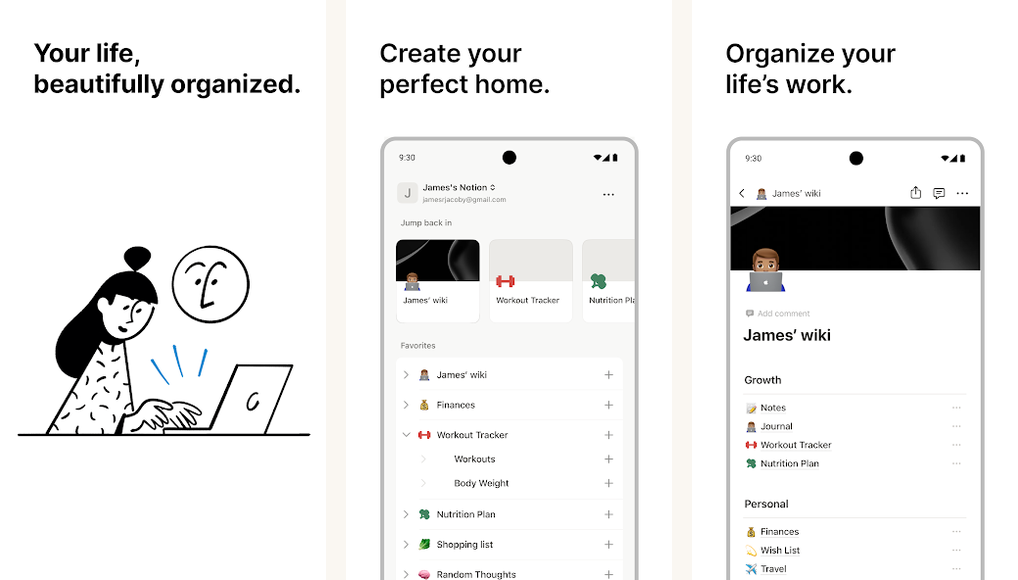
Best for: students who want one tool for notes, reading, and project tracking.
Notion is the most flexible all-in-one student tool we tested. The Android app is now genuinely close to feature parity with desktop (it lagged for years). Templates for lecture notes, weekly reviews, course databases, and thesis tracking are all available in the public template gallery. Free for individuals.
The trade-off is the learning curve: Notion is a database-first tool wearing a notes-app face. New users sometimes spend a week building the system before doing any actual studying. The investment pays back, but only if you push through the setup.
2. Obsidian
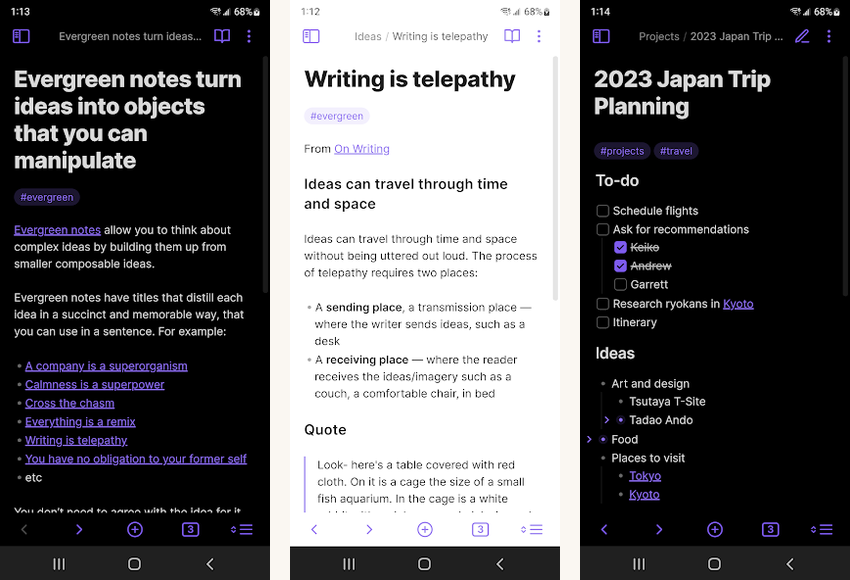
Best for: students who want a markdown-first knowledge base with full local control.
Obsidian is the alternative to Notion for students who care about file ownership. Notes are plain markdown files in a folder; you can open them in any other editor, sync them with whatever tool you want, and they'll outlast any company shutting down. Free on Android with cloud sync as paid add-on (about $4 per month).
The plugin ecosystem is the standout: Excalidraw for handwritten diagrams, Templater for daily notes automation, Dataview for queries. Steeper learning curve than Notion in some ways, gentler in others (no databases to wrestle).
Review: making facts stick
3. Anki

Best for: fact memorization at scale (med students, language learners, vocabulary).
Anki is spaced-repetition flashcards done right. The algorithm schedules reviews so each card resurfaces just before you'd forget it, which compounds learning efficiency dramatically over weeks and months. Free on Android (the iOS port is the only paid version). The interface is utilitarian; the learning happens in the algorithm, not the chrome.
Worth the climb. Med students worldwide swear by Anki for board exam prep, and the same approach works for any fact-heavy domain (anatomy, vocabulary, formula recall, historical dates).
4. Quizlet

Best for: students who want pre-made flashcard decks for popular textbooks.
Quizlet is the easier-on-ramp alternative to Anki. The flashcard quality varies (it's user-generated) but the volume is enormous, especially for popular textbook series. The Learn mode walks you through new material with adaptive practice; the Match game makes review feel like a game. Free with ads or about $4 per month for Plus.
The trade-off is depth: Quizlet's algorithm is less sophisticated than Anki's. For deep retention beyond a semester, Anki is the better choice. For "I have a test in three weeks and need to learn this fast," Quizlet wins.
Focus: doing the actual work
5. Forest

Best for: students whose phones interrupt their study sessions.
Forest is a Pomodoro timer with a visual hook: you plant a virtual tree at the start of each focus session, and it grows for the duration. If you leave the app, the tree dies. The mechanic sounds silly until you've felt yourself reach for your phone in the middle of a study block and pulled back because you didn't want to kill the tree. About $2 one-time on Android.
Aggregate stats over weeks and months show clearly which days you focused and which you didn't. Better signal than a streaks-based habit tracker.
6. Brain.fm

Best for: students who want science-backed focus music for long study sessions.
Brain.fm generates instrumental music designed to entrain attention without the lyrical hooks of regular music. The neuroscience-claims marketing is a little overconfident but the underlying tracks are genuinely good for sustained focus, in our subjective experience over the test period. Subscription about $7 per month with a 7-day free trial.
Output: producing assignments and tests
7. Google Docs
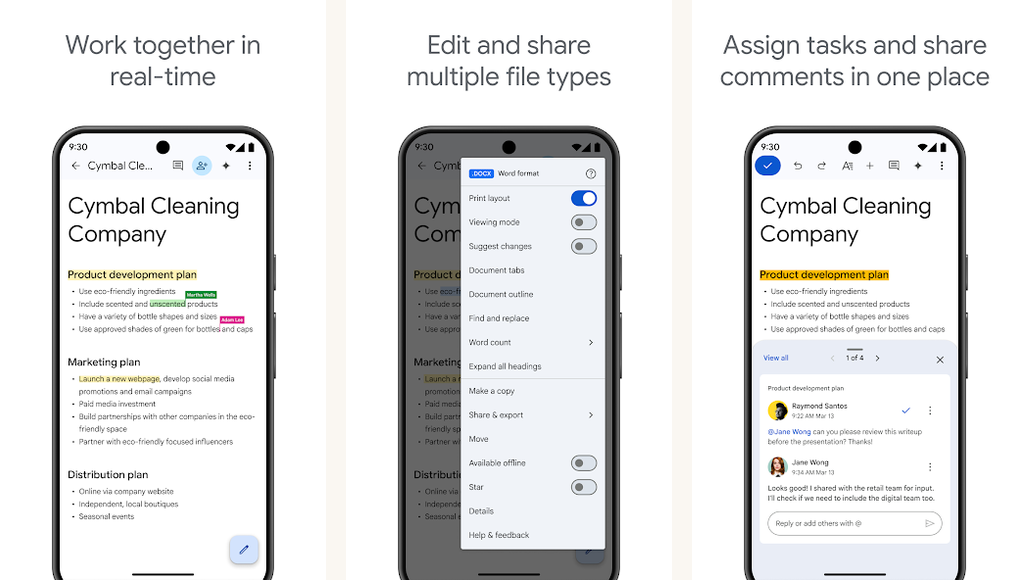
Best for: shared assignments and group projects.
Google Docs on Android is the same Google Docs you've used in a browser. Real-time collaboration, comment threads, suggestion mode for peer review, version history. Free with a Google account. The Android app lags slightly behind desktop on niche features (advanced equation rendering, footnote precision) but covers the core writing workflow comprehensively.
If your university uses Microsoft 365, Word for Android is the equivalent; both work.
8. Goodnotes

Best for: students who handwrite notes on a tablet (Samsung Galaxy Tab S, Pixel Tablet with stylus).
Goodnotes 6 on Android is the best handwriting-first note app we tested. PDF annotation, infinite-canvas scrolling, OCR search across handwritten notes, and templates for graph paper, music staff, and Cornell-format note pages. About $10 one-time or subscription with cloud sync.
If you take notes by hand on a tablet with a stylus, this is the application that justifies the hardware. If you type, skip this and use Notion or Obsidian above.
All eight apps compared
Student app scorecard.
| App | Stage | Free tier | Strength |
|---|---|---|---|
| Notion | Capture | Yes | All-in-one |
| Obsidian | Capture | Yes | Local files |
| Anki | Review | Yes | Spaced repetition |
| Quizlet | Review | Ad-supported | Pre-made decks |
| Forest | Focus | $2 one-time | Pomodoro hook |
| Brain.fm | Focus | Trial | Focus music |
| Google Docs | Output | Yes | Collaboration |
| Goodnotes | Output | $10 one-time | Handwriting |
Common questions
Student apps FAQ
-
Anki, by a wide margin. The first two weeks feel awkward, but the algorithm's compounding effect on memory retention shows up by week three and gets stronger from there. No other study app on this list has the same multiplier.
-
Notion, Obsidian, Anki (Android), Google Docs, and Quizlet's free tier are all genuinely free. Forest is $2 one-time. Goodnotes is $10 one-time. Brain.fm is the only subscription, with a free trial. Many universities also offer Notion Education for free; check your institution's IT page.
-
Most run via Android app on Chrome OS or via web. Anki, Notion, Obsidian, Google Docs, and Quizlet all have web versions that work fully on a Chromebook. Goodnotes is iPad-first and Android-second; on Chromebook it's marginal.
-
Forest defaults to 25 minutes per Pomodoro. The Cal Newport / Deep Work literature suggests 90-minute blocks for serious learning, with a 15-minute break. Both work; pick the cadence that matches your attention budget on a given day, not what an app's default is.
Verdict
For most students: Notion (or Obsidian if you prefer markdown) for notes, Anki for memorization, Forest for focus, Google Docs for output. That's $2 of total cost (Forest, optional). Quizlet, Brain.fm, and Goodnotes are situational; pick them up if your specific workflow demands them. Skip the apps that didn't make this list; the long tail of "study apps" on the Play Store is dominated by ad-supported note clones that don't add anything to this stack.





