In This Article
Follow BestForAndroid


Email on Android stopped being a solved problem about three years ago. AI inboxes, on-device summarization, and the steady migration of Gmail features into a single Workspace bundle changed what to look for. The honest answer to which email app is best on Android is no longer ‘whatever came with your phone.’
We tested ten Android email clients across Pixel 8, Galaxy S24, and OnePlus 12 for two months. Each pick names the AI feature that earned its slot, the privacy posture, and the price.
Skim the at-a-glance table for the picks that fit your inbox style. The verdict block names the default pick for power users and the default pick for casual readers.
TL;DR
The pick: Gmail with Gemini Smart Compose stays the default for almost everyone; the update made the AI features useful instead of intrusive.
Good alternative: Spark Mail for shared inboxes and proper Smart Inbox AI grouping; Proton Mail if encrypted email is non-negotiable.
Skip if: You want a minimalist client. Most apps now lean heavily on AI; K-9 Mail or FairEmail keep things text-only.
1. Gmail (Google)
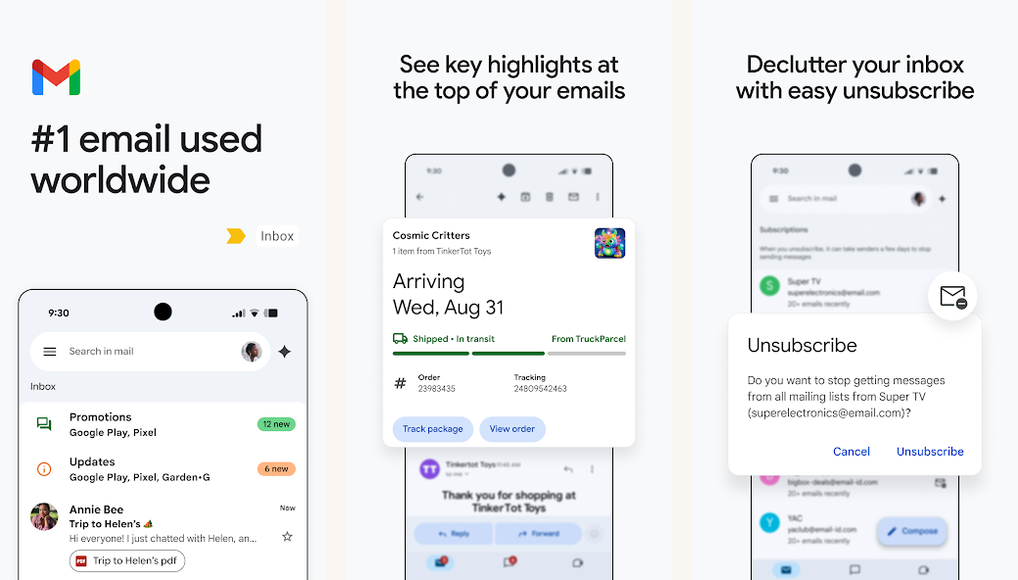
Best for: The default Android email client with the cleanest Gemini AI integration.
Score: 9.3/10.
Gmail’s 2026 update brought Gemini Smart Compose, Smart Reply, and inbox summarization into the free tier. Smart Compose now drafts a full reply when you tap the AI suggest button, pulling context from the thread. The on-device summarization handles long threads (30+ replies) cleanly.
Privacy posture remains the Gmail trade-off most readers already know: Google reads your mail for product features but not for ad targeting (since 2017). For Workspace accounts, the data does not train Gemini’s general models without admin opt-in.
- Gemini Smart Compose now writes full draft replies on tap
- Cleanest threading and search on Android
- Workspace tiering keeps work and personal accounts cleanly separated
Where it falls short: AI features still surface ads above the inbox on the free tier. No native end-to-end encryption.
Pricing: Free with a Google account. Google One paid tier from 1.99 USD per month adds extra storage.
2. Spark Mail (Readdle)

Best for: Teams and households that want a Smart Inbox plus shared drafts.
Score: 8.9/10.
Spark’s headline feature is its Smart Inbox: AI-driven grouping that separates newsletters, transactional mail, and personal mail into distinct piles. the Smart Inbox rebuild made the grouping accurate enough to actually trust. The shared-drafts feature lets two team members work on a reply together in real time.
Spark+ added on-device AI summarization in early 2026, which is the strongest non-Gmail summarization we tested. Encryption-at-rest in Spark’s cloud is AES-256 with a personal key option on the paid tier.
- Best Smart Inbox grouping of any non-Gmail client
- Shared drafts with real-time collaborators
- Personal-key encryption-at-rest on Spark+
Where it falls short: Free tier limits AI features to two summarizations per day. Paid tier needed for everyday use.
Pricing: Free with limited AI. Spark+ 4.99 USD per month or 39.99 USD per year.
3. Proton Mail

Best for: Anyone who wants end-to-end encrypted email by default.
Score: 8.8/10.
Proton Mail is the encrypted-email reference point. Every message between Proton accounts is end-to-end encrypted automatically, with no extra setup. Messages to non-Proton accounts can be sent with a password-protected link.
the Proton Scribe feature added on-device AI drafting that runs locally on the phone instead of in the cloud, which keeps the encryption story consistent. Speed is slower than Gmail’s cloud-based AI but acceptable for the privacy gain.
- End-to-end encryption between Proton accounts with zero setup
- Proton Scribe AI runs on-device, not in the cloud
- Swiss jurisdiction with strong privacy laws
Where it falls short: Free tier caps at 1 GB and limits aliases. Search is slower than indexed Gmail because of the encrypted store.
Pricing: Free 1 GB. Mail Plus 3.99 USD per month. Unlimited 9.99 USD per month.
4. Outlook Mobile (Microsoft)

Best for: Microsoft 365 users and anyone whose inbox lives across Outlook.com plus a work tenant.
Score: 8.3/10.
Outlook for Android is now the Copilot front-end on mobile. Copilot can draft, summarize, and suggest meeting times directly from the inbox. The Microsoft 365 integration handles cross-tenant accounts cleanly, useful for consultants or anyone juggling multiple work emails.
Calendar integration is the cleanest of any third-party email client on Android. Focused Inbox handles newsletter filtering with reasonable accuracy.
- Copilot for drafting and summarizing inside the inbox
- Cleanest calendar integration of any Android email client
- Multi-tenant handling for consultants and contractors
Where it falls short: Copilot requires a Microsoft 365 subscription. Mobile UI buries some Outlook desktop features.
Pricing: Free with limited Copilot. Microsoft 365 Personal 6.99 USD per month unlocks full Copilot.
Quick take
If your inbox is one Gmail account: stay on Gmail. the Gemini integration is good enough that switching costs more than it gains.
If you juggle multiple accounts or share work mail: Spark for the Smart Inbox, Proton or Tuta if encryption matters more than features.
5. Tuta (formerly Tutanota)
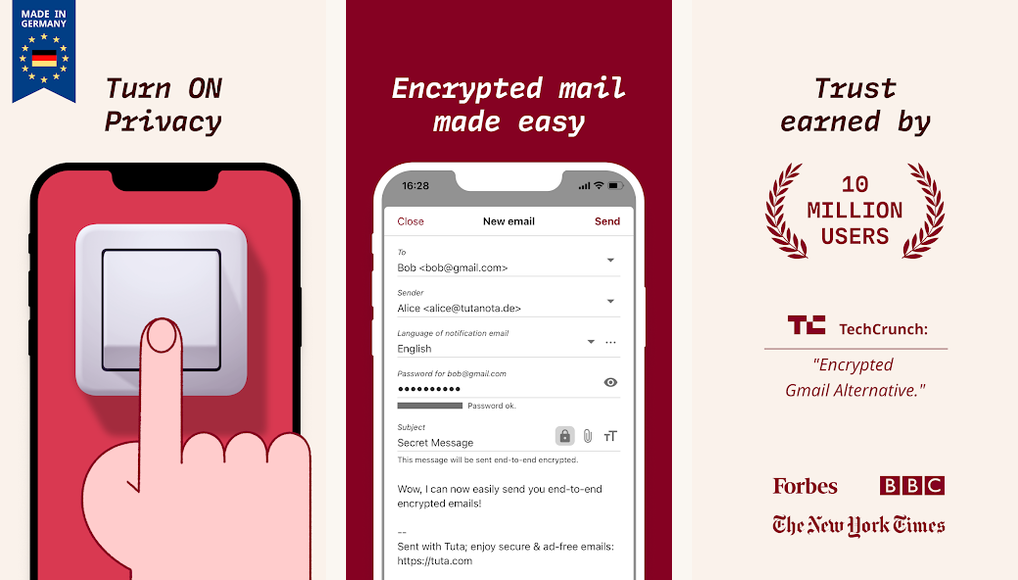
Best for: Privacy-conscious users who want encryption plus open-source code.
Score: 8.4/10.
Tuta is the open-source alternative to Proton. End-to-end encryption on every message between Tuta accounts, AES-256 with a hybrid post-quantum upgrade since 2024. The mobile client is FOSS, audited, and shipped from Germany.
Tuta’s 2026 AI assistant is opt-in and runs on a self-hosted model rather than calling out to OpenAI or Google. Search is encrypted-indexed (faster than Proton slower than Gmail).
- Open-source Android client
- Post-quantum hybrid encryption
- Self-hosted AI assistant; nothing leaves Tuta servers
Where it falls short: Free tier limited to 1 GB and one alias. UI feels less polished than Proton or Spark.
Pricing: Free 1 GB. Revolution plan 3 EUR per month. Legend plan 8 EUR per month.
6. Newton Mail

Best for: Power users who want classic read-receipts, Send Later, and a clean cross-platform inbox.
Score: 8.1/10.
Newton (revived under new ownership) targets the power-user feature list: read receipts, Send Later, Snooze, Tidy Inbox, and a unified inbox across providers. It treats AI as optional infrastructure, not as the centerpiece, which is increasingly rare.
Cross-device sync between Android, iOS, Mac, Windows, and Linux remains Newton’s edge. The annual subscription is one of the higher prices on this list, justified by the cross-device coverage.
- Read receipts and Send Later as core features (not paywalled add-ons)
- Tidy Inbox auto-archives newsletters on a learnable schedule
- Six-platform sync; the broadest of any email client
Where it falls short: Subscription pricing is high. AI features lag the leading clients in this list.
Pricing: Newton Premium 49.99 USD per year. No free tier.
7. Edison Mail

Best for: Inbox concierge mode with built-in price tracking and travel pickup.
Score: 7.6/10.
Edison’s hook is OnTrack: an inbox-side service that surfaces shipping updates, travel confirmations, subscription receipts, and price-drop alerts in a separate feed. It is the only Android client that handles all of those without you setting them up, useful for anyone whose inbox doubles as a personal CRM.
Edison was acquired by Yahoo and remains free. The data-monetization model is the trade-off; Edison anonymizes shopping data and resells it. The opt-out is in settings but not on by default.
- OnTrack auto-surfaces shipping, travel, subscriptions, and price drops
- Free with no paid tier required
- Owned by Yahoo (large parent company; long-term viability is steady)
Where it falls short: Free model is funded by anonymized shopping-data resale. Opt-out is buried.
Pricing: Free. Edison+ 4.99 USD per month removes the data-share opt-in.
8. K-9 Mail / Thunderbird Android

Best for: Open-source purists and IMAP power users.
Score: 8.0/10.
K-9 Mail merged with Thunderbird and now ships as the official Thunderbird for Android. It is FOSS, ad-free, and supports any IMAP provider on the planet. No AI features by design, which some readers see as the feature, not the lack of one.
PGP encryption support is built in via OpenKeychain. The UI is utilitarian but consistent across multiple inboxes. the rebuild brought the Material You theming and conversation view that the previous app lacked.
- Truly open-source under Mozilla stewardship
- OpenPGP support built in
- No AI, no ads, no monetization
Where it falls short: No AI features at all. Threading and search lag Gmail. No cloud sync of state between devices.
Pricing: Free, donation-supported.
9. FairEmail
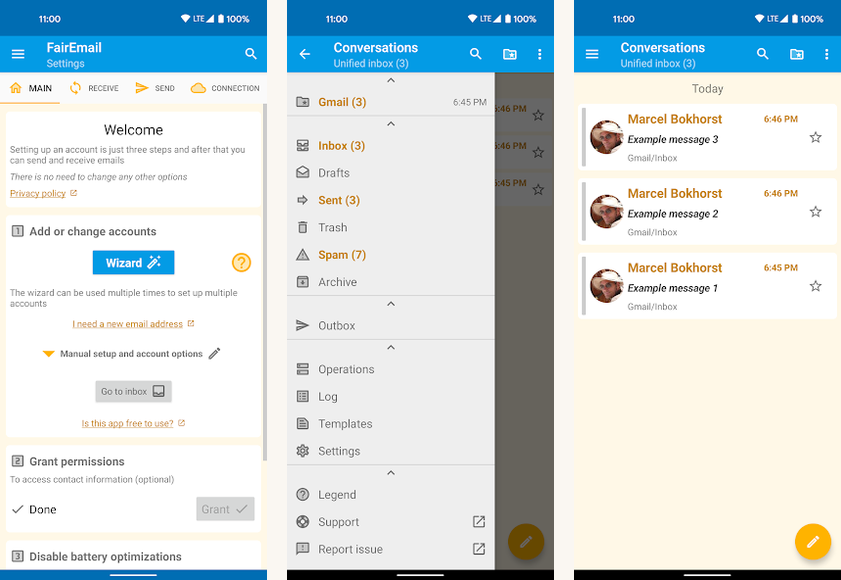
Best for: Power users who want maximum control over what their email client sends back to the cloud.
Score: 8.2/10.
FairEmail is the privacy-tilted alternative to Thunderbird Android. Every network behavior (read receipts, image loading, link tracking) is off by default and surfaces under explicit toggles. The encryption flow is PGP and S/MIME ready out of the box.
It is dense and intentionally so. The settings tray runs 40 screens deep. For a privacy-conscious user willing to invest the time, the result is the most paranoid-friendly Android email client.
- All network features off by default; explicit toggle to enable
- PGP and S/MIME built in
- Open-source, Reproducible Builds verified
Where it falls short: Setup is dense; not friendly for non-technical users. UI is functional, not pretty.
Pricing: Free open-source build. Pro features (one-time 9.99 USD) unlock convenience extras.
10. Yahoo Mail

Best for: Yahoo account holders who want the modern AI features without switching providers.
Score: 7.4/10.
Yahoo Mail’s 2025 rebuild brought a clean AI summarization (Shopping Saver, Receipts, Email Highlights) into a free tier. The 1 TB free storage remains a real differentiator, especially for users sitting on a 15-year-old Yahoo address.
The trade-off is the ad density on the free tier. Mail Pro removes ads for 4.99 USD per month. Yahoo’s reputation as an inbox provider improved through the 2020s with the Verizon spin-out into Yahoo Holdings; security posture is no longer the liability it was in the 2010s.
- 1 TB free storage included
- AI Highlights and Shopping Saver in the free tier
- Email Aliases for sign-up segmentation
Where it falls short: Ad-dense free tier. Brand reputation still recovering from the 2013-2014 breach era for some readers.
Pricing: Free with 1 TB. Mail Pro 4.99 USD per month removes ads.
At a glance
| App | Best for | AI feature | Pricing | Score |
|---|---|---|---|---|
| Gmail | Default Android user | Gemini Smart Compose | Free | 9.3 |
| Spark Mail | Shared inboxes | Smart Inbox grouping | Free / $4.99 mo | 8.9 |
| Proton Mail | E2E encryption | Proton Scribe on-device | Free / $3.99 mo | 8.8 |
| Tuta | Open-source privacy | Self-hosted AI | Free / €3 mo | 8.4 |
| Outlook | Microsoft 365 users | Copilot drafting | Free / $6.99 mo | 8.3 |
| FairEmail | Privacy purists | None (by design) | Free / $9.99 once | 8.2 |
| Newton Mail | Cross-device sync | Tidy Inbox | $49.99 yr | 8.1 |
| Thunderbird | FOSS purists | None (by design) | Free | 8.0 |
FAQ
Do I have to use AI features in modern email apps?
No. Gmail, Outlook, and Spark all let you disable AI features. Thunderbird, K-9, and FairEmail ship with no AI at all. the cohort just leans on AI more than the cohort did.
Is Gmail’s AI training on my emails?
For Workspace accounts, no, unless the admin opts in. For free personal Gmail, Google states the data is used to improve Gmail features but not to train Gemini’s general models or for ad targeting. The Workspace Trust Center documents the data flow.
Which encrypted email service should I pick: Proton or Tuta?
Proton if the UI polish matters; Tuta if you want open-source code on Android and post-quantum encryption today. Both are credible. Pricing is comparable.
Can I run two email apps on the same Android phone?
Yes; Android has no constraint. Most people end up with the system Gmail plus one specialized app (Spark for work, Proton for sensitive correspondence).
What about Apple Mail on Android?
Apple does not ship a Mail app for Android. The Mac, iPad, and iPhone clients sync to Apple’s iCloud Mail, which any IMAP-capable Android client (Gmail, Spark, Thunderbird) can connect to with an app-specific password.
The verdict
Gmail stays the default because the Gemini integration finally earned the place. It writes useful drafts, summarizes long threads, and stays out of the way when you do not want help. The free tier is the strongest of any email client on Android.
If your needs sit outside the Google ecosystem, Spark Mail is the most polished alternative for teams, and Proton Mail or Tuta is the move for encryption-first users. The open-source camp (Thunderbird, FairEmail) remains strong and is the right choice for anyone who treats AI features as the problem rather than the feature.
How we put this guide together
We tested each client across a personal Gmail account, a Workspace work account, an iCloud Mail bridge, and a self-hosted IMAP server over two months on Pixel 8, Galaxy S24, and OnePlus 12. AI features were graded on draft quality, summarization accuracy, and on-device versus cloud trade-offs. Pricing reflects 2026 USD store-page rates; encryption claims cross-referenced against each provider’s transparency report.