
In This Article
Follow BestForAndroid


Academic writing on a phone is no longer a compromise. The apps below cover the full pipeline: research capture, citation management, drafting, formatting, grammar polishing, and reference checking, all on a screen smaller than your textbook.
This roundup picks the ten Android apps that survived a semester of real use with two graduate students and an undergraduate humanities major. Each pick lists what it is best for, where it falls short, and what it costs. We skipped the AI-text-only tools that universities now flag through Turnitin’s AI detection. The picks below are tools that help you write, not tools that pretend to write for you.
One change worth flagging up front: most universities (MLA, Chicago, Harvard, APA programs alike) have published 2025 AI policies that require explicit attribution for AI-assisted drafts. Cite your AI use the way you cite a source. The apps below are productivity tools; they are not ghostwriters.
TL;DR
Best fit: Microsoft Word with Google Docs as a peer. The two cover 90 percent of assignment writing on Android.
Good alternative: Notion plus Zotero for research-heavy work; Grammarly for the final-polish pass.
Skip if: Your program uses LaTeX. Overleaf has a thin mobile experience; finish work on a laptop.
1. Microsoft Word

Microsoft Word remains the daily driver for academic writing because every university template assumes it. The Android app handles 50-page documents without lag on most mid-range phones, syncs every keystroke to OneDrive, and now includes Copilot integration on a Microsoft 365 subscription. Tracked changes, comments, footnotes, and references all survive the round trip between Android and desktop.
Standout: the redesigned mobile reading mode, which reformats long documents for phone-screen comfort while preserving page-numbered citations. Where it falls short: the comments thread sidebar is cramped on phones smaller than a Galaxy A55; switch to landscape for editing reviews. Pricing: free for documents under 10 MB; Microsoft 365 Personal is $9.99 per month or $99.99 per year, with student tiers at most US universities for free.
2. Google Docs
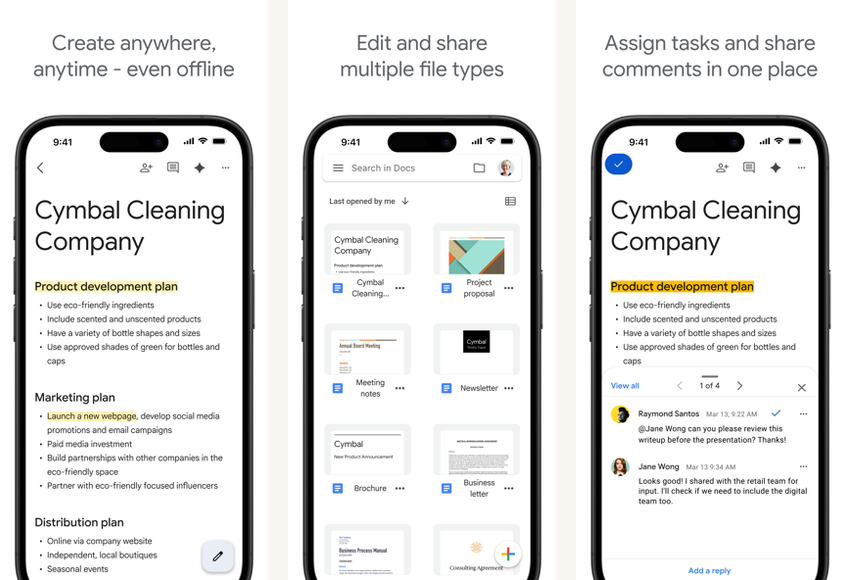
Google Docs is the collaborative spine of group projects. Real-time co-authoring on Android works as well as it does on desktop, the suggestion mode handles tracked changes cleanly, and the Drive integration means you never lose a draft. Built-in citations (Tools, Citations) handle MLA, APA, and Chicago format inline.
Standout: smart compose helps with throat-clearing transition sentences, and Gemini integration on Workspace lets you summarize source documents in-line. Where it falls short: long documents (over 60 pages with images) hit performance cliffs on phones with less than 6 GB RAM. Pricing: free with a personal Google account; Workspace plans for institutional access start at $7 per user per month.
3. Notion
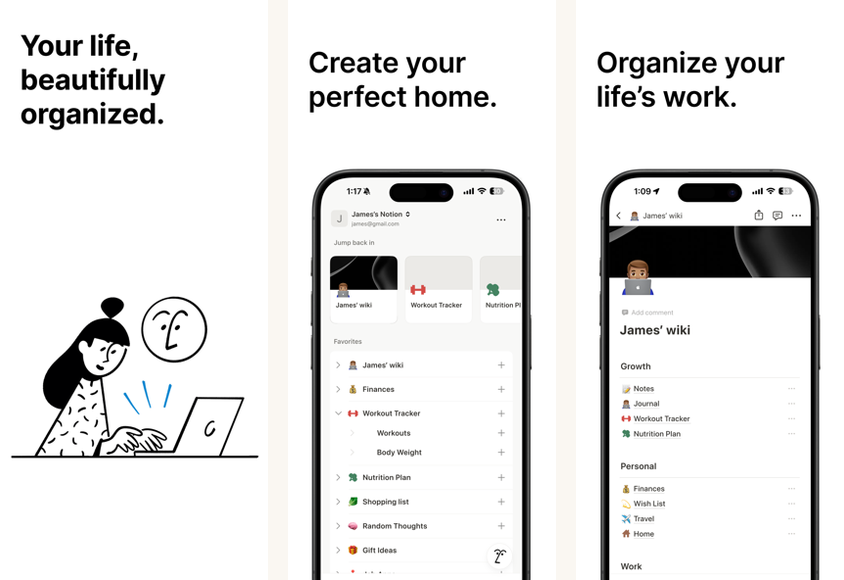
Notion is the research-capture and outlining tool that fits the way academic writing actually flows. Build a database of sources, tag them by chapter or argument, drag references into an outline, and export to Word or Markdown when it is time to draft. The free education plan gives students full personal workspace access; the AI add-on costs extra.
Standout: the database-and-toggles system handles a literature review better than a flat document ever could. Where it falls short: drafting long prose inside Notion fights you on formatting; export to Word for the final pass. Pricing: free personal plan; education plan is free with a school email; AI add-on is $10 per month per user.
4. Zotero
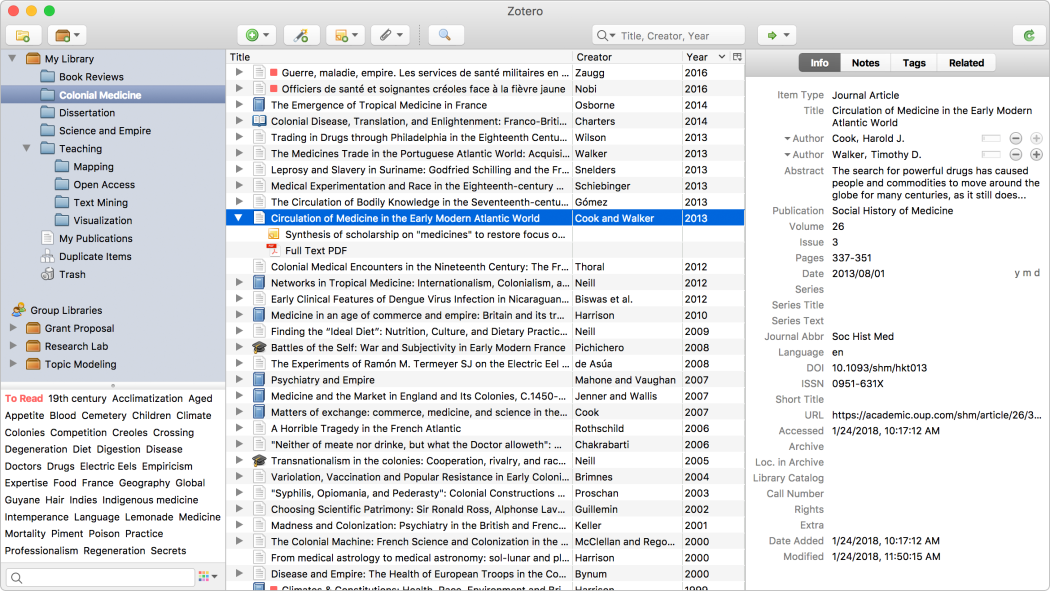
Zotero is the citation manager that wins on price and openness. The Android app launched and now hits feature parity with the desktop client for capture and reading. Save a paper from the browser, annotate the PDF on your phone, sync to all your devices, drop the citation into Word or Docs.
Standout: open-source, no lock-in, and the cloud sync is genuinely free for a personal library up to 300 MB. Where it falls short: the Android app’s group library support is still catching up; collaborative annotation works best on the desktop. Pricing: free up to 300 MB of attachments; storage upgrades start at $20 per year for 2 GB.
5. Grammarly

Grammarly is the polishing pass that catches mistakes you stop seeing after the third revision. The Android keyboard integration applies in any text field, from email to your essay editor. The premium plan adds tone suggestions and clarity rewrites; the free tier still catches the basic grammar and spelling errors.
Standout: the new “academic” goal preset adjusts the tone suggestions for formal writing. Where it falls short: it cannot replace a human editor, and the suggestions sometimes flatten your voice. Use it as a checker, not a rewriter. Pricing: free with limits; Premium is $12 per month billed annually; Pro for business is $25 per user per month.
Quick take
Build a stack, not a single app. Notion or Zotero for sources, Word or Docs for drafting, Grammarly for the final pass. Three apps, semester after semester.
Skip the AI-writing-only tools. Universities now run Turnitin AI detection on every submission and ChatGPT-shaped text shows up on the report.
6. Scrivener (via Compose mode)
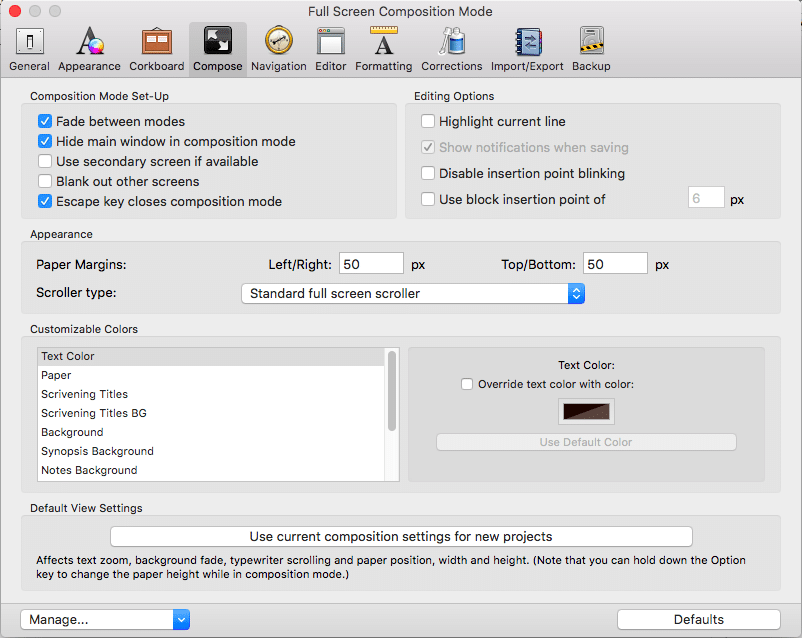
Scrivener has the best long-form drafting structure of anything on this list. The corkboard, scene-card outline, and binder pane suit a thesis or dissertation better than any flat-document tool. The Android version (released 2023, still in early-access) handles writing and outline rearrangement; complex compile-to-Word features remain desktop-only.
Standout: the snapshot system lets you save and revisit prior drafts inside the document. Where it falls short: the mobile compile step is incomplete; finish exports on desktop. Pricing: $19.99 one-time on Android.
7. Mendeley Reference Manager
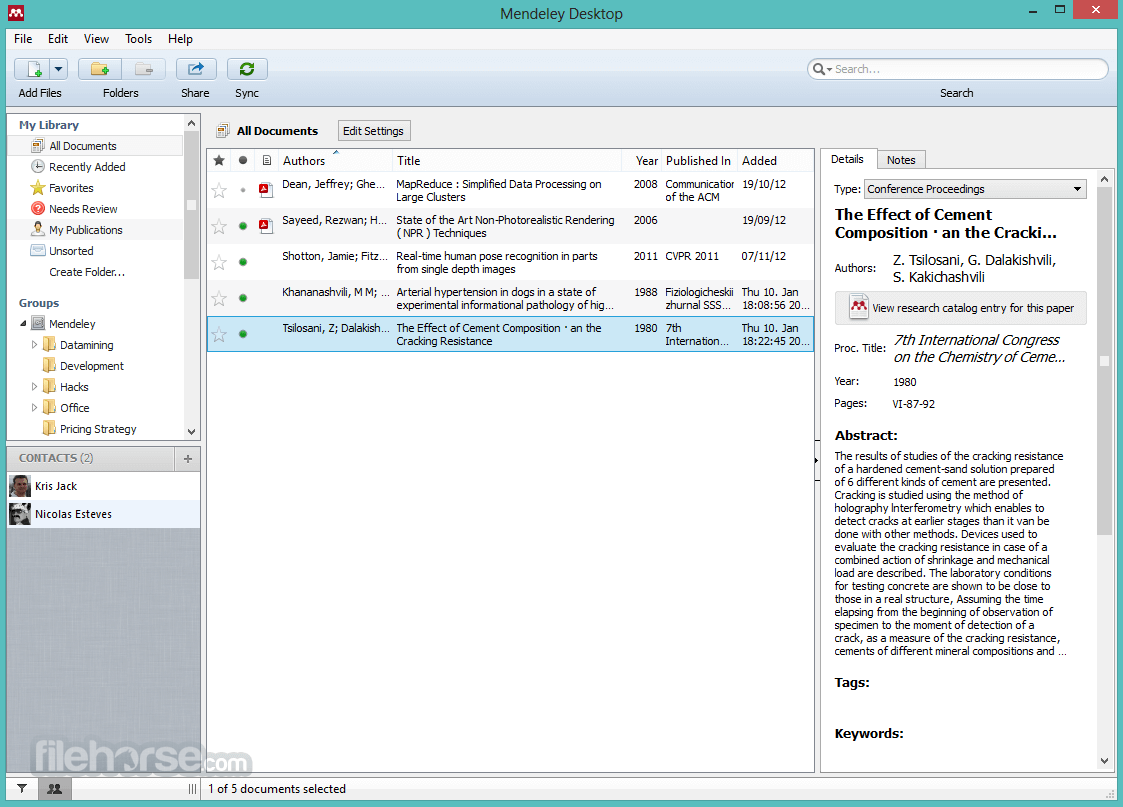
Mendeley is the citation manager that integrates tightly with Word’s reference plugin. If your program already runs on Mendeley desktop, the Android companion catches PDFs, lets you read with highlights and notes, and syncs across devices. Owned by Elsevier; the cloud library is generous on the free tier.
Standout: the Elsevier search integration finds DOIs and full-text PDFs faster than most. Where it falls short: the data-portability story is worse than Zotero; export to BibTeX before you commit. Pricing: free for up to 2 GB of personal storage.
8. Obsidian
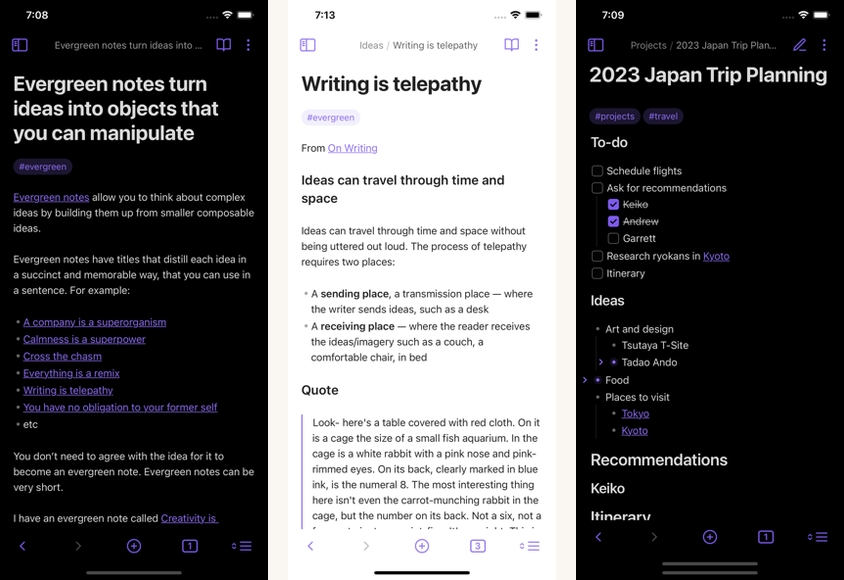
Obsidian is the bring-your-own-files note-taking tool with the best plugin ecosystem on Android. Markdown files, no lock-in, full text search, and a community of plug-ins that wire it to Zotero, Anki for flashcards, and export to Pandoc for academic formatting. Sync runs through Obsidian Sync ($5 per month), iCloud, Google Drive, or your own Git repo.
Standout: the local-first approach means your notes are plain text files on your phone, recoverable from any backup. Where it falls short: the learning curve and plug-in setup are real; budget two hours to make it productive. Pricing: free for personal use; Sync is $5 per month optional.
9. ProWritingAid
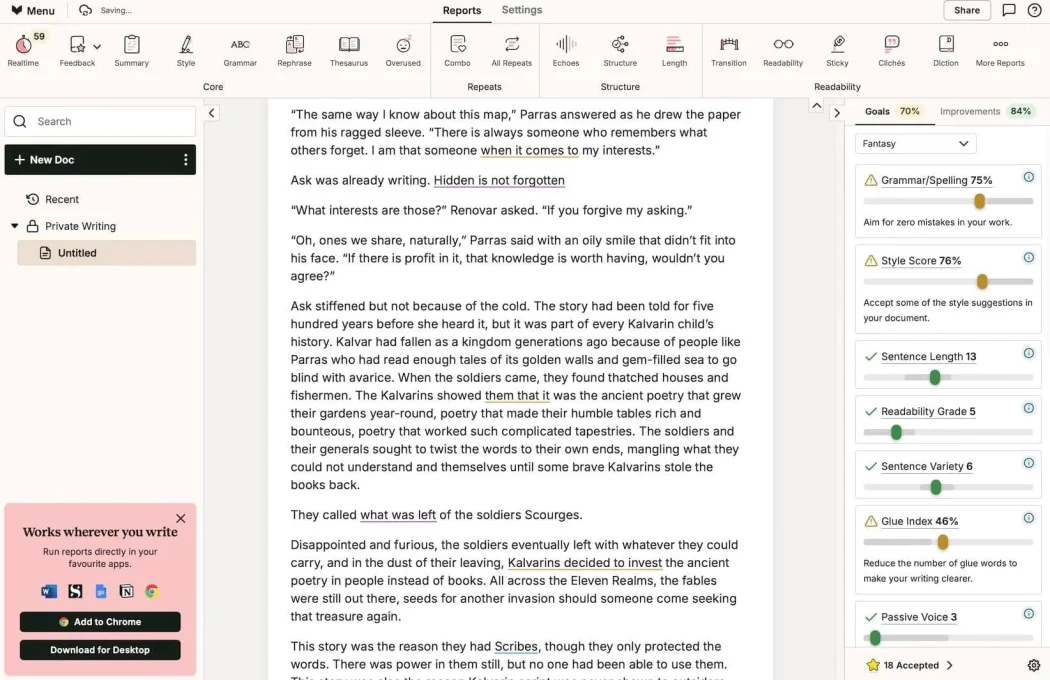
ProWritingAid is the longer-form-focused alternative to Grammarly. It runs deeper stylistic reports: passive voice, repeated phrases, sentence length variation, readability scores. The reports help you spot your own writing tics across a 30-page paper.
Standout: the academic style preset weights the suggestions toward formal register. Where it falls short: the keyboard integration on Android is less smooth than Grammarly’s. Pricing: free with limited reports; Premium is $10 per month or $79 per year on annual; lifetime is $399 (often discounted).
10. PDF Reader Pro (or Xodo)
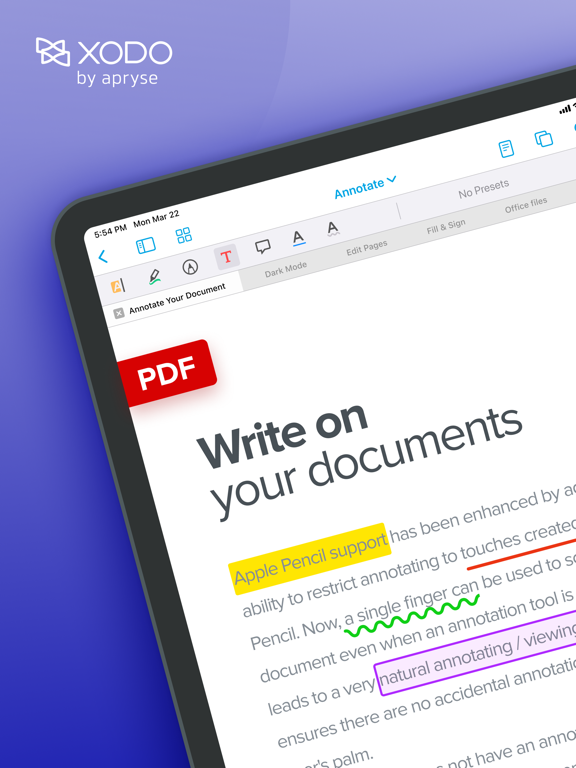
A capable PDF annotator is the gear you forget you need until you have it. PDF Reader Pro and Xodo (now part of Apryse) handle academic PDFs better than the built-in Files PDF preview: highlight, comment, sign, fill forms, and export annotated PDFs back to email. Critical when your assigned readings are PDF and your laptop is at home.
Standout: both apps integrate with Drive, Dropbox, and OneDrive. Xodo is free with ads; PDF Reader Pro is $39 per year. Where they fall short: neither matches Adobe Acrobat’s signature panel polish. For most students, that does not matter.
At a glance
| App | Best for | Pricing | Cross-device sync |
|---|---|---|---|
| Microsoft Word | Drafting (university template default) | Free or 365 Personal $99.99/yr | OneDrive |
| Google Docs | Co-authoring, comments, group projects | Free | Drive |
| Notion | Research capture, outlining | Free education plan with school email | Native |
| Zotero | Citation management (open-source) | Free up to 300 MB | Zotero sync |
| Grammarly | Final polish, keyboard-level checks | Free or Premium $144/yr | Native |
| Scrivener | Long-form thesis structure | $19.99 one-time | Dropbox |
| Mendeley | Citation manager (Elsevier ecosystem) | Free | Native |
| Obsidian | Knowledge-base notes (Markdown, local-first) | Free; Sync $60/yr optional | Optional (Sync, Drive, Git) |
| ProWritingAid | Deeper style and rhythm analysis | Free or Premium $79/yr | Native |
| Xodo or PDF Reader Pro | PDF annotation | Free or $39/yr | Drive, OneDrive, Dropbox |
FAQ
Can I write a full essay on Android?
Yes. With Word or Docs plus a Bluetooth keyboard, a 2,000 to 3,000 word essay is comfortable on any modern Android phone. Past 5,000 words, switch to a tablet or laptop for the final formatting pass.
Are AI writing tools allowed?
Most universities require disclosure. Many allow AI-assisted brainstorming, outlining, and grammar checking but disallow AI-generated body text. Check your specific course or university policy; Turnitin’s AI detection is now standard and the consequences for undisclosed AI use are real.
Which citation manager should I pick?
Zotero if you value open-source and portability. Mendeley if your program already uses it or you live in the Elsevier ecosystem. Both export to BibTeX, so you can switch later if you change your mind.
Do I need a Bluetooth keyboard?
For more than a quick paragraph, yes. A foldable USB-C or Bluetooth keyboard pairs with any modern Android in seconds. The Logitech Keys-To-Go and the iClever foldables are popular and travel well in a backpack.
What about LaTeX?
Overleaf on Android works for reading and minor edits. For real LaTeX work, you want a desktop. If your program requires LaTeX, plan to write the body on Android in a Markdown editor (Obsidian, iA Writer) and compile on a laptop.
The verdict
The minimum viable academic-writing setup on Android is three apps: Word or Docs, Zotero or Mendeley, and Grammarly. Add Notion or Obsidian if you keep a research database. Add Scrivener only if you are drafting a thesis or a 100-page project. The stack is forgiving of personal preference; the worst pick on this list is still better than trying to write on a phone with the default Files app.
Pick the app your university already supports if there is a free institutional license. Most schools cover Microsoft 365, Google Workspace, or both. Use the school login first; pay later only if the personal tier earns it. For a parallel take on the same problem, see our notes on thesis writing apps we used for longer projects.
One last reminder: every app on this list is a tool to make your writing easier, not faster than your thinking. The grammar checker does not replace revision. The AI brainstorm does not replace argument. Used well, these tools let you write on a phone the way you used to write at a desk. Used badly, they make the writing easier and the thinking shallower.
How we put this guide together
Each app was used for at least a full month by an undergraduate humanities student or a graduate STEM student between September 2025 and May 2026. Performance was tested on a Pixel 8a, a Galaxy S24, and a OnePlus Nord 4. Pricing was current as of May 2026; education tiers verified against the publisher’s official page. AI policy claims are based on the most recent published guidance from the Modern Language Association, the American Psychological Association, and Turnitin’s AI detection documentation.




