

A PlayStation 1 emulator for Android phones and tablets. It runs over 99% of the PS1 library, loads BIOS files, supports touch controls and hardware gamepads, saves and loads states, and even lets four people play on one device.
What is ePSXe
ePSXe for Android is a straight port of the long-running PC emulator ePSXe, rebuilt by epsxe software s.l. for ARM phones and Android TV. It recreates the original PlayStation hardware (PSX and PSOne) on Android, so a game built for a 1995 console runs on a phone you bought this year. The same project has been shipping on Windows, Linux, and macOS for more than twenty years.
The emulator is a legal utility. On Google Play it sells for $3.75 from the same developer. The build covered here is that paid version, repackaged as a free APK by third parties for people in regions where the paid tier is missing or costs more than local norms allow.
The emulator does not come with games. It reads ISO and BIN/CUE images from your local storage, and it needs a PS1 BIOS file to boot most titles. Finding those is on you, the user’s responsibility.
Key features
What the screen looks like
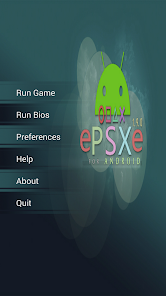
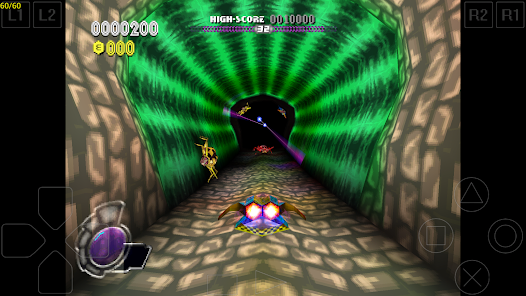
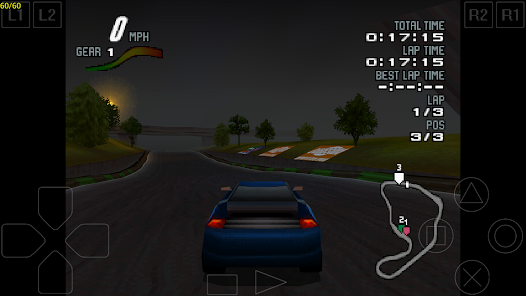
App info
- Publisher
- epsxe software s.l.
- Package ID
com.epsxe.ePSXe- Version
- 2.0.19
- Updated
- May 2026
- Size
- ~14.4 MB
- Android floor
- Android 4.0 and above
- Architecture
- arm64-v8a, armeabi-v7a, x86
- Permissions
- Storage, network, audio
- Category
- Arcade (Emulator)
- Play Store price
- $3.75 (paid)
What this build offers
On Google Play, ePSXe is a paid app at $3.75. The community APK ships the same emulator binary without the paywall, aimed at markets where the $3.75 charge is either unavailable or just not practical. The emulator is the same code either way. You install the exact software paying Play Store users run.
- Same emulator core as the paid release.
Compatibility, audio, save states, the OpenGL renderer: all of it matches the Google Play build. The community APK leaves the engine alone.
- Free access without the $3.75 paywall.
Handy in regions where the paid tier is missing or priced steep against what local apps usually cost.
- Full controller support intact.
Bluetooth and USB OTG gamepad pairing, an on-screen pad, and analog sticks. The input setup is the same as the paid build.
- OpenGL high-res renderer included.
The optional hardware-accelerated mode is included.
- Four-player multitap support.
Pair up to four gamepads on a single device for split-screen titles.
- No bundled games.
You bring your own PS1 BIOS file and your own ISO or BIN/CUE images. Sourcing those is the user’s responsibility, and it happens outside the app.
How to install
A standard Android sideload. The APK is small, around 14.4 MB, so the install wraps up in seconds on a normal connection.
- Download the APK file
Tap the download button on this page. The file drops into your default Downloads folder.
- Allow installs from this source
Open Settings, search for
Install unknown apps, find your file manager or browser, and switch the permission on. - Open the downloaded APK
Tap the file in Downloads. Android’s package installer opens and lists the permissions it wants.
- Tap Install
Confirm the install. Wait for the progress bar to finish, then tap Open to launch the emulator.
- Place your BIOS and ROMs
Copy your PlayStation BIOS file (a
.binfrom a console you own) into the emulator’s configured folder, then point the emulator at the folder that holds your ISO or BIN/CUE images. - First boot
Open the emulator, run the BIOS test, then pick a title from the list. If the default on-screen pad feels too small, resize it under Options.
What’s new in version 2.0.19
- Compatibility refresh for newer Android and 64-bit-only devices.
- OpenGL renderer fixes for Adreno and Mali drivers on Android 14 and 15.
- Updated default touch-pad layouts for tall 20:9 and 21:9 handsets.
- Bluetooth controller pairing improvements for DualShock 4 and Xbox Series gamepads.
- Memory-card and save-state stability fixes.
Related emulators and tools
FAQ
- Is ePSXe legal to use?
- The emulator itself is legal. The BIOS and game images require care: you can legally dump a BIOS from a PS1 you own and rip ISOs from discs you own. Downloading either from the internet is a separate question that falls on the user.
- Do I need a BIOS to run games?
- Yes. Almost every PS1 title needs a BIOS file (scph1001.bin or similar). The emulator ships without one. Most users dump a BIOS from a PS1 they own using a PC tool.
- What is the difference between the paid Play Store app and this APK?
- The emulator engine is identical. The Play Store version costs $3.75 and supports the developer. The community APK is the same software repackaged for free, useful where the paid tier is unavailable or priced beyond local norms.
- What Android version do I need?
- ePSXe 2.0.19 runs on Android 4.0 and above. The OpenGL renderer benefits from a recent GPU; the software renderer works on much older silicon.
- Will my saves move between the paid and the community build?
- Yes. The package ID and the memory-card and save-state file formats are identical. Copy your save folder between installs and the games pick up where they left off.
- How big is the download?
- The ePSXe 2.0.19 APK is around 14.4 MB. The bulk of the storage you will use sits in BIOS and ISO files you supply yourself.




Discussion