In This Article
Follow BestForAndroid


Rooting an Android phone gives you administrator access to the operating system. the rooting scene is smaller than it was but the dedicated audience still gets more from their hardware than non-rooted users ever can. The right apps make the difference.
This is the curated list for May 2026, tested on a rooted Pixel 8a, OnePlus 12, and POCO F6 Pro running KernelSU and Magisk. We cover the apps that justify rooting for power users: backup tools, ad blockers, performance tuners, automation systems, and the niche utilities that are root-only.
Where an app requires Magisk modules versus standalone APK install, we note it. Where the app has a non-rooted free version that covers most users, we point that out. Rooting voids most manufacturer warranties and disables Google Play Integrity API, which breaks banking apps and DRM-protected streaming. Confirm those trade-offs before you continue.
TL;DR
Best fit: Titanium Backup successor (Swift Backup with root) for app and data backup, AdAway for system-wide ad blocking, KernelSU Manager or Magisk for module management.
Good alternative: For power-user tuning, BetterBatteryStats, Tasker (with root extensions), and Wakelock Detector. For game tuning, GameGuardian.
Skip if: You are looking at rooting purely to install one game or one ad blocker; non-rooted alternatives exist for both and the trade-offs are no longer worth it for most casual users.
1. Magisk and KernelSU
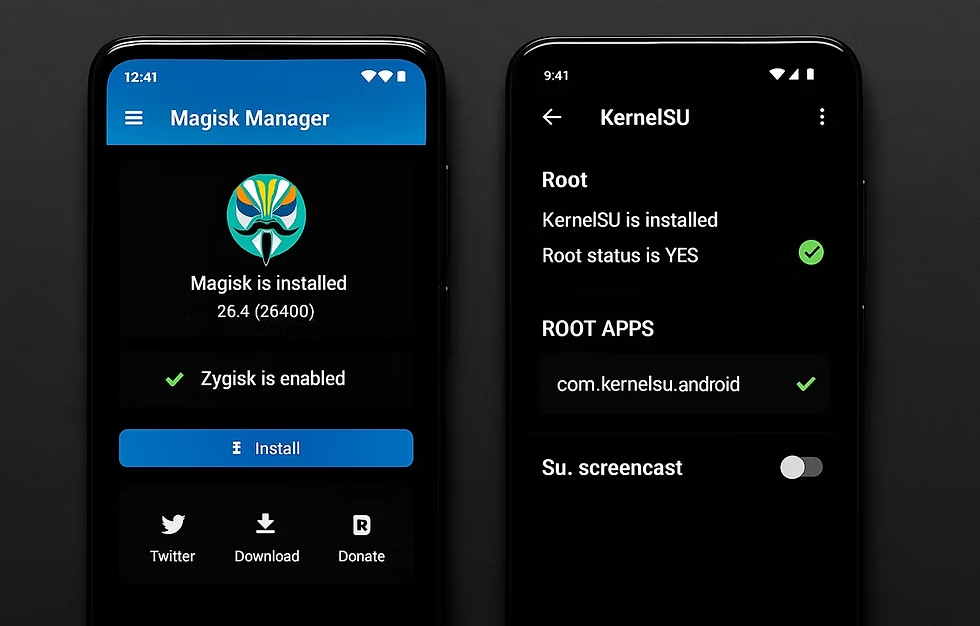
Best for: the root-management framework that everything else depends on
Magisk by topjohnwu has been the universal Android rooting tool since 2016. it is still the most widely supported across devices, with active development at version 28 in May. KernelSU is the newer kernel-based alternative that does not modify boot images on some devices, making it a cleaner option for newer Pixel and OnePlus models.
- Modules system for adding system-level features without modifying the partition.
- Hide root from specific apps through DenyList (Magisk) or the equivalent in KernelSU.
- Active development from independent maintainers, free and open source.
Where it falls short: Banking apps and Google Play Integrity-protected apps detect root and refuse to run. The hide features no longer reliably work for major apps.
Pricing: Free, open source.
2. Swift Backup
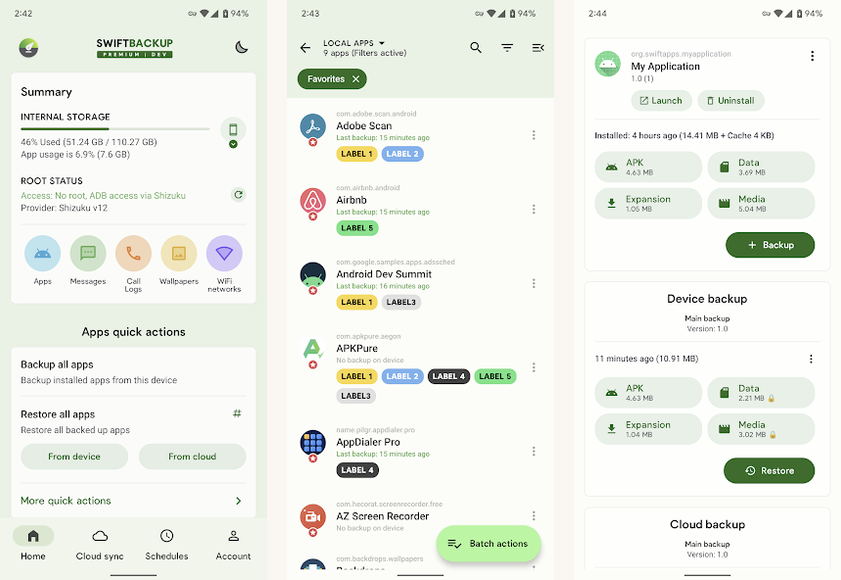
Best for: modern Titanium Backup replacement for app and data backup
Swift Backup at version 4.1 is the modern Titanium Backup-style tool that works with both rooted and non-rooted phones, with the root version giving full data and APK backup. Cloud sync to Google Drive, Dropbox, OneDrive.
- Full data backup for apps including their internal data (root only).
- Cloud sync to Drive, Dropbox, OneDrive at no extra cost.
- Material You design that fits Android 14 and newer.
Where it falls short: Some apps (banking, DRM-protected) cannot be backed up even with root because of internal integrity checks.
Pricing: Free with optional Pro at $4.99 per year.
3. AdAway
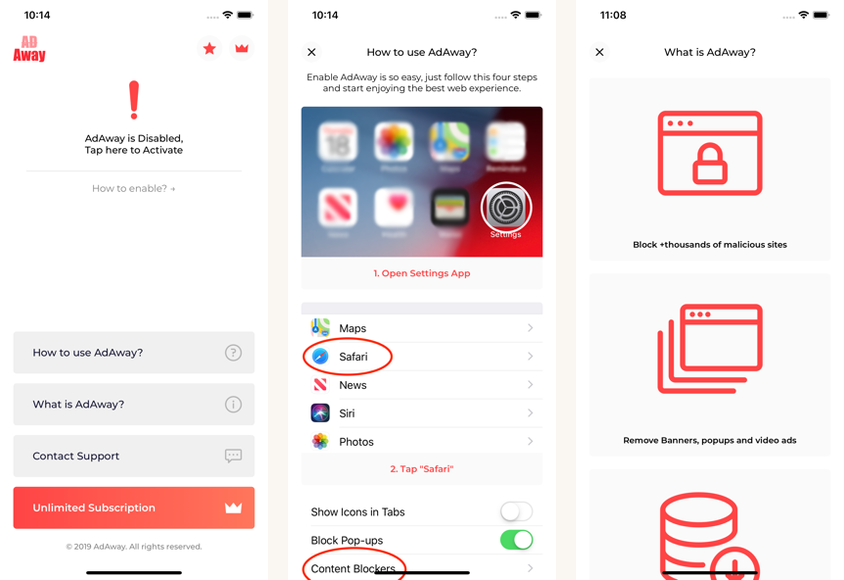
Best for: system-wide ad and tracker blocking through the hosts file
AdAway is the long-running open-source ad blocker that works at the system level by writing to the hosts file (root) or by running a local VPN service (non-rooted alternative). The root version is faster and consumes less battery; the non-rooted version is more compatible but uses the always-on VPN slot.
- System-wide blocking on every app and browser.
- Multiple host source lists to choose your level of blocking.
- Per-app whitelisting for apps that need their ads (developer or revenue-share).
Where it falls short: Available only through F-Droid or the developer’s site, not Google Play. Setup is more involved than a standard install.
Pricing: Free, open source.
4. Tasker

Best for: automation engine that becomes far more powerful with root
Tasker is the most powerful automation app on Android, period. The non-rooted version handles ninety percent of common automation tasks. The rooted version adds the ability to modify system settings, force-stop apps, kill running processes, write to system folders, and a long list of features that require system privileges.
- Plugin ecosystem with hundreds of third-party plugins.
- JavaScript and Bash scripting support inside profiles.
- Root-specific actions for system-level automation.
Where it falls short: Steep learning curve. Most users never use even five percent of Tasker’s capabilities.
Pricing: Free 7-day trial, then $3.49 one-time purchase.
5. BetterBatteryStats

Best for: the standard for finding what is draining your battery
BetterBatteryStats by ChainFire shows wakelocks, kernel wakelock breakdown, alarm scheduling, and the specific apps and components keeping your phone awake. The detail is far beyond Android’s built-in battery screen.
- Wakelock-level detail showing exactly what is keeping the phone awake.
- Alarm dump showing scheduled alarms by app.
- Reference build comparison so you can compare current battery behavior against a previous good baseline.
Where it falls short: Requires root for the deepest data. Has not had major updates in a few years but remains functional and accurate.
Pricing: Free on the developer’s site, $2.99 paid version on Play Store.
Quick take
Magisk or KernelSU first to manage root itself, Swift Backup for safety, AdAway for system-wide ad blocking, Tasker for automation. Everything else fills specific niches.
6. GameGuardian

Best for: game value editing for offline games (with strong cautions)
GameGuardian lets users modify game values (gold, lives, time) in offline single-player games. Used for cheat-mode play, testing game economy, or accessibility (giving yourself unlimited lives in a difficult game). Online multiplayer is off-limits; using GameGuardian against a competitive multiplayer game is both bannable and unsporting.
- Value search and modification across game memory.
- Speed hacking for offline games (run game slower or faster).
- Script support for repeat operations.
Where it falls short: Banking apps and most competitive multiplayer games detect GameGuardian and ban the account. Use only on offline single-player games.
Pricing: Free.
7. Wakelock Detector

Best for: complement to BetterBatteryStats for live wakelock monitoring
Wakelock Detector shows live wakelock activity, useful for catching the moment an app starts misbehaving rather than the after-the-fact wakelock log.
- Live monitoring of current wakelocks held.
- Per-app breakdown by wakelock type.
- Lightweight with minimal battery footprint of its own.
Where it falls short: Less detail than BetterBatteryStats; best as a complement, not a replacement.
Pricing: Free with ads, Pro $3.99.
8. Sleep as Android

Best for: sleep tracking that uses root for deeper accelerometer access
Sleep as Android works for non-rooted users with full functionality; the root install allows it to access higher-rate accelerometer data and accommodate some power-management quirks. Useful for accurate sleep-stage detection and smart alarm wake timing.
- Smart wake-up alarm based on detected sleep stage.
- Snore and sleep talk recording.
- Integration with smartwatches through Wear OS for heart rate.
Where it falls short: The non-rooted experience is genuinely good. Root mostly helps with the older or quirkier devices.
Pricing: Free 2-week trial, then $9.99 one-time.
9. Greenify
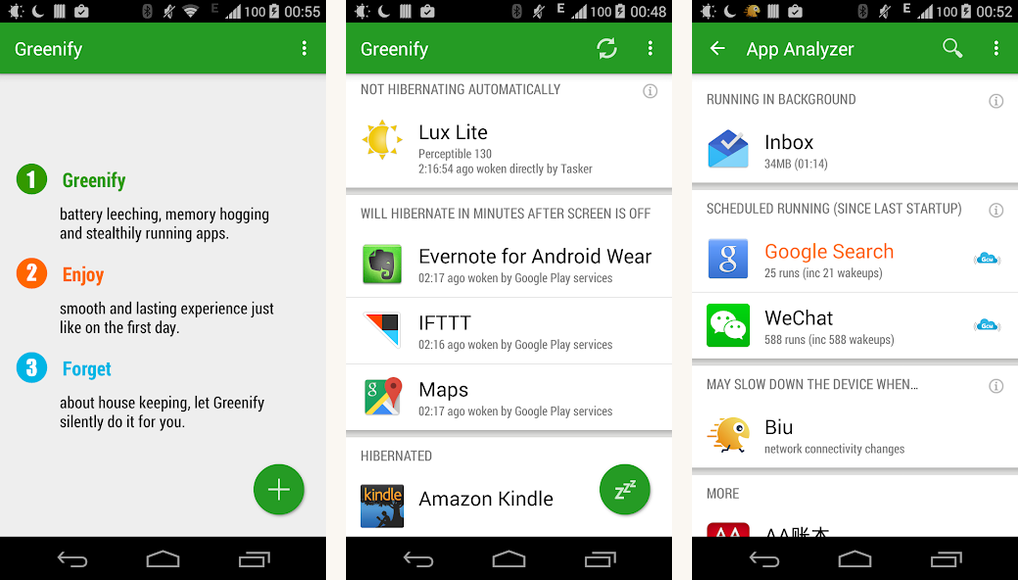
Best for: aggressive battery saver by force-hibernating apps
Greenify hibernates apps when not actively in use, freeing memory and stopping background services. The rooted version gets full hibernation including the underlying services; the non-rooted version uses Android’s Doze API which is less aggressive.
- Force-hibernate apps when not in active use.
- Wakelock-aware hibernation that includes the wakelocks an app holds.
- Notifications during hibernation still work for whitelisted apps.
Where it falls short: Modern Android already does aggressive battery management; Greenify’s benefit is smaller than it was.
Pricing: Free with optional donation pack.
10. Substratum

Best for: system-wide theming engine for OEM and stock Android
Substratum is the open-source theming engine that lets rooted users apply OS-level visual themes to system apps. Used to be the only path to non-default look on Android; modern Material You and OEM theming reduced the need but Substratum still has the deepest customization.
- System app theming beyond Material You.
- Per-app overlay for granular control.
- Magisk integration for module-based theme delivery.
Where it falls short: Has not had major updates since 2022. Some newer Android versions and OEM skins are no longer well-supported.
Pricing: Free.
At a glance
| App | Best for | Free? | Why root matters |
|---|---|---|---|
| Magisk / KernelSU | Root management | Yes | The framework itself |
| Swift Backup | App + data backup | Free + Pro | Full data, not just APK |
| AdAway | System-wide ad blocking | Yes | Hosts-file blocking |
| Tasker | Automation | $3.49 | System-level actions |
| BetterBatteryStats | Battery diagnosis | Free or $2.99 | Wakelock-level detail |
| GameGuardian | Offline game editing | Yes | Memory editing |
FAQ
Is rooting worth it?
For most casual users, no. For power users who want deep automation, system-wide ad blocking, or full data backup, yes. The trade-off is that banking apps and Play Integrity-protected apps stop working, and the manufacturer warranty is voided.
Does rooting brick my phone?
Not if done carefully. Modern rooting tools (Magisk, KernelSU) are mature and well-documented per device. The risk is real but manageable. The worst common outcome is a soft brick that requires re-flashing the stock firmware.
Will I lose Google Pay and banking apps?
Almost certainly yes. Google Pay, every major bank app, Netflix Hi-Def, and DRM-protected streaming detect root and refuse to work or downgrade quality. Hide-root features no longer reliably defeat the SafetyNet replacements.
Can I un-root my phone later?
Yes. Magisk and KernelSU both support a full uninstall that restores the original boot image. The phone is back to its non-rooted state, though Google Play Integrity may take several days to clear the prior-rooted flag.
Is Aptoide or F-Droid required for rooted apps?
F-Droid is the primary distribution for many open-source root tools (AdAway, KernelSU Manager modules). Some apps (Swift Backup, Tasker) are on Google Play. Aptoide is not required and has had security issues; stick to Google Play or F-Droid.
Is there a rooting community I can join?
XDA Developers Forum remains the main hub for device-specific rooting threads. Reddit’s r/Magisk and r/KernelSU are active. The community is smaller than 2016 but still serves the dedicated audience. Custom ROM alternatives often pair with rooting.
The verdict
Rooting Android is a deliberate choice with real trade-offs. The apps above turn root from a ‘because I can’ into a ‘because it does something my phone cannot otherwise do’. Magisk or KernelSU, Swift Backup, AdAway, and Tasker make a complete power-user setup that pays back the effort.
For casual users, the trade-offs probably are not worth it. The convergence of Google Play Integrity into every major app means rooting locks you out of banking, DRM streaming, and some games. If you do not need the root-only capabilities listed above, stay non-rooted.
How we put this guide together
Tested on rooted Pixel 8a (KernelSU), OnePlus 12 (Magisk), and POCO F6 Pro (Magisk) during April and May 2026. Each app installed, configured, and used for at least a week. Compatibility with banking and DRM apps observed against Google Pay, Bank of America, Chase, Lloyds Bank, Netflix, and Disney+ during May 2026. Hide-root behavior tested but not relied on, given the to 2025 changes to Play Integrity that broke previously-working hide methods.