
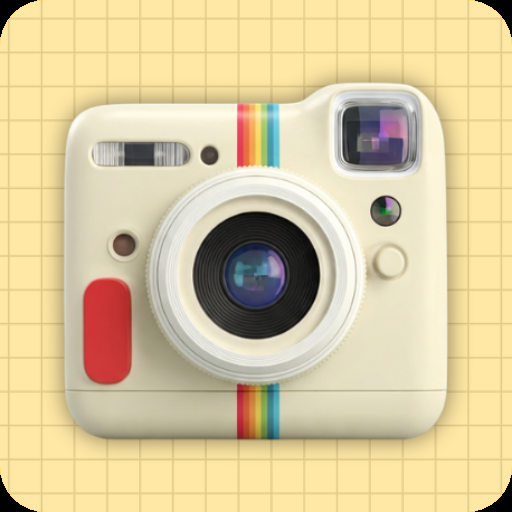
A vintage film-camera app that gives your digital photos the look of 35mm, Polaroid, and disposable cameras. You get light leaks, grain, dust specks, faded color, and date-stamp overlays. Dozens of filters span different film stocks and decades.
What is Dazz Cam
Dazz Cam rebuilds the look of analogue film right inside your phone camera. Pick a filter that copies a specific film stock or camera body, take the shot, and the result carries the soft contrast, color cast, grain, and edge vignette that disposable cameras and Polaroids gave you through the 1970s, 80s, and 90s. The same processing runs on photos you import from your gallery, so old shots get the treatment too.
Two kinds of people use it. Aesthetic creators on TikTok and Instagram who lock one retro look across a whole feed, and folks shooting candid family or travel photos who want that print quality without buying a real film camera. The base app is free, with a starter filter set and ads. Premium unlocks the full library, kills the ads, and opens up full-resolution export plus the date-stamp overlays.
Key features

App info
- Publisher
- Epilepz App (modded build)
- Package ID
com.jerapah.spywaee- Version
- 3.2.2
- Updated
- May 2026
- Size
- ~42 MB
- Android floor
- Android 7.0 and above
- Installs
- 1,000,000 and above on Google Play
- Permissions
- Camera, storage, photos/media
- Category
- Photography
What this mod offers
The modified build of Dazz Cam 3.2.2 hands you the paid feature set with no one-time unlock and no subscription. The filter picker, the export pipeline, and the overlay tools all act as if a Premium account is already active on your device.
- All film-stock filters unlocked.
Every filter pack across the decades and brands shows up in the picker, including the premium Polaroid and disposable-camera collections.
- No ads.
The full-screen ads on app open and between shots are gone. So is the watch-a-video gate that the free app puts in front of individual filters.
- Full-resolution export.
Photos save at the camera sensor's native resolution instead of the downsampled JPEG the free tier writes out.
- Date-stamp customization.
Change the red date overlay to any date, font, and position you want, not just the one locked default style.
- Premium frame and border packs.
The Polaroid, KIRA, and FR2 frame styles that the in-app store normally locks away are sitting right there in the editor.
- No watermark on exports.
Saved photos come out clean, with no Dazz Cam corner logo and no branding tacked onto the end of the strip.
How to install
Installing it follows the normal Android sideload steps. On most phones it takes about four taps once you have granted “install unknown apps” permission to your file manager.
- Download the APK file
Tap the download button on this page. The file drops into your default Downloads folder.
- Allow installs from this source
Open Settings, search for
Install unknown apps, find your file manager or browser, and switch the permission on. - Open the downloaded APK
Tap the file in your Downloads folder. Android’s package installer opens and lists the permissions it wants.
- Tap Install
Confirm the install. Let the progress bar finish, then tap Open to launch the app.
- Grant camera permission
On first launch, allow camera and storage access. Premium filters and full-resolution export should switch on by themselves.
What’s new in version 3.2.2
- Six new film-stock filters in the 1990s pack, tuned for warmer skin tones.
- Updated Polaroid frame rendering, sharper edge definition at full export size.
- Improved low-light grain pattern, less digital noise on shots taken at ISO above 800.
- Bug fixes for the date-stamp overlay rendering on portrait-orientation photos.
- Compatibility patch for Android 15 and the latest One UI and MIUI camera APIs.
FAQ
- Is Dazz Cam free to use?
- The base Dazz Cam app on Google Play is free with a starter filter set, ads between shots, and a watermark on exports. The premium tier removes ads, unlocks the full filter library, and enables the full-resolution export pipeline.
- What is the difference between the official version and the modded APK?
- The official version on Google Play is free with the premium filters and frame packs behind an in-app purchase. The modded APK on this page unlocks every filter, removes ads, allows full-resolution save, and disables the watermark on exports.
- Will photos taken in the mod open in the official version?
- Yes. Both versions save standard JPEG and PNG files to the camera roll. The filtered output is baked into the file at export, so it works in any gallery app or in the official Dazz Cam reinstalled later.
- What Android version do I need?
- Dazz Cam 3.2.2 requires Android 7.0 (Nougat) or above. The app runs on most modern phones and tablets; live-preview performance is best on devices with a Snapdragon 6-series chip or newer.
- How big is the download?
- The Dazz Cam 3.2.2 APK is approximately 42 MB. Allow extra space for filter packs that download on first use and for the temporary cache of preview thumbnails the camera engine writes during a session.
- Does the mod work on tablets and foldables?
- Yes, the build is universal-architecture and runs on tablets and foldable phones. The viewfinder will respect the larger display, though some Polaroid frame aspect ratios are designed for handheld portrait orientation.



Discussion